Bracket Drawing Generator: Free L and U Bracket CAD
Describe a bracket and AI sketches a bracket drawing as a CAD-style PNG, from 60 credits. Or size an L or U bracket in the free designer below and get a real bracket drawing for the shop: three views, the flat pattern and the bend data, saved as DXF, SVG or PDF.
- Real bend math
- Three views + flat pattern
- DXF, SVG, PDF
- Free, in your browser
Drawing style
Technical
Full sheet: views, a section, notes and a title block.
You get a CAD-style PNG made by AI, not an editable CAD file. Trace it to DXF for free afterwards.
Sheet-metal bracket, full sheet
AI-generated example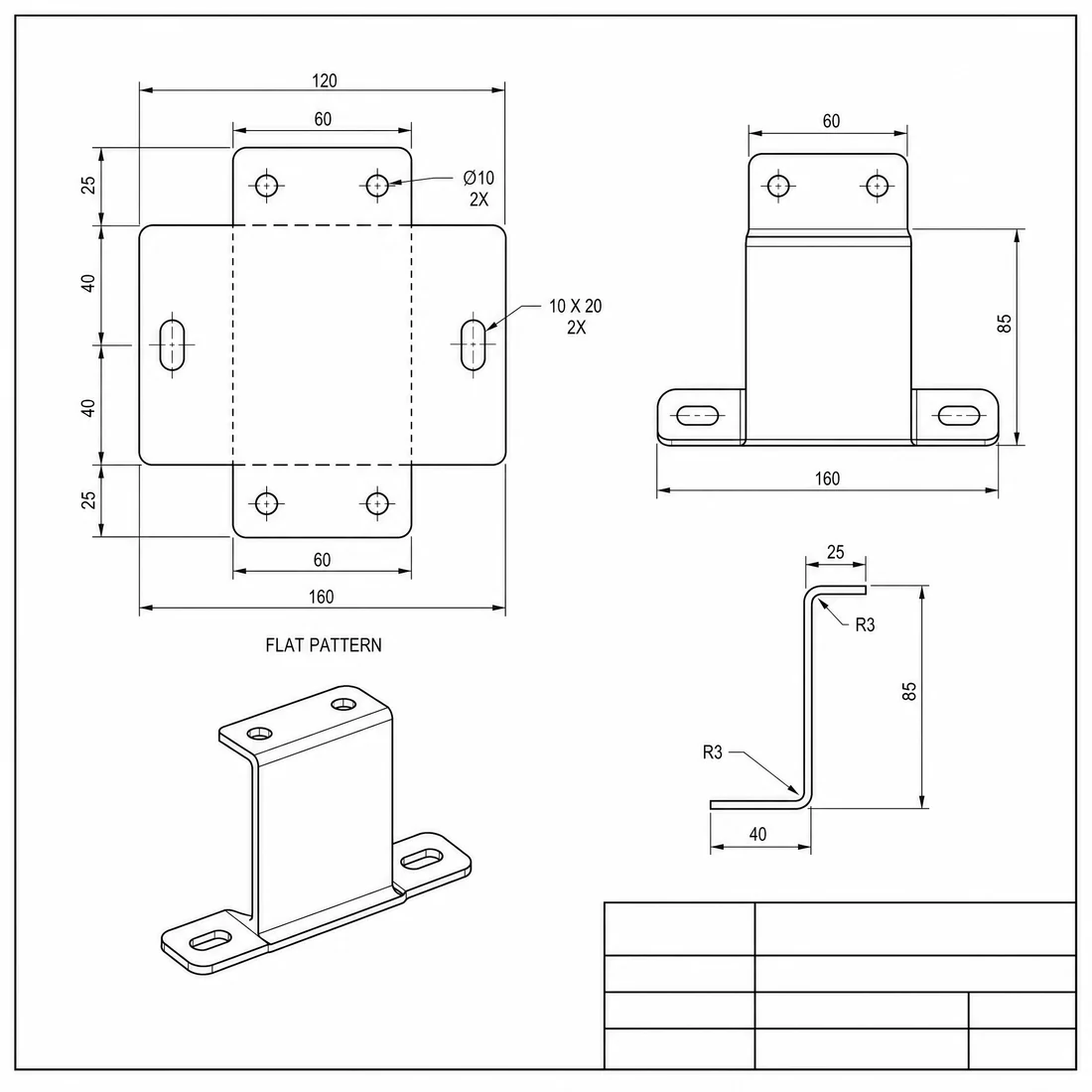
Prompt idea: Sheet-metal hat bracket from 2 mm steel: flat pattern with bend lines, front and side views of the formed part, a small isometric view, R3 bend callouts, a border and a title block. Your result will differ.
Free bracket designer
Size a bracket and get an L bracket drawing with its flat pattern
Pick L or U, type the outside leg lengths, thickness and inside radius, then place holes or slots on each leg. The bracket drawing redraws as you type, with design checks for short legs and holes too close to the bend.
Third angle: front, top and side views plus the flat pattern, scale 1:2 on A4. Downloads are the full sheet.
- Flat blank
- 104.74 × 40
- K-factor
- 0.43
- Bend deduction
- 5.26
- Mass
- 95 g
Examples
Bracket drawing examples: AI concepts and real CAD sheets
Four pictures made by AI, labelled as such, and two sheets drawn by the free designer above. Only the designer sheets come with a DXF you can open and edit.
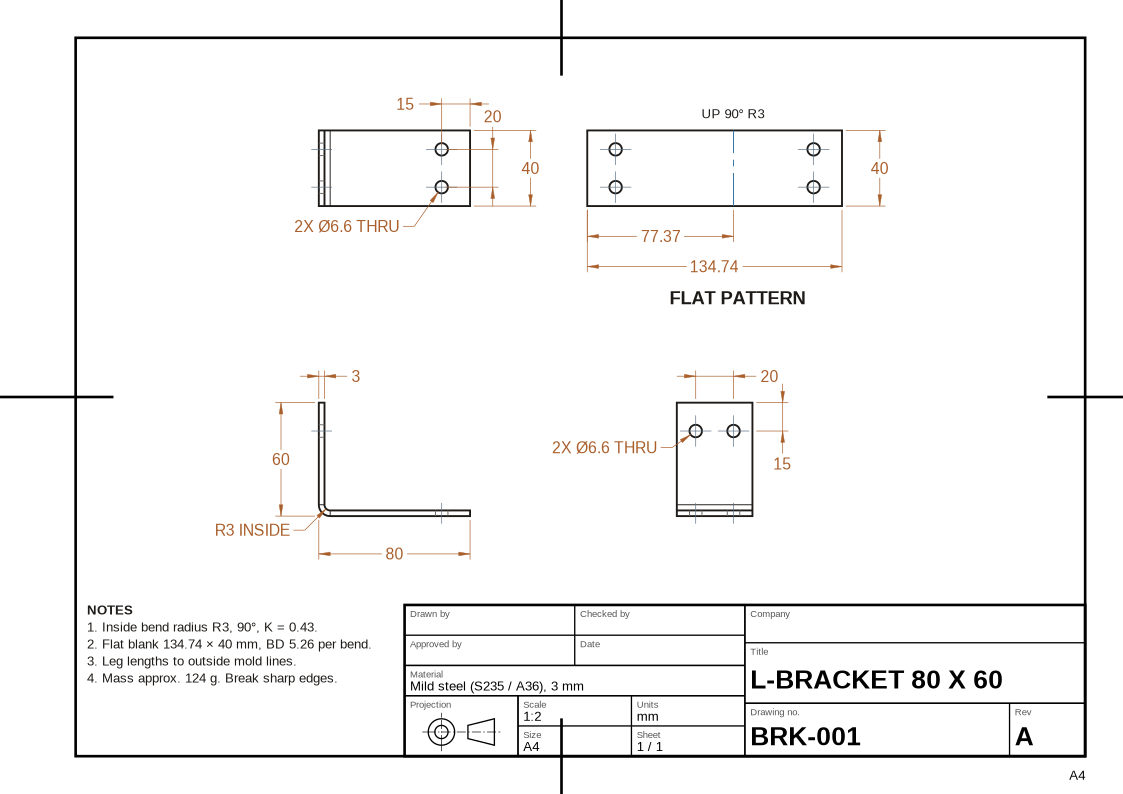
Drawn with the free designer
L bracket, 80 × 60 × 40
Front, top and side views in third angle, a flat pattern with the bend line, hole callouts and a notes block with K-factor and blank size.
A4 · 1:2 · 3 views + flat pattern
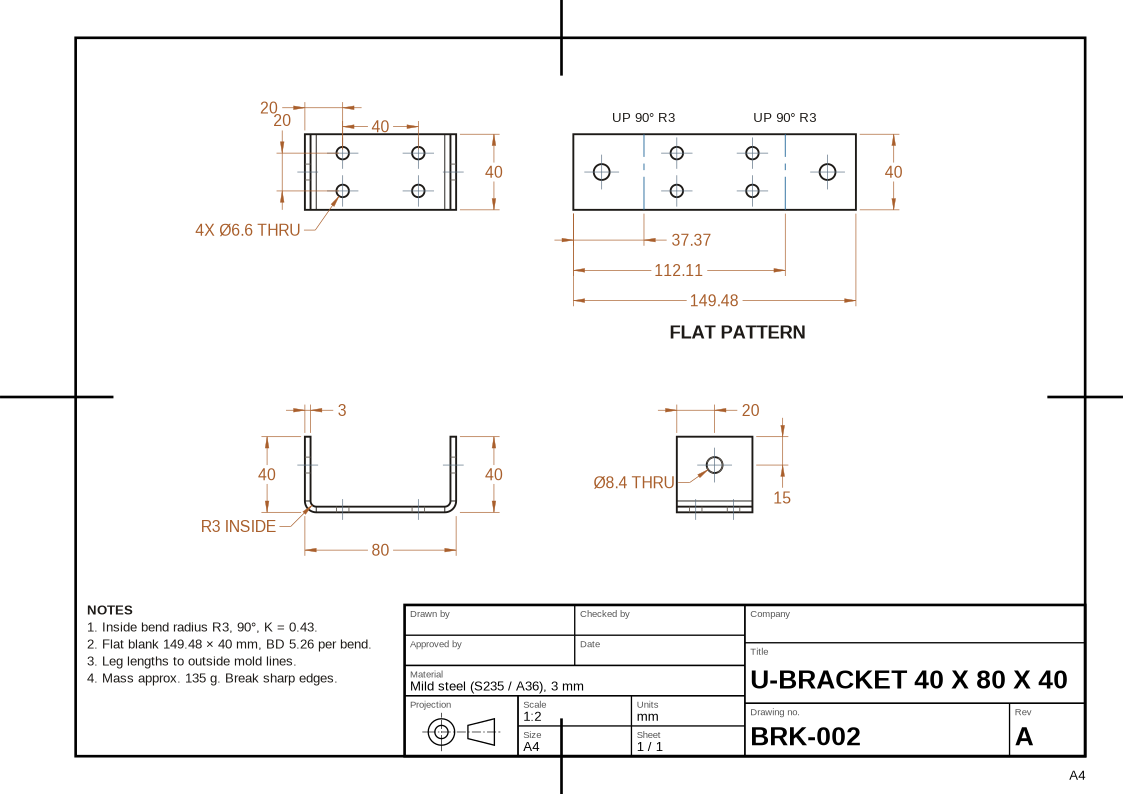
Drawn with the free designer
U bracket with a 2 × 2 hole pattern
A channel with four base holes and a hole in each leg. Two bend lines on the flat pattern, both dimensioned from the left edge.
A4 · 1:2 · 2 bends · 6 holes
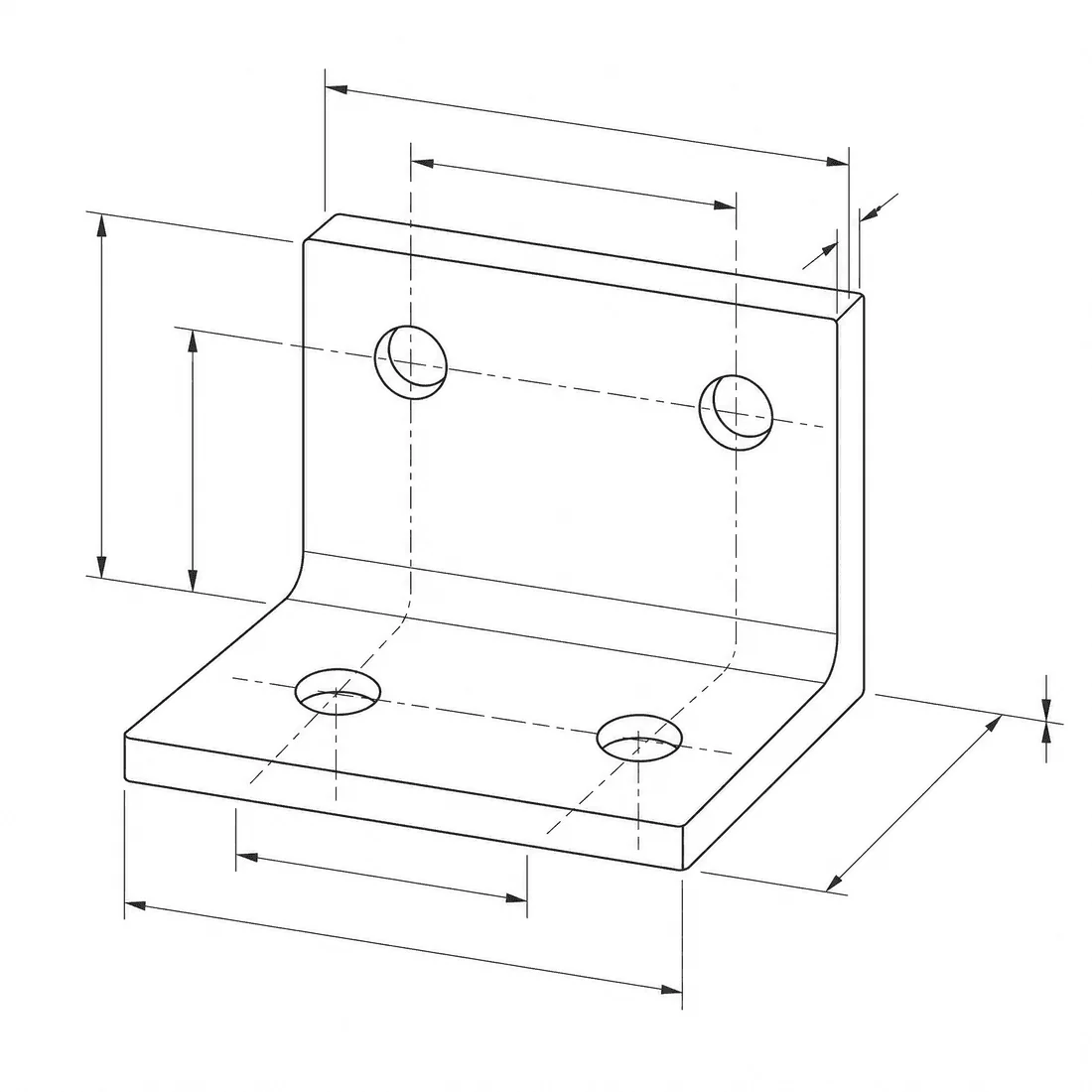
AI-generated example
L-shaped mounting bracket
An isometric bracket drawing with hole centres and leg dimensions, useful as a concept picture.
AI-generated example
Sheet-metal bracket, full sheet
Flat pattern, formed views, bend callouts and a title block in one AI picture.
AI-generated example
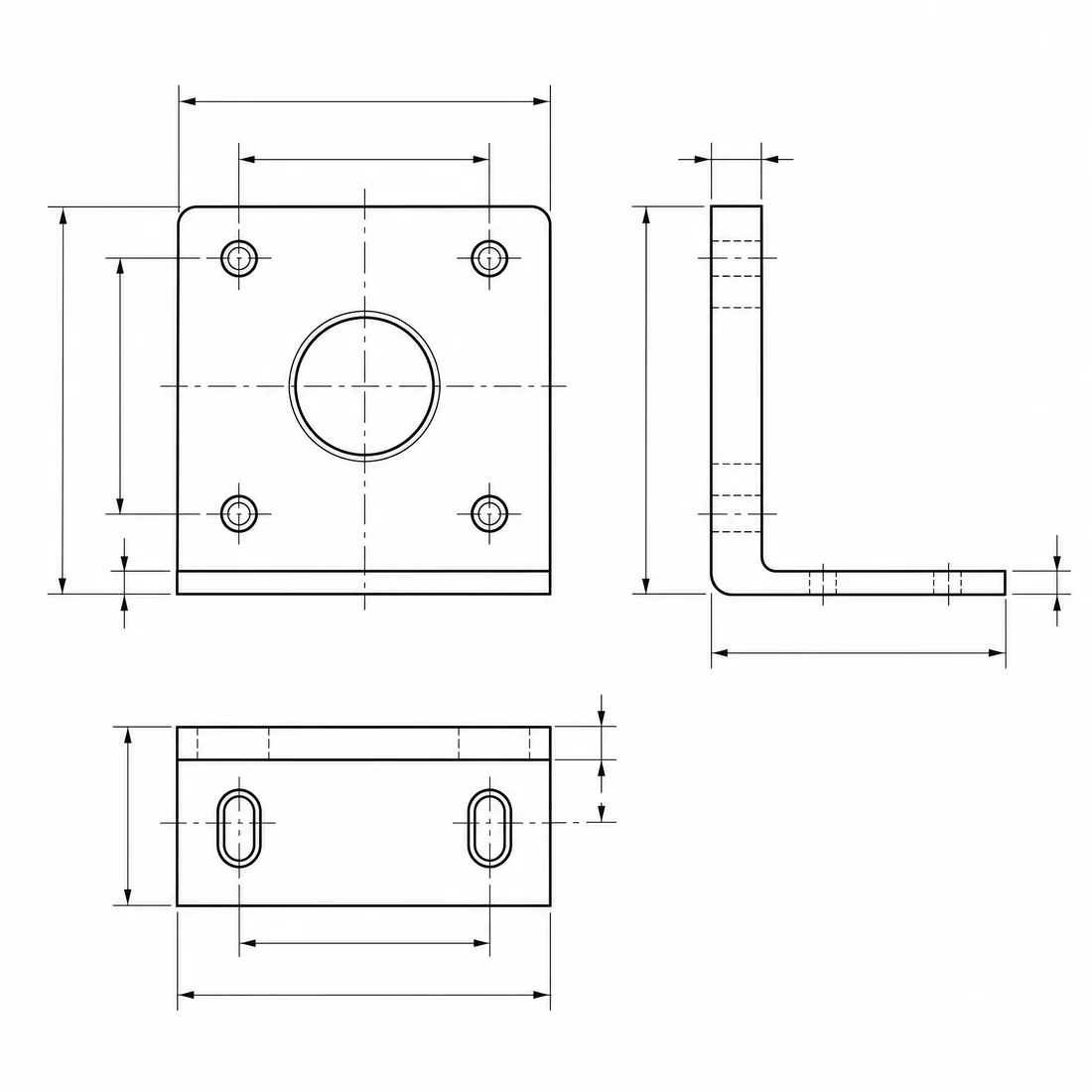
Motor mount bracket
Front, top and side views of a bent plate with a pilot bore, four holes and two slots.
AI-generated example
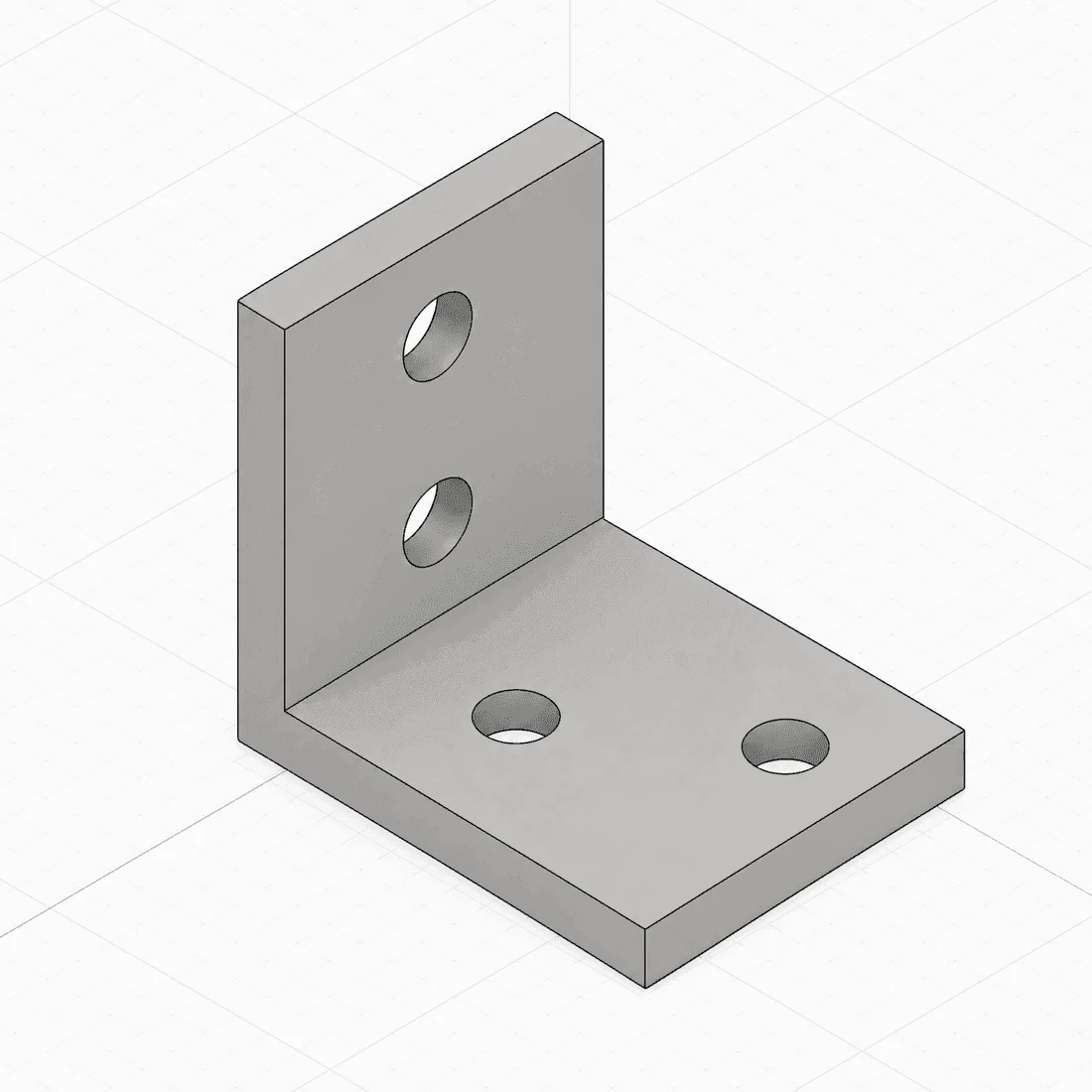
L bracket, shaded view
A grey shaded viewport style for slides and quotes rather than the shop floor.
Prompt builder
Describe a bracket CAD drawing for the AI generator
Choose the bracket type, sizes, holes, material and views. Apply writes one clear prompt into the generator at the top of the page.
Generated prompt
OrthographicStart from a template
Read the sheet
How to read a bracket drawing
A good bracket drawing answers four questions for the shop: how big, how thick, where the holes go and how it bends.
L bracket sheet drawn by the designer
How to
How to make a bracket drawing in 3 steps
With the free designer; the AI generator at the top works from words or a sketch instead.
STEP 1
Set the shape
Choose L or U, units, outside leg lengths, width, thickness, inside radius and material.
STEP 2
Place holes and slots
Pick a bolt size or type a hole, then the count, spacing and slot length per leg. Watch the checks.
STEP 3
Download the files
Save the sheet as DXF, SVG or PDF, and the 1:1 flat pattern DXF for the laser.
Outside dimensions
Measure legs to the outside of the bend, the way a bracket drawing is dimensioned.
One radius
Use one inside radius on every bend so one tool does them all.
Ask for K
If your shop has a tested K-factor, use theirs.
Leave room
Keep holes clear of the bend and legs at least four thicknesses long.
Two tools
Bracket CAD drawing: designer or AI
The designer is exact about every bracket drawing it makes; the AI is quick at a first picture.
- Designer shapes
- L or U bracket, 90° bends, one inside radius, 0 to 4 holes or slots per leg
- Designer output
- Drawing sheet A4, A3, ANSI A or B as DXF R12, SVG or vector PDF, plus a 1:1 flat pattern DXF
- Designer math
- Bend allowance, bend deduction and blank length from outside dimensions, K-factor by material
- Designer cost
- Free, no account, nothing uploaded
- AI input
- Words, or a sketch or photo (PNG, JPG or WebP up to 10 MB)
- AI output
- A CAD-style PNG at 1K or 2K, not an editable CAD file
- AI cost
- 60 credits at 1K, 80 at 2K; refunded if a run fails
- Units
- Millimetres or inches in both tools
It does
- Draw an L or U bracket in three views with dimensions
- Work out the flat blank and the bend line positions
- Flag short legs and holes that sit too close to a bend
- Export a layered DXF, an SVG and a print-ready PDF
- Draw a first AI picture of any bracket from words
It does not
- Calculate load capacity or stress in the bracket
- Draw gussets, Z brackets or bends other than 90°
- Add bend reliefs or tolerances for you
- Export a 3D model (STEP or STL) of the bracket
- Turn the AI PNG into a CAD file by itself
Bracket drawing FAQ
The designer, the flat pattern and the AI generator.
What is a bracket drawing?
A bracket drawing is a technical drawing of a mounting bracket: the views that show its shape, the dimensions of each leg, the thickness, the bend radius, the holes or slots and, for sheet metal, the flat pattern the shop cuts before bending.
Is the designer output a real CAD file?
Yes. The DXF is a true drawing with layers for outlines, hidden lines, centre lines, bend lines, dimensions and notes, and it opens in AutoCAD, BricsCAD, DraftSight, LibreCAD or Fusion. The AI generator, by contrast, makes a PNG picture.
How is the flat pattern length worked out?
From the outside leg lengths minus one bend deduction per bend. The deduction comes from the thickness, inside radius and K-factor, the same formulas as our bend allowance calculator. The bend line sits in the middle of each bend allowance.
Which K-factor does it use?
A generic air bend value for the radius to thickness ratio and the material, about 0.43 for 3 mm mild steel at R3. Real presses vary, so a K-factor from a test bend on your shop's tooling is better.
Can I get the flat pattern for laser cutting?
Yes. Flat pattern DXF 1:1 saves the blank outline, the holes and slots on one layer and the bend lines on another, at true size in millimetres or inches.
What scale is the bracket CAD drawing?
The designer picks the largest standard scale that fits the sheet: 1:1, 1:2, 1:5 and so on, plus 1:4 for inch sheets. The scale prints in the title block and the dimensions always show real sizes.
How do I draw an L bracket drawing in first angle?
Switch Projection to 1st. The top view moves below the front view and the side view moves to the left, and the title block symbol changes with it. Third angle is the US default, first angle the European one.
Why does it warn about holes near the bend?
A hole that starts inside the bend zone stretches when the sheet is bent. Fabrication guides ask for 2T + R to 2.5T + R between the hole edge and the inside face of the other leg. Move the hole or accept a slight oval.
Can it calculate how much load a bracket holds?
No. Load capacity depends on material, fasteners, how the load is applied and the supporting structure. Use the drawing for making the part and check strength with an engineer or a FEA tool.
What does the AI bracket drawing generator make?
A CAD-style PNG of a bracket from your words or a sketch, at 60 credits for 1K or 80 for 2K. Dimensions on it are illustrative, and Convert to DXF traces its lines for free.
Is this bracket drawing tool free?
The designer and its DXF, SVG, PDF and flat pattern files are free and need no account. Only AI pictures use credits, and a failed run is refunded automatically.
Does my bracket design leave my computer?
Not in the designer: geometry, checks and files are made in your browser. The AI generator sends your prompt or image to the image model to draw the picture.
Make your bracket drawing now
Size it free in the designer, or describe it and let AI draw a first picture.
Describe a bracket