Wireframe CAD Generator: Live 3D Wireframe Drawing
Describe a part and AI renders a wireframe drawing in CAD style, from 60 credits. Have a 3D model? The free lab below shows its real edges live: set the feature angle, switch perspective or orthographic, dash or hide the back edges, and save PNG or SVG.
- Hidden edges dashed
- Feature angle slider
- PNG and vector SVG
- Free 3D lab
Drawing style
Wireframe
Every edge, back edges too, on a dark viewport.
You get a CAD-style PNG made by AI, not an editable CAD file. Trace it to DXF for free afterwards.
Wireframe bracket
AI-generated example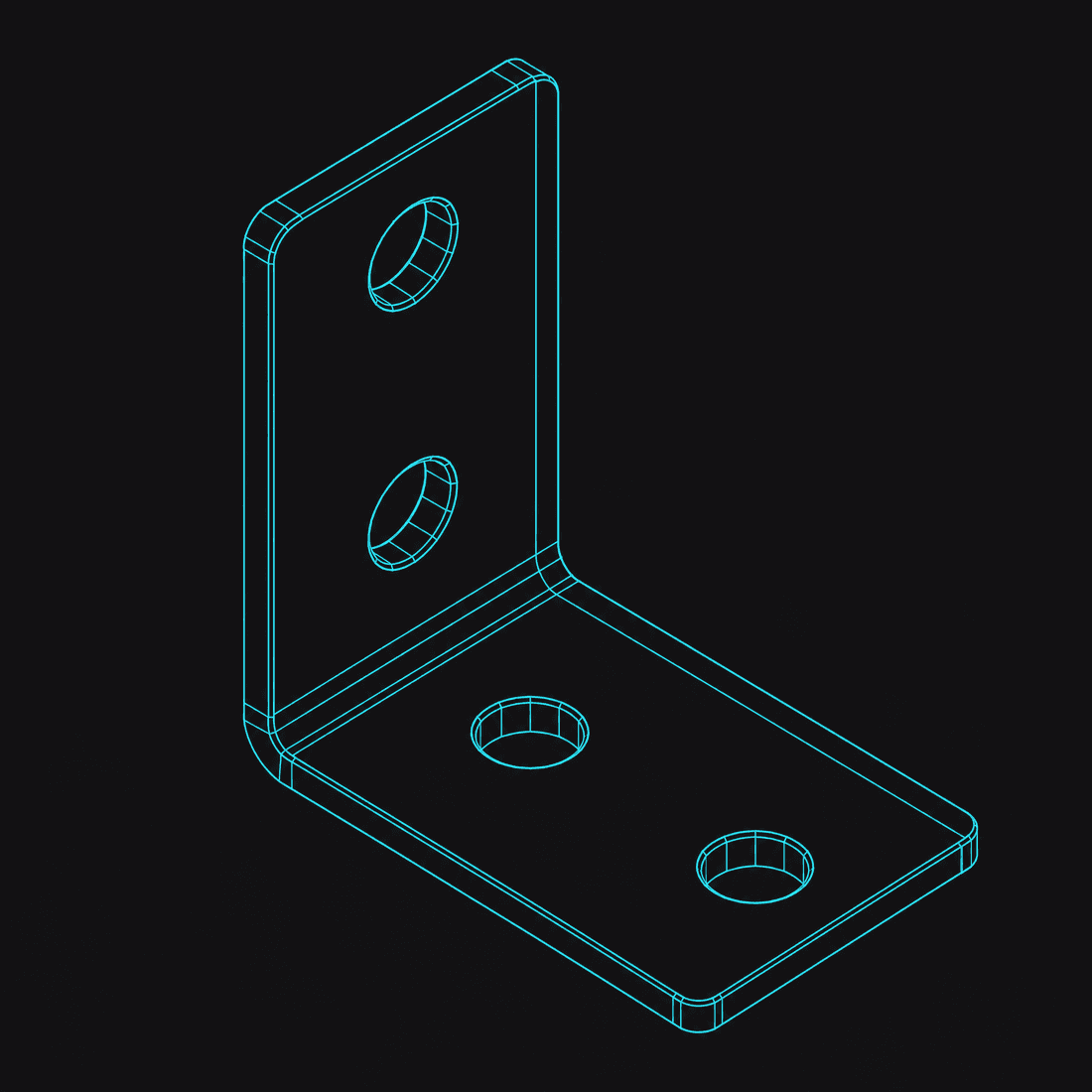
Prompt idea: Rounded L-bracket, 90 x 70 x 50 mm, 6 mm plate, four countersunk holes. Your result will differ.
Free 3D wireframe lab
Turn a 3D part into a wireframe drawing
Orbit one of our sample parts or open your own STL. Every line is a real edge of the mesh: creases sharper than the feature angle, plus silhouettes that follow the camera. The SVG is drawn from the same view with hidden lines worked out exactly, and nothing is uploaded.
Hidden edges
Lines
Examples
Wireframe CAD examples
Four sample parts, each a wireframe drawing made by the lab above as vector SVG, and two wireframe pictures made by AI. The lab shows what the model really is; the AI paints a look.
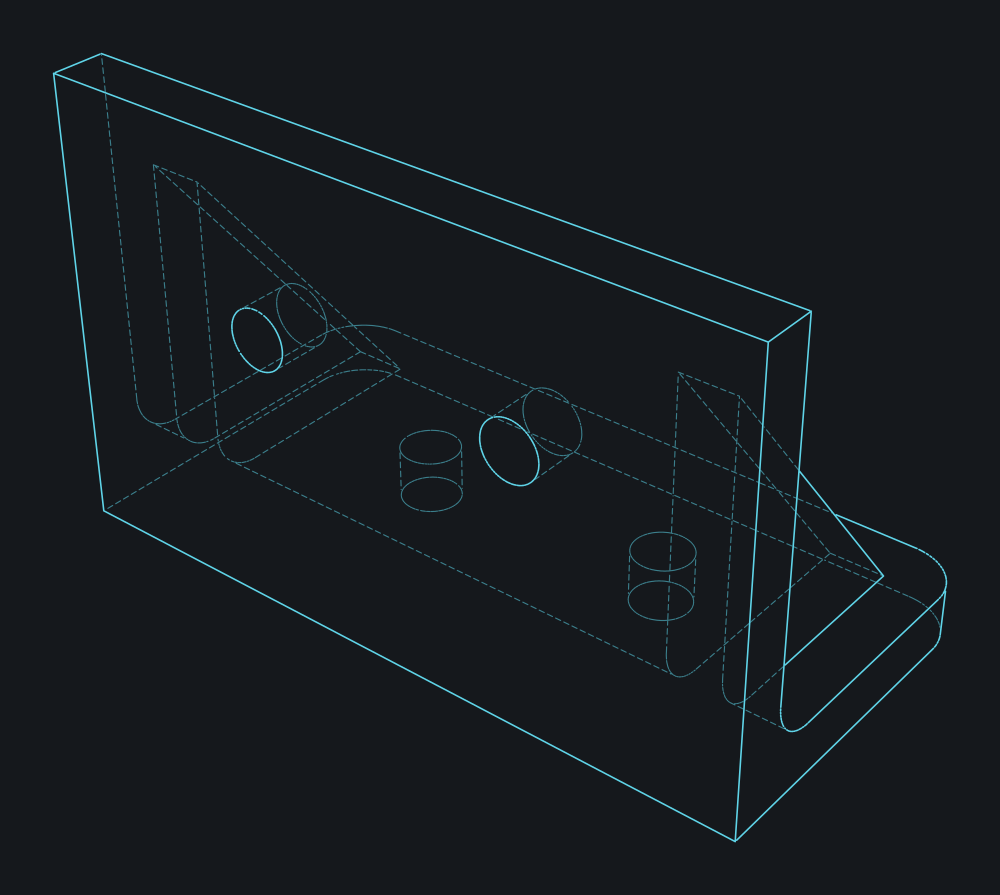
Drawn by the lab
Mounting bracket
An L-bracket with a gusset and four holes; dashed lines show the holes and back faces.
perspective · 30° · hidden dashed
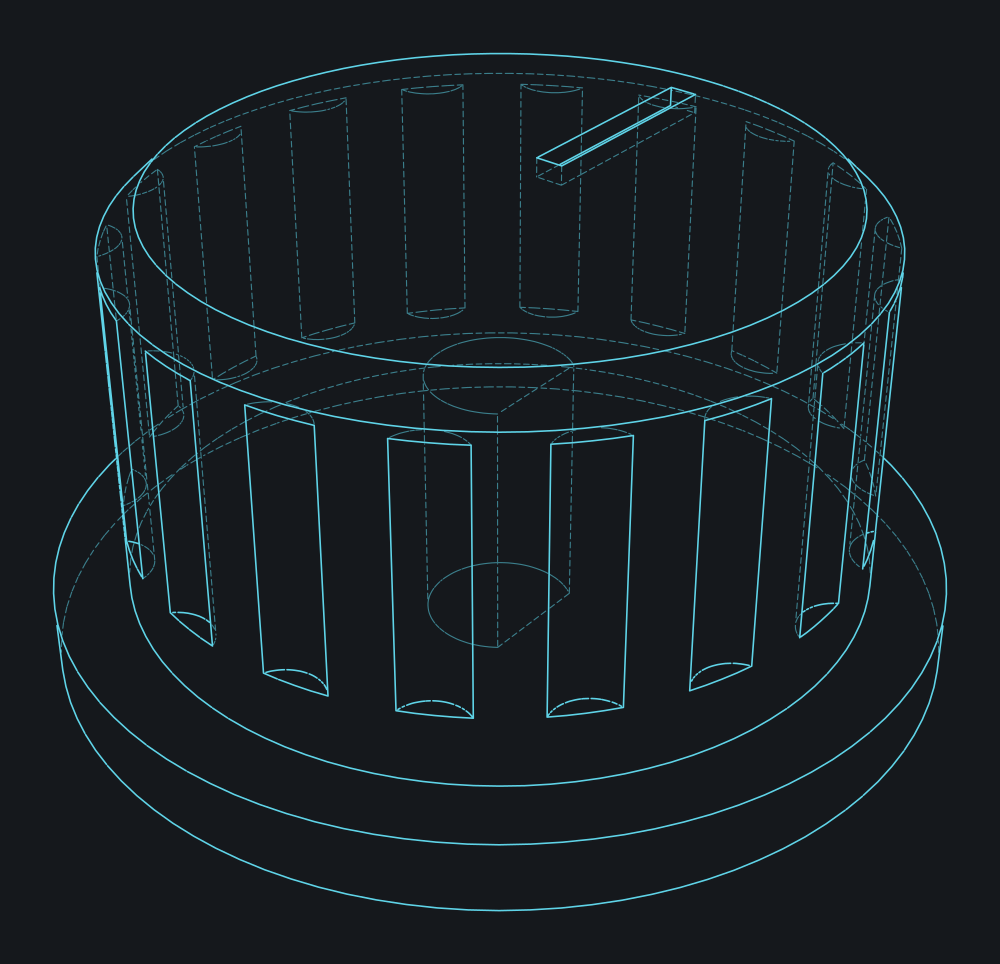
Drawn by the lab
Control knob
Grip flutes as crease edges, the round body outlined by silhouettes, the bore dashed inside.
perspective · 30° · hidden dashed
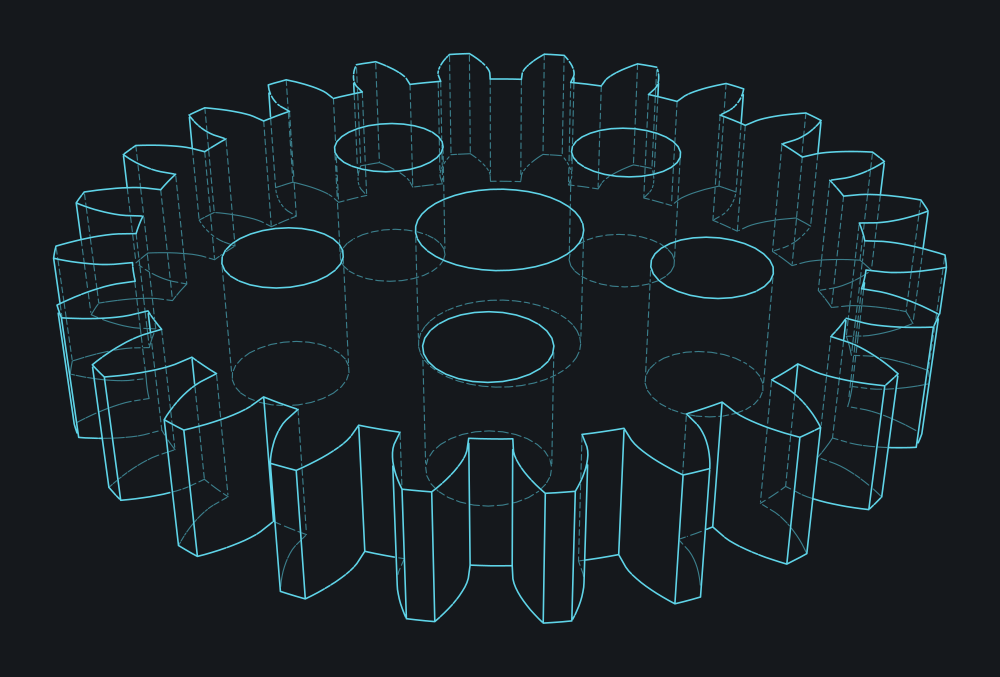
Drawn by the lab
Spur gear
Every tooth flank is a feature edge; hub holes read through the web as dashes.
perspective · 30° · hidden dashed
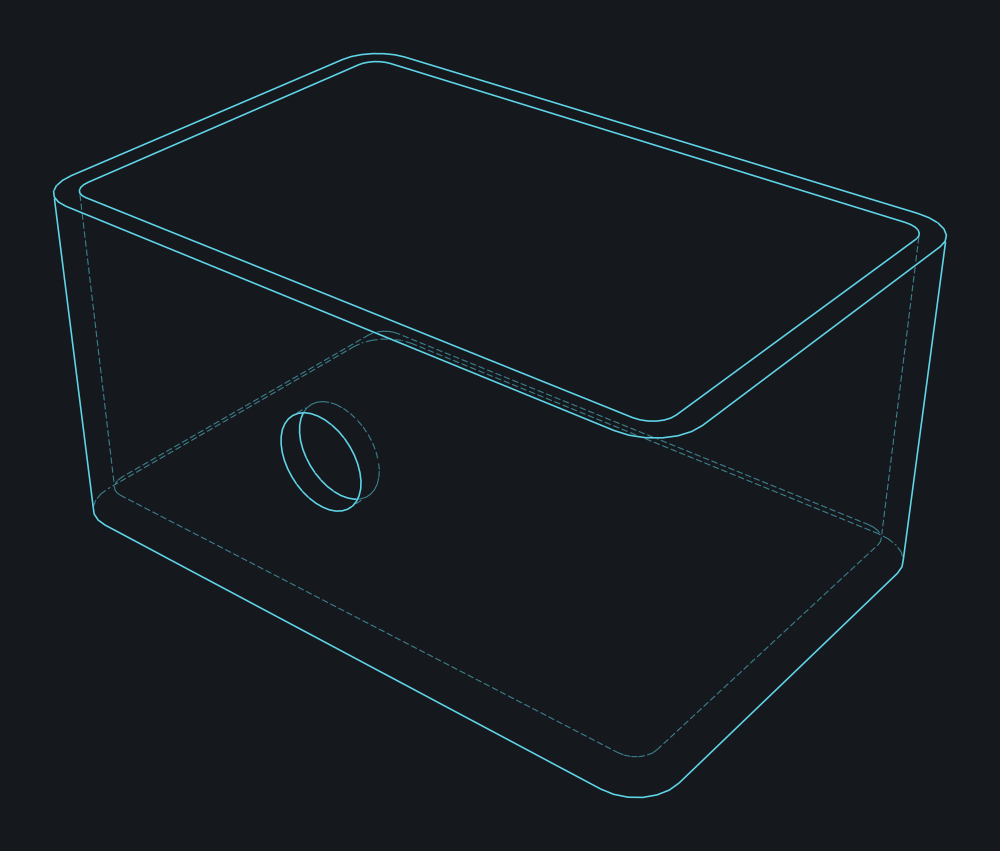
Drawn by the lab
Storage box
A thin-walled box in perspective: inner walls and the side hole appear as hidden lines.
perspective · 30° · hidden dashed
AI-generated example
Glowing bracket, AI
A cyan wireframe of a rounded L-bracket with four holes, made by AI in the Wireframe style.
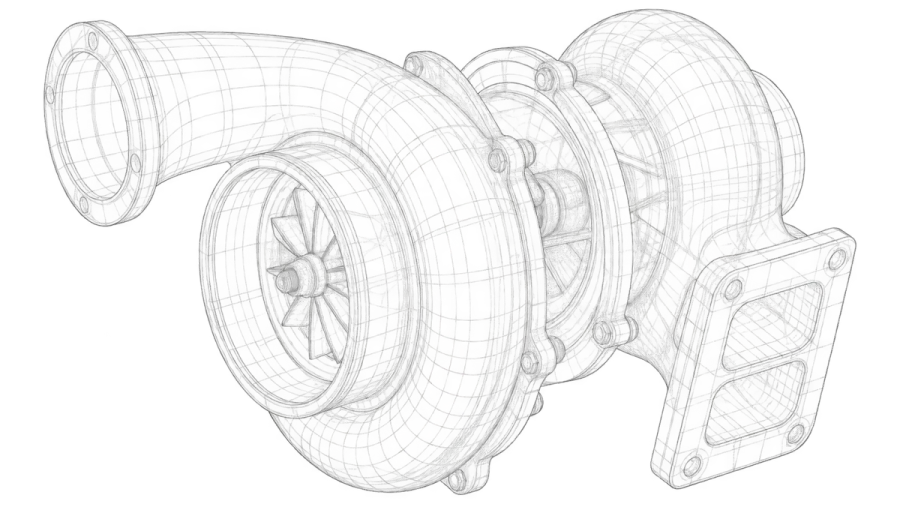
AI-generated example
Turbocharger, AI
A dense wireframe render of a turbocharger with its two housings, made by AI.
Prompt builder
Configure an AI wireframe CAD image
Name the part and what it should reveal, then pick the edge density, hidden edges, colours and camera. Apply writes the prompt into the generator at the top of the page.
Generated prompt
WireframeStart from a template
How wireframes work
What a wireframe drawing shows, and how to tune it
A wireframe drawing describes a 3D shape by its edges alone, with no shaded surfaces. Four settings decide what those edges are and how they read.
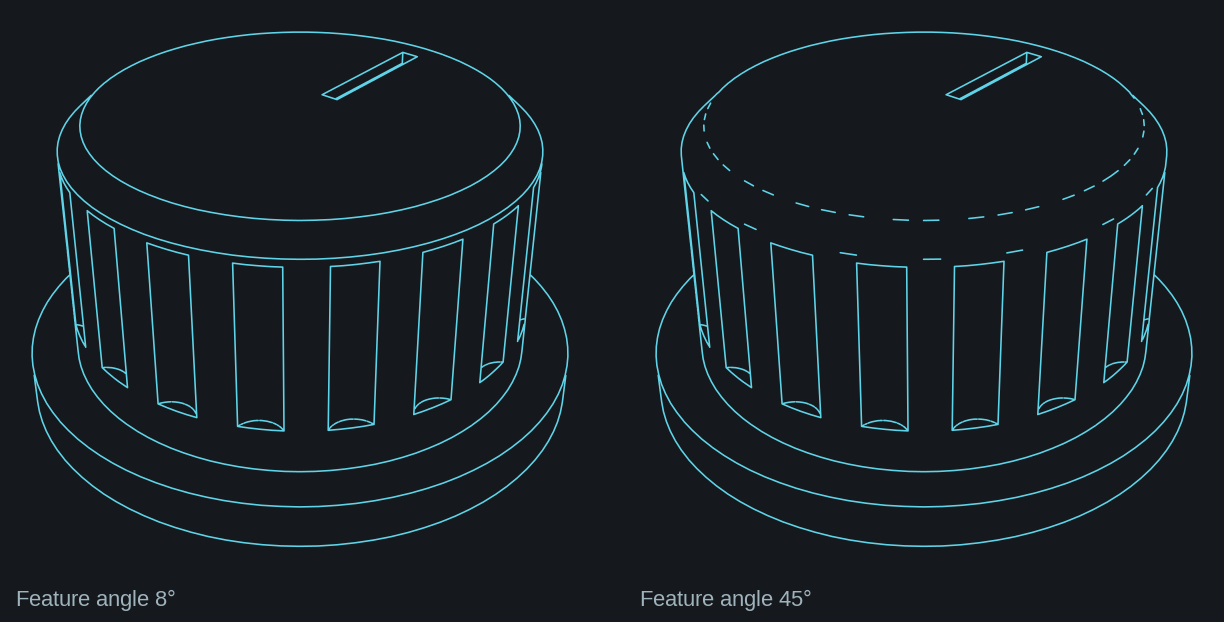
Control knob at 8° and at 45°, drawn by the lab
How to
How to make a wireframe drawing of a 3D model
With the free lab; the AI generator at the top starts from words or a sketch instead.
STEP 1
Open a part
Pick a sample or press Open STL. Files up to 40 MB and 250,000 triangles open in your browser.
STEP 2
Set the look
Drag to orbit, then set the feature angle, the camera, the hidden edges and the line colours. Iso, Front, Top and Right snap the view.
STEP 3
Export
Download PNG for slides, or the wireframe drawing as SVG for documents and CAD: real vector lines of exactly this view.
Curved parts
Raise the angle to 30° or more so round faces show silhouettes, not facets.
Print-ready
Black on white with hidden edges dashed prints best.
Check a mesh
Show triangle mesh to spot thin slivers before printing.
Need views?
For front, top and side views, use the orthographic drawing generator.
Two tools
Wireframe CAD from a model or from AI
The lab draws a wireframe drawing from the real edges of a model; the AI paints a wireframe CAD look from words.
- Lab input
- STL (binary or ASCII) up to 40 MB and 250,000 triangles, or a sample part
- Edges
- Feature edges at 1° to 90°, live silhouettes, or every triangle edge
- Camera
- Perspective or orthographic, orbit and zoom, four snap views
- Hidden edges
- Hidden, dashed or x-ray, in the viewer and in the SVG
- Lab output
- PNG of the frame; SVG with exact hidden-line removal
- Lab cost
- Free, no account; the model never leaves your browser
- AI input and output
- A description or a sketch (up to 10 MB); a wireframe-style PNG at 1K or 2K
- AI cost
- 60 credits at 1K, 80 at 2K; refunded if a run fails
It does
- Show a live 3D wireframe of an STL in the browser
- Pick edges by feature angle and add silhouettes
- Dash, hide or show the hidden edges
- Export a vector SVG of the exact view
- Make a wireframe-style picture from words with AI
It does not
- Open STEP, OBJ or 3MF in the lab yet
- Edit the mesh or repair holes
- Turn an AI picture into a 3D model
- Add dimensions to the wireframe
- Export the wireframe as a 3D file
Wireframe drawing FAQ
Edges, cameras, files and the AI.
What is a wireframe drawing?
A wireframe drawing shows a 3D object by its edges only: lines where faces meet, with no shading or solid surfaces. It reveals the structure and inner features that a shaded render hides.
What is wireframe CAD?
In CAD, a wireframe view draws a model as its edges, often with hidden edges shown. Early CAD systems stored only wireframes; today it is a display mode for solids and meshes, used to see inside and to check geometry.
Is this a 3D wireframe generator?
Yes, for models you have. The lab computes the wireframe of a real STL from any camera. The AI generator makes a wireframe-style picture from words, which is an image, not a model.
What does the feature angle do?
It sets how sharp a crease must be to draw a line. At 30° round faces stay clean and only corners show; at 5° every facet of a curved surface appears. Silhouettes are added either way.
Why are some lines dashed?
Dashed lines are hidden edges: the back of the part, holes and inner walls. That is the drafting convention. Choose Hide for a clean outline or X-ray to see everything at full weight.
Perspective or orthographic: which should I use?
Perspective looks natural and suits presentations. Orthographic keeps parallel lines parallel and proportions true, which suits technical documents and comparing sizes.
Is the SVG a real vector drawing?
Yes. It is computed from the mesh for the current view, with visible and hidden lines worked out on a depth buffer, so every line is a path you can edit in Illustrator, Inkscape or CAD.
Which files can I open?
STL, binary or ASCII, up to 40 MB and 250,000 triangles. To view STEP models, use the STEP viewer, or convert with STEP to STL first.
Is my model uploaded?
No. The STL is read, drawn and exported in your browser. Only the AI generator sends a prompt or image to the image model.
Does the AI wireframe generator make a 3D mesh?
No. It makes a wireframe-style PNG, not an editable CAD file, at 60 credits for 1K or 80 for 2K; Convert to DXF can trace its lines for free. For a real wireframe, open a model in the lab.
When should I use a wireframe instead of an isometric drawing?
Use a wireframe to show inner structure and how edges flow. Use an isometric line drawing when solid shapes and an easy read matter more; the isometric drawing generator covers that.
Can I check an STL before 3D printing here?
Partly. Show triangle mesh reveals tessellation and slivers. For holes, normals and sizes, the STL viewer runs proper checks.
Make a wireframe drawing now
Open a model in the free lab, or describe a part and let AI draw the wireframe CAD look.
Describe a part