STL to STEP Converter: Watertight Check, Then a Solid
Free STL to STEP converter for binary and ASCII STL. It finds holes before you export, turns a closed mesh into an AP214 solid with flat sides merged into single faces, and reads the file back with OpenCascade. Curves stay faceted. Nothing is uploaded.
- Free, no sign-up
- Watertight check
- Flat faces merged
- AP214 STEP
Upload STL
FreeOr open a sample
Runs in your browser. Nothing is uploaded.
Example result
Mounting bracket · STL → STEP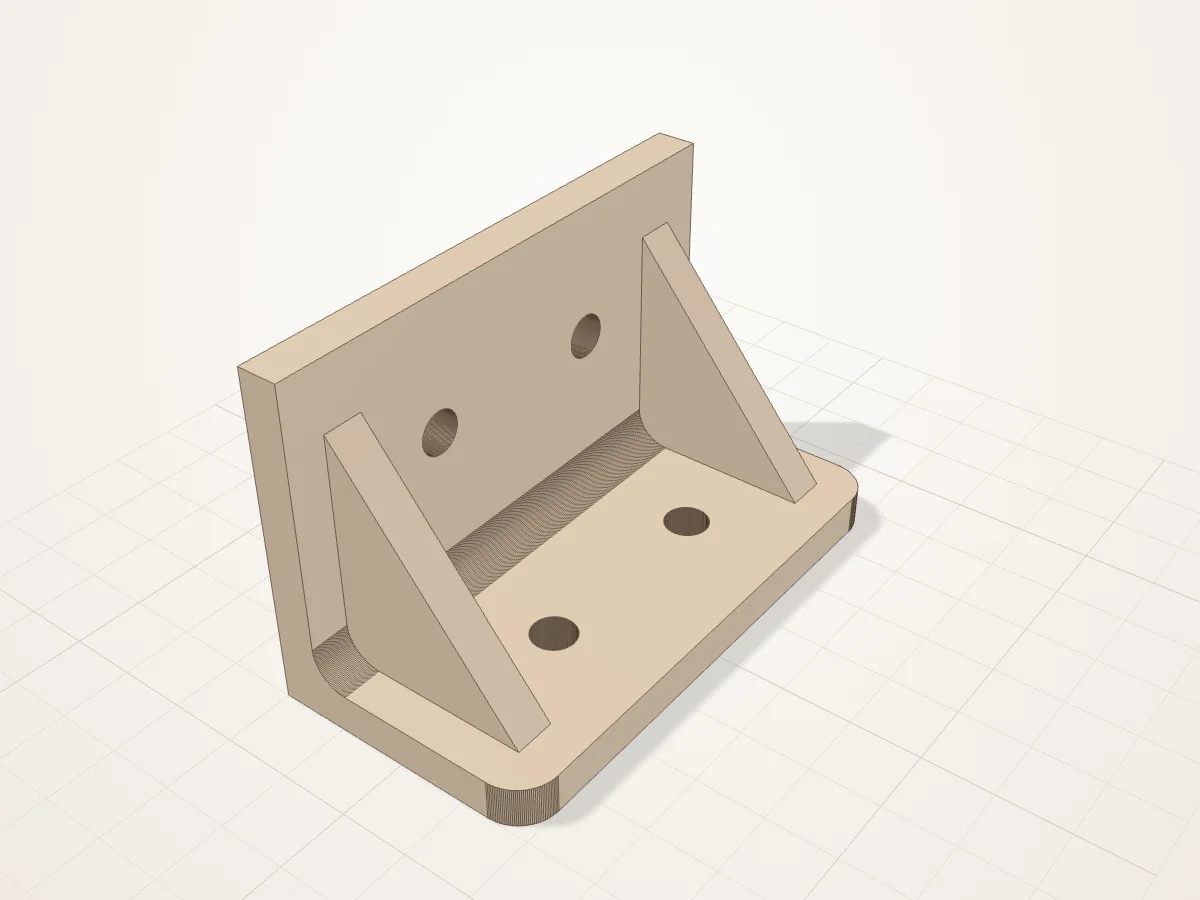
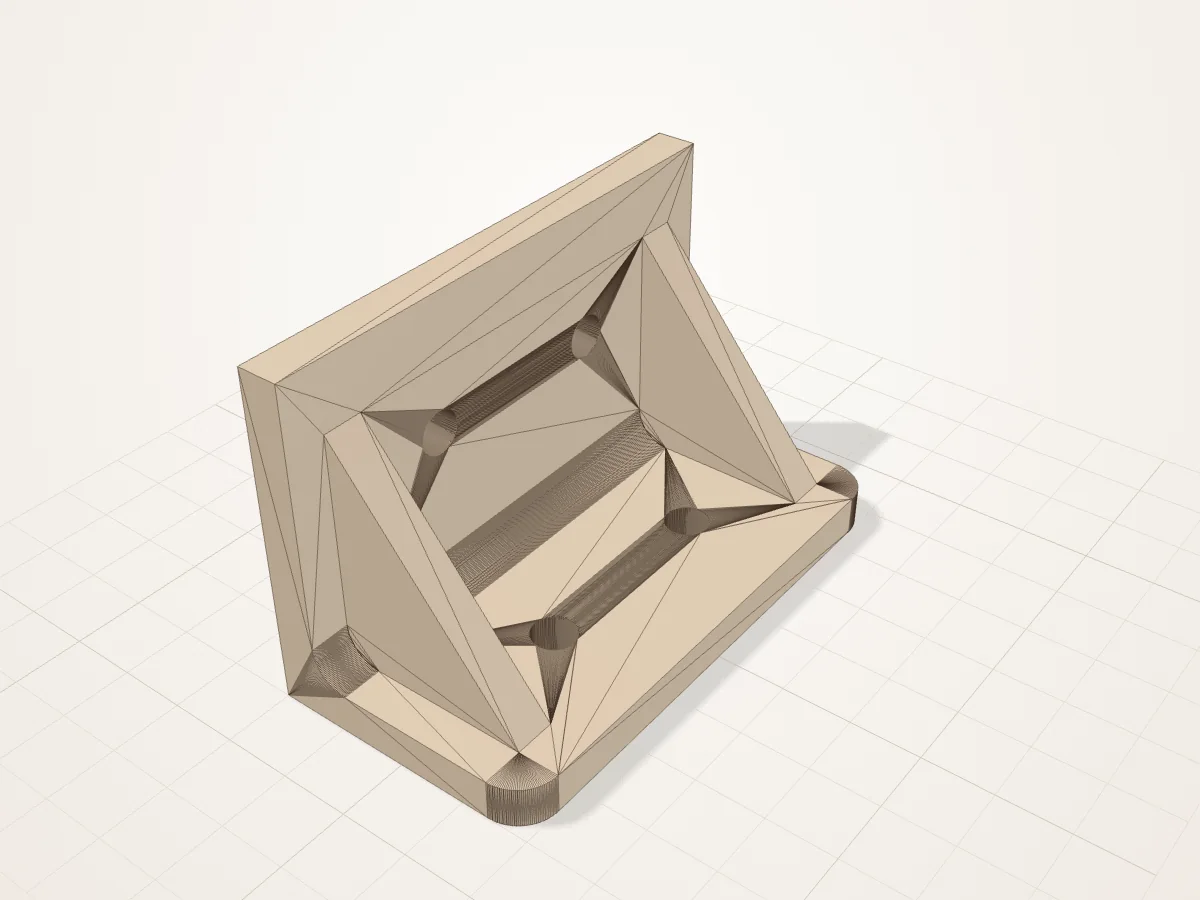
- STL
- 3,388 triangles
- STEP
- 846 faces · 843 KB
- Bodies
- 1 solid
- Read back closed
Examples
STL to STEP examples, read back in CAD
Four sample meshes through this STL to STEP converter, each STEP opened again by OpenCascade, the kernel inside FreeCAD. Hover to compare, or open one above.
Binary STL
Mounting bracket
3,388 triangles become 846 faces in one solid, 80 × 40 × 50 mm, 45.51 cm³ read back.
3,388 triangles → 846 faces · 1 solid
ASCII STL
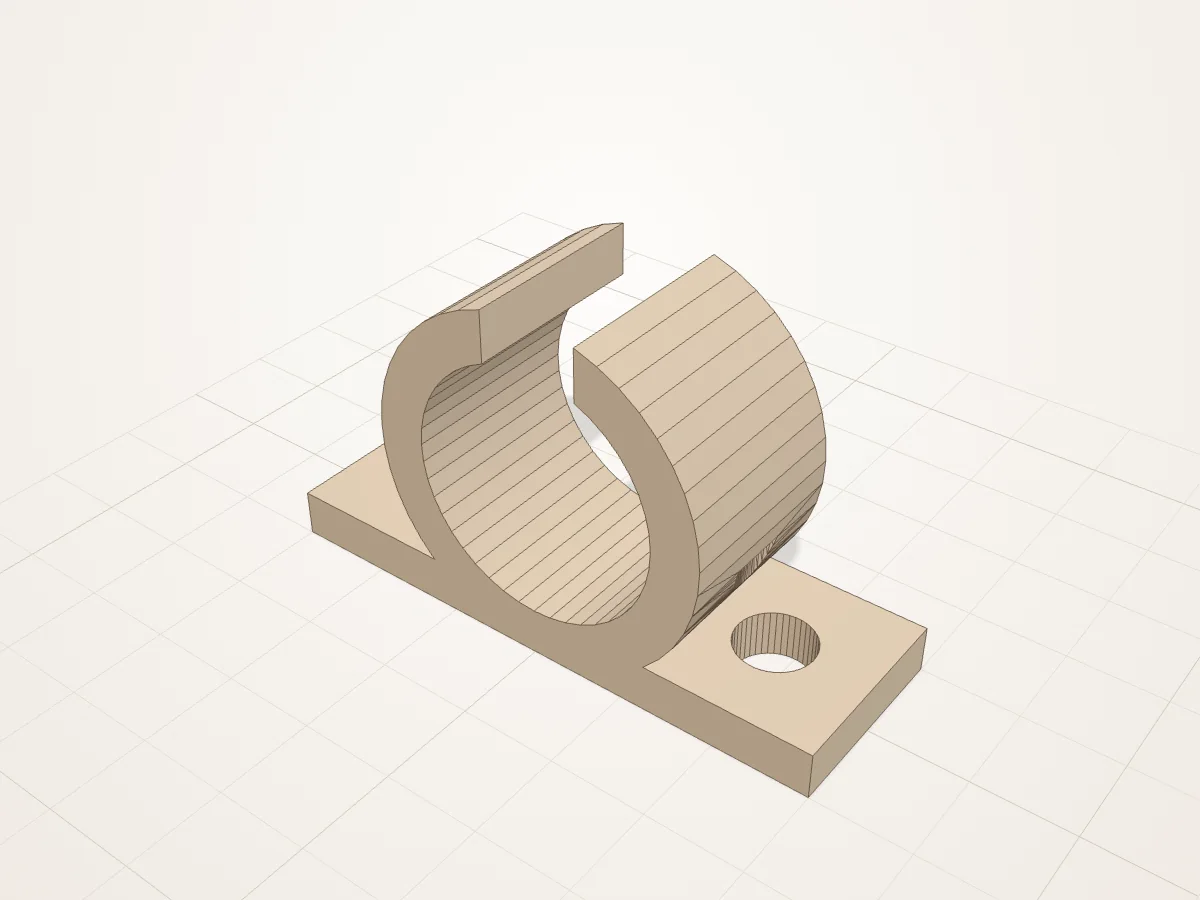
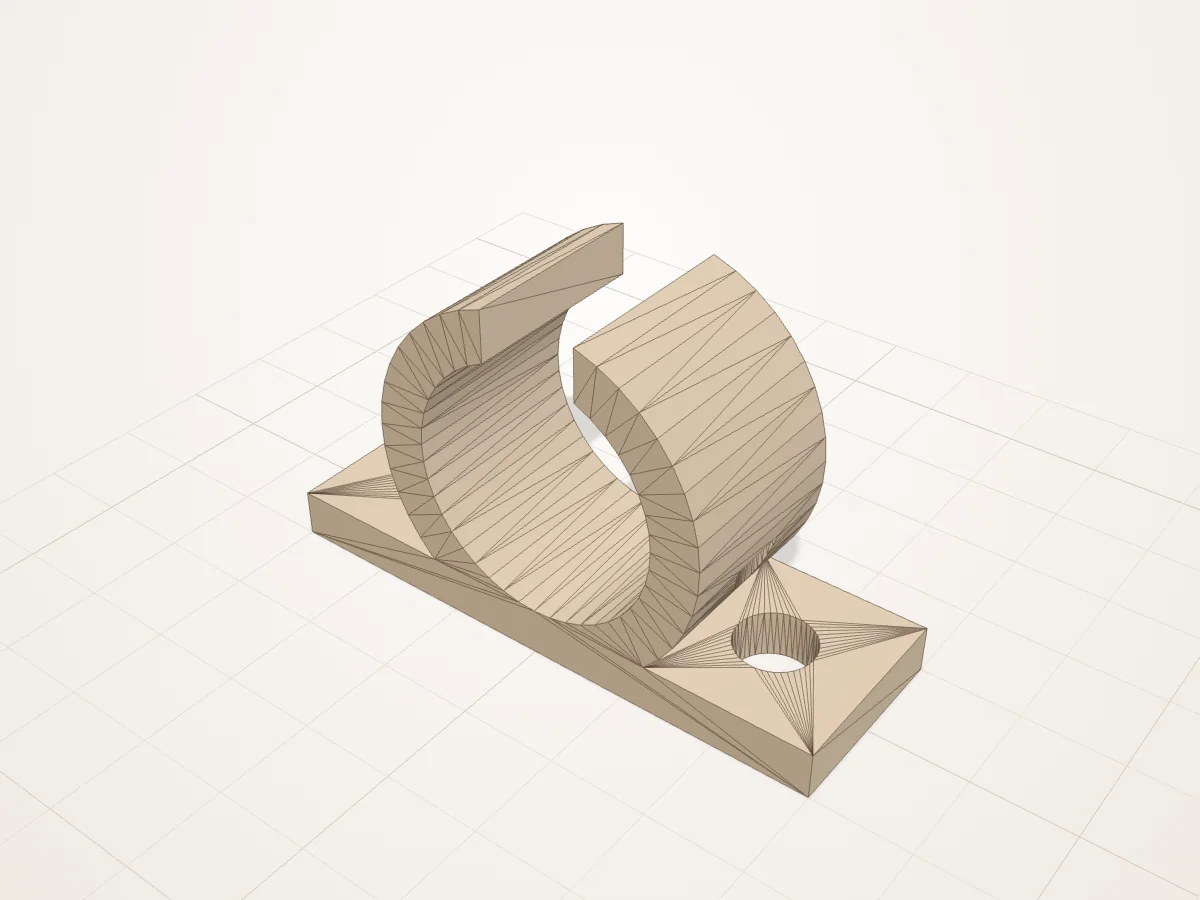
Cable clip
The text flavour of STL: 800 triangles, 303 STEP faces. The round clip stays faceted.
800 triangles → 303 faces · 1 solid
Generated part
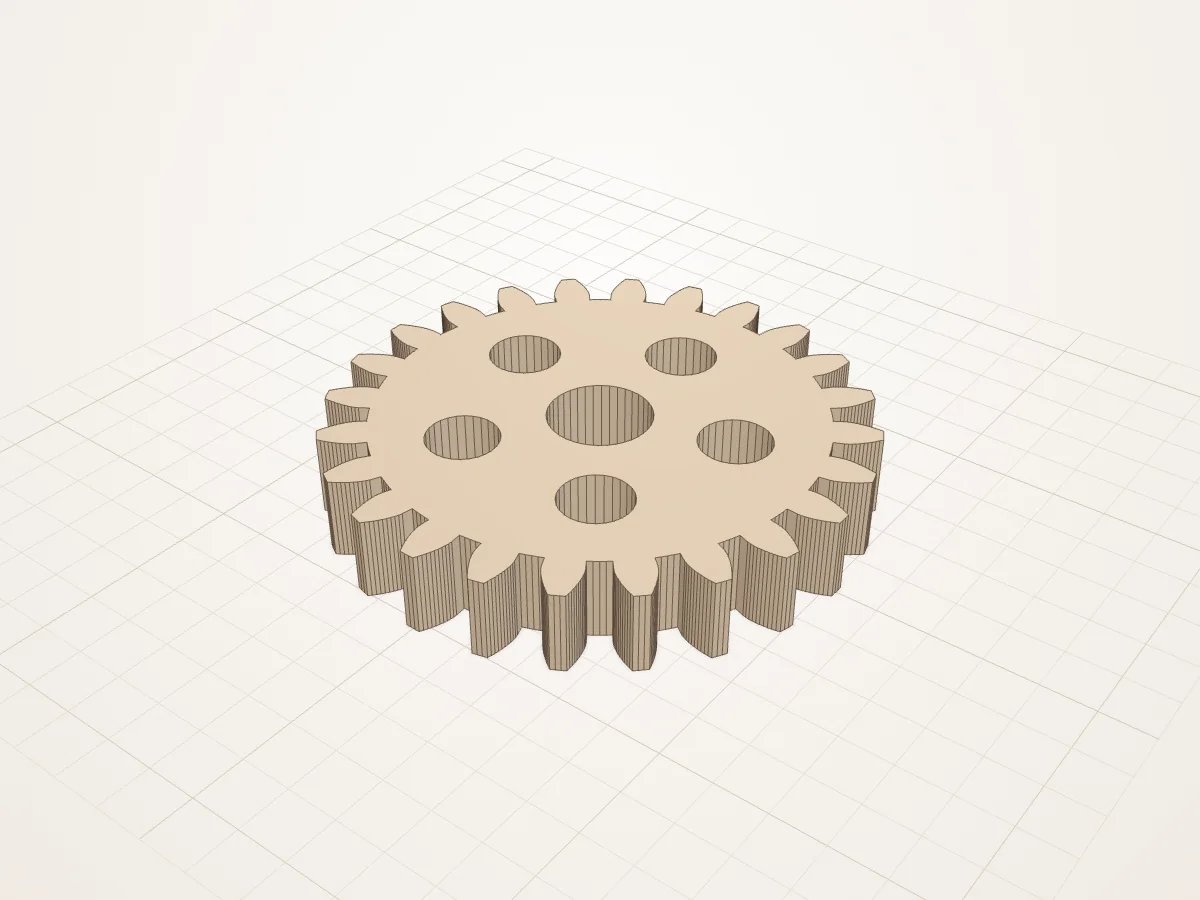
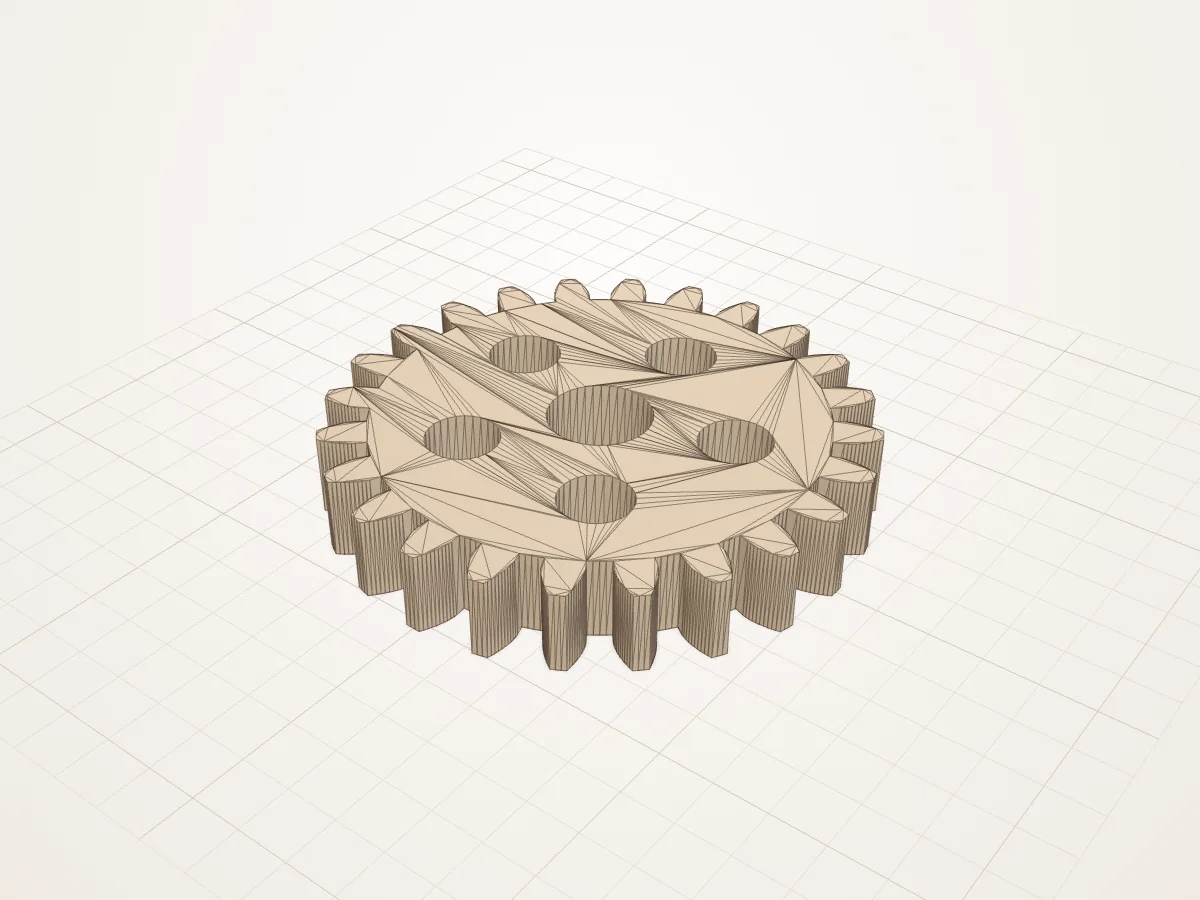
Spur gear
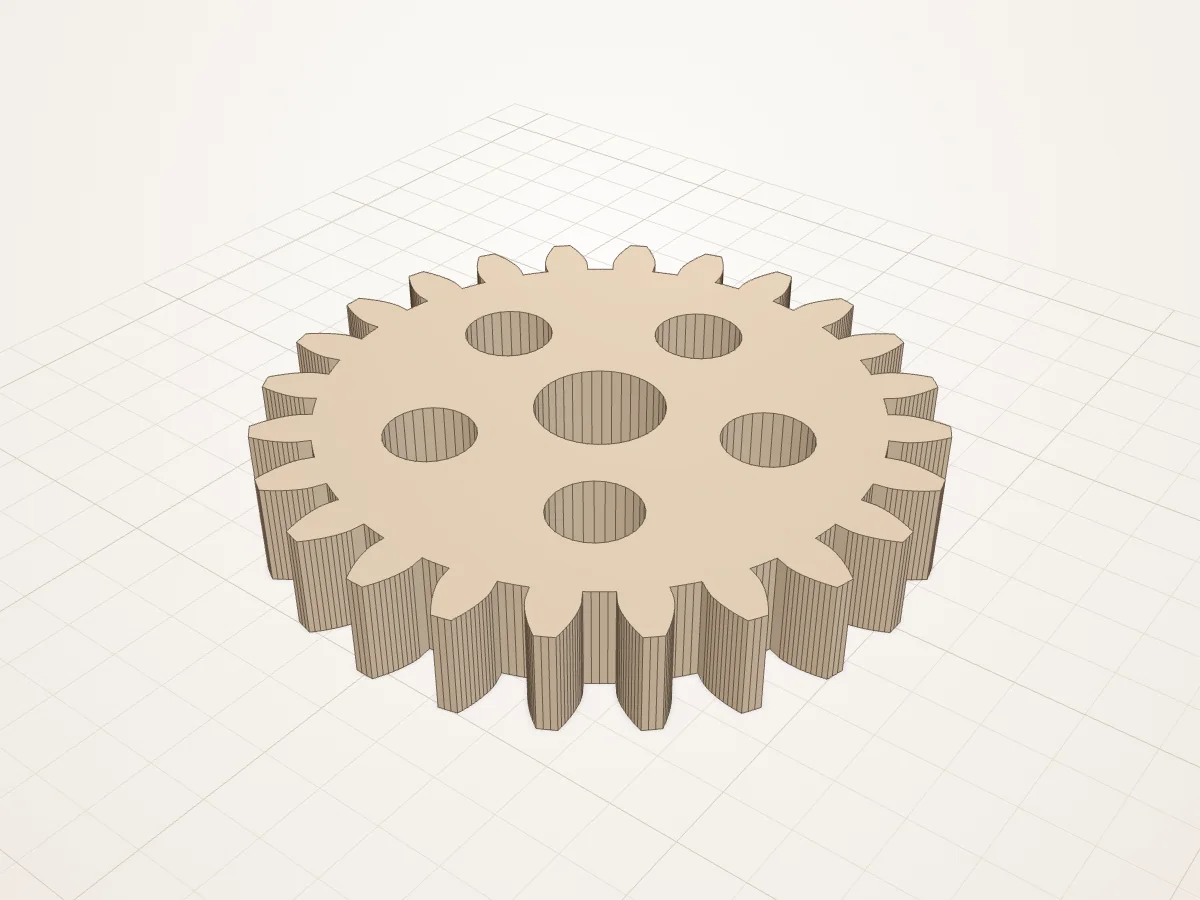
Both end faces merge into single faces with seven holes each; 3,524 triangles to 878 faces.
3,524 triangles → 878 faces · 1 solid
Organic grip
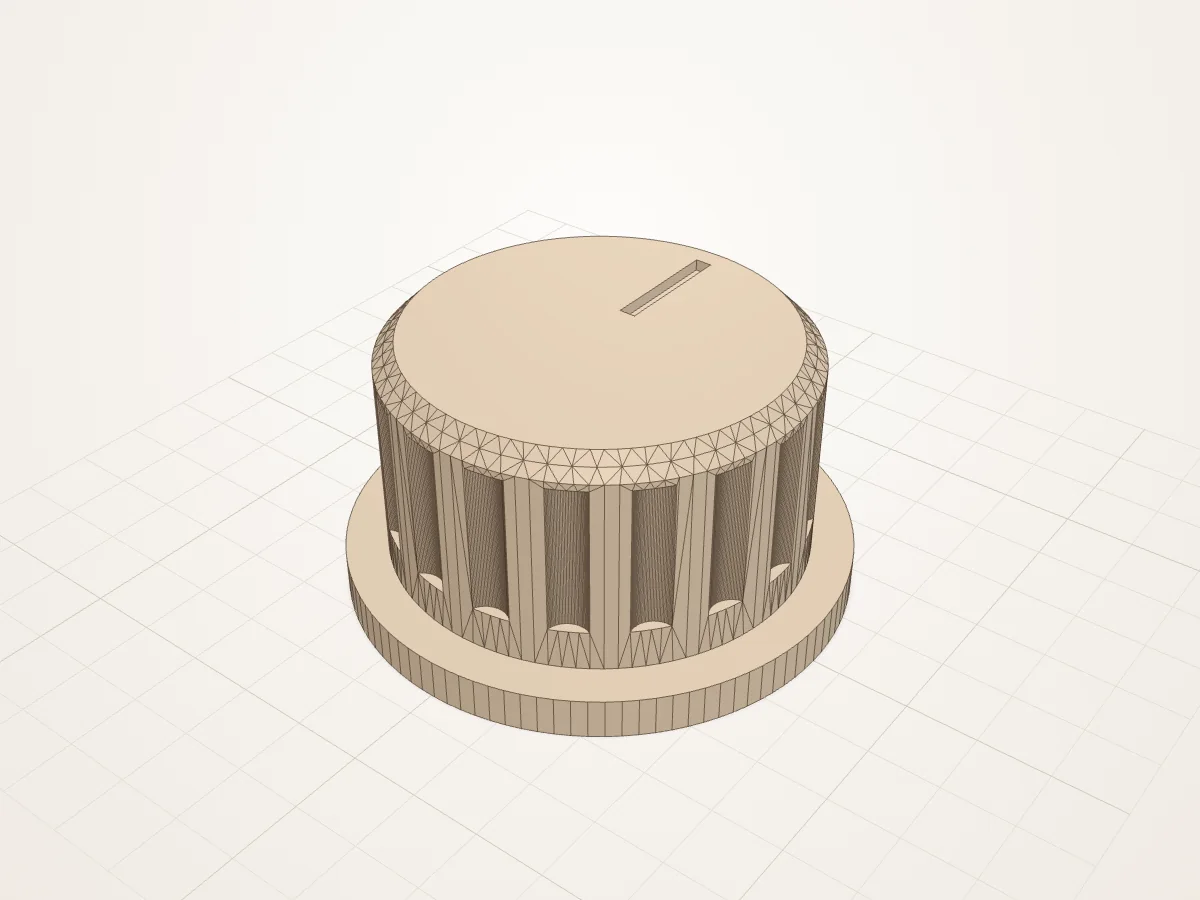
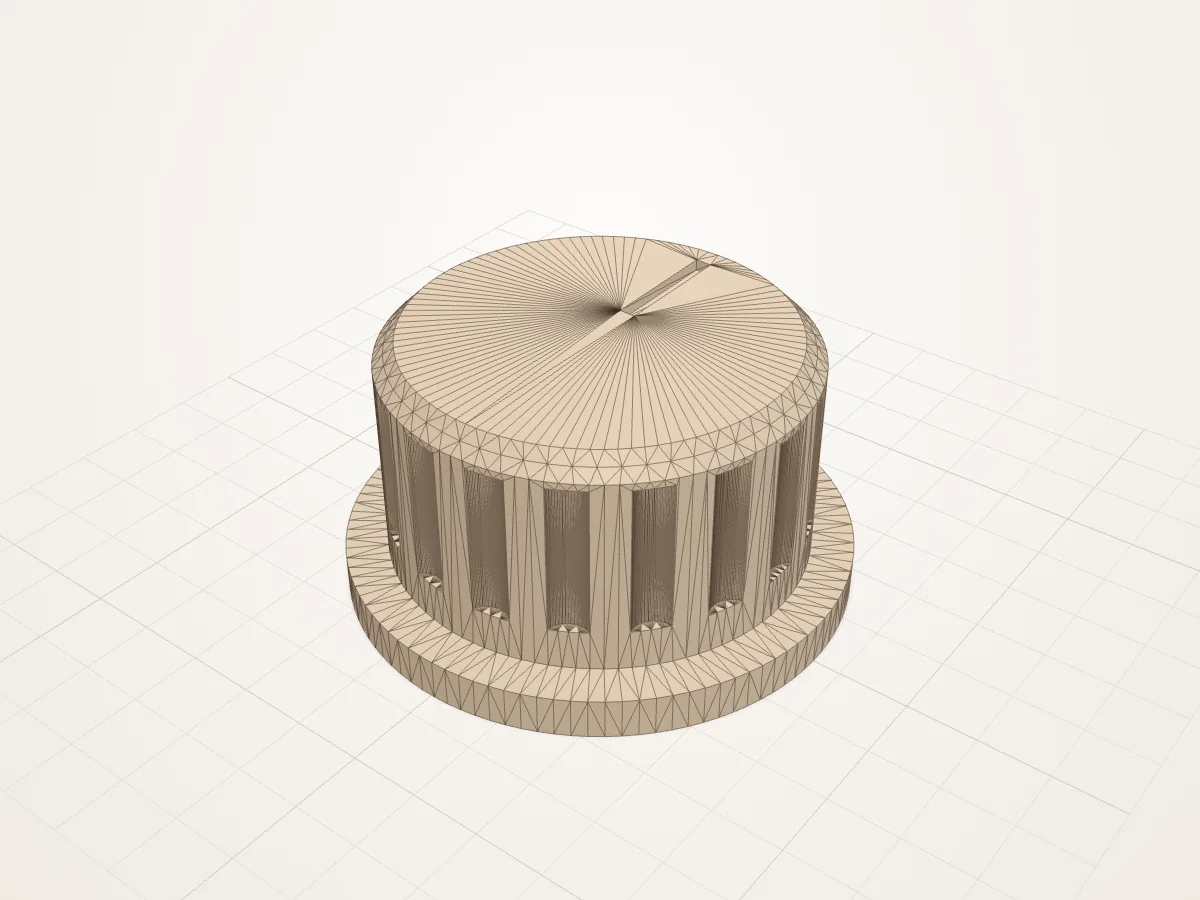
Knurled control knob
Few coplanar triangles to merge: 4,236 triangles still give 1,557 faces and a 1403 KB STEP.
4,236 triangles → 1,557 faces · 1 solid
Close-up
Flat faces merged, flanks faceted
Seen up close in the STEP viewer: the gear face is one face with clean edges, each tooth flank a strip of narrow planes.
What changes
What STL to STEP does to your mesh
The STEP holds exactly the shape the STL had; only its description changes.
| In the STL | In the STEP | |
|---|---|---|
| Flat side | Many long triangles | One planar face, holes kept as inner loops |
| Curved surface | Triangles | Narrow planar faces: still faceted, not a cylinder |
| Closed mesh | Watertight shell | A solid (MANIFOLD_SOLID_BREP or FACETED_BREP) with volume |
| Mesh with holes | Open edges | A surface body (SHELL_BASED_SURFACE_MODEL) without volume |
| Flipped triangles | Normals that disagree | Turned so neighbours agree and solids face outward |
| Separate shells | Several pieces in one file | One body per shell in the same STEP |
| Units | None stored | Millimetres, scaled from the file unit you pick |
A STEP from CAD stores a hole as a cylinder with a diameter. After STL to STEP the hole is a ring of flat facets: it cuts and measures like a solid, but it is not a feature you can resize.
Features
Why this STL to STEP converter checks first
A STEP made from a broken mesh looks fine until CAD calls it a pile of surfaces. Each conversion is checked before and after.
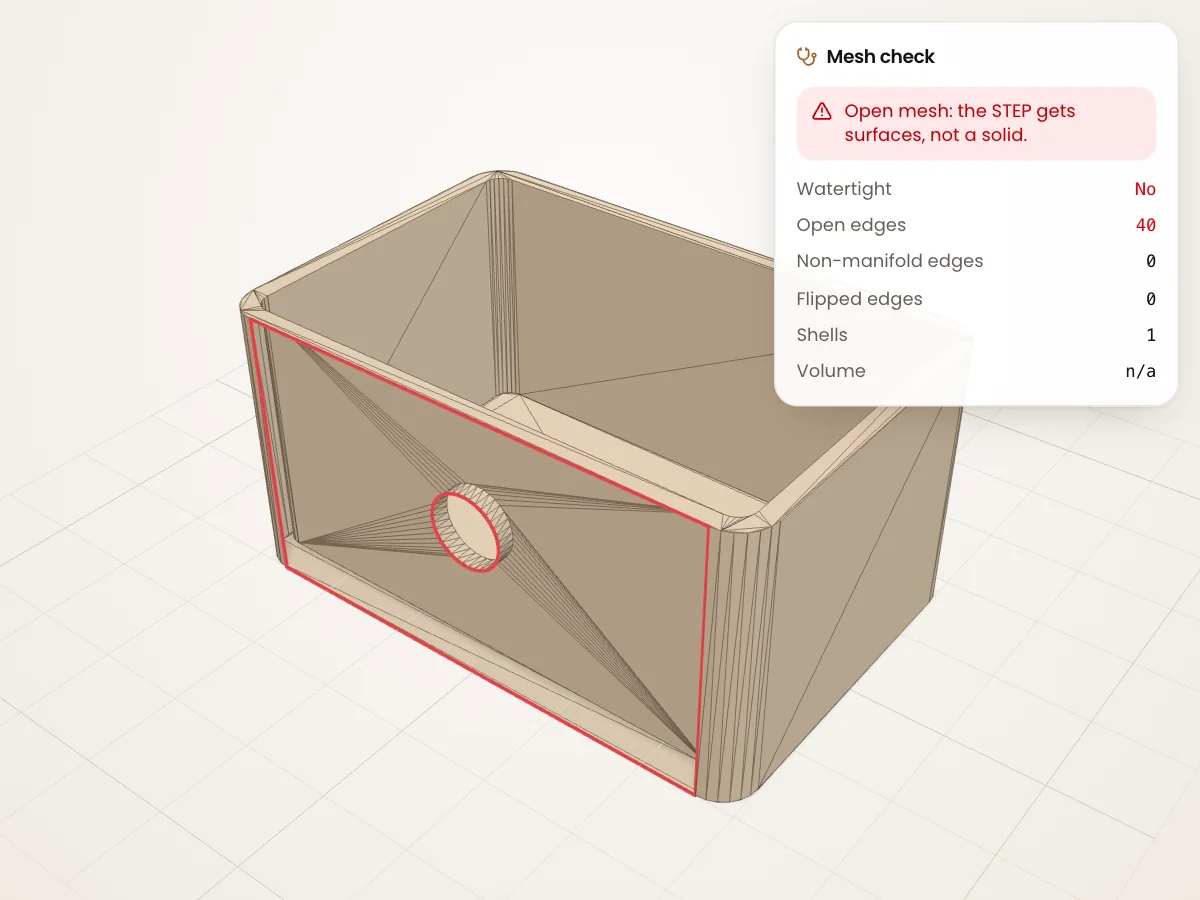
Storage box with its outer front wall removed: 40 open edges, written as a surface body
How to
How to convert STL to STEP in 3 steps
No install and no account. STL to STP takes a few seconds for most parts.
STEP 1
Open the STL
Drop a binary or ASCII STL up to 100 MB, or open a sample. Read the Mesh check: closed means a solid, open edges mean surfaces.
STEP 2
Pick structure and units
Keep Solid B-rep and Merge coplanar triangles for mechanical parts. STL has no unit, so set File units if the mesh was not made in millimetres.
STEP 3
Check, then download
The STEP is written as you change settings. Look at STEP faces, read the OpenCascade check, then press Download STEP.
Repair first
Fill holes in your slicer, Meshmixer or Blender, so the STEP becomes a solid.
Keep it lean
Decimate scans to well under 150,000 triangles; each one costs STEP text.
Not sure of the unit?
A part 3 × 2 × 1 in size was almost certainly drawn in inches.
Curves
Fillets and holes stay faceted. Remodel them in CAD if you need exact features.
Specs
STL to STEP converter specs and limits
What the stl to step file converter takes, what it writes, and where it stops.
- Input
- Binary and ASCII STL, up to 100 MB and 150,000 triangles
- Output
- STEP AP214 (ISO 10303-21), always in millimetres
- Structure
- Solid B-rep (ADVANCED_FACE) or faceted B-rep (POLY_LOOP)
- Faces
- Coplanar triangles merged into planar faces with inner loops, or one face per triangle
- Bodies
- One per shell: closed shells as solids, open ones as surface bodies
- Normals
- Re-wound so neighbours agree and solids face outward
- Check
- Read back with OpenCascade (7.3 MB reader), automatic up to 8,000 faces
- Where it runs
- In your browser tab; nothing is uploaded
It does
- Find holes and non-manifold edges before export
- Write a closed mesh as a solid with volume
- Merge flat areas into single faces
- Fix triangle direction and report how many turned
- Confirm the file with a second reader
It does not
- Turn facets into cylinders, fillets or NURBS surfaces
- Give you a feature history to edit
- Fill holes or fix self-intersections
- Take meshes over 150,000 triangles
- Make dense scans small: STEP text is verbose
In CAD
Opening the STL to STEP result in CAD
The result is a body of planar faces. Cuts, holes and new features on its flat faces work as on any solid; fillets along faceted curves usually do not.

FreeCAD
File, Import: the body arrives as a solid, read by the same OpenCascade kernel that checked it here.

Fusion and Onshape
Upload or insert the STEP; a closed result opens as a body you can cut and extrude.
SolidWorks
Open the .step; the import options decide whether it comes in as a solid or a graphics body.

Drawings and quotes
A STEP solid is what machine shops and quoting tools ask for, even when it started as a mesh.
STL to STEP FAQ
Solids, faces, units and limits.
How do I convert an STL file to STEP?
Drop the STL, read the mesh check, keep Solid B-rep with merging on, and press Download STEP. The STEP is written and checked in your browser.
Is this STL to STEP converter free?
Yes. No account and no queue, because your computer does the work. The limits are 100 MB and 150,000 triangles per mesh.
Do I get an editable, parametric CAD model?
No. You get a solid made of flat faces with no feature history: a hole is still a ring of facets, not a cylinder you can resize. For true features, remodel the part over the mesh in CAD.
Why check for watertightness first?
Only a closed mesh can become a solid. If edges are open, the STEP is still written, as a surface body without volume, and CAD will not let you cut or shell it. The check tells you before you download.
Solid B-rep or faceted B-rep?
Start with Solid B-rep: faces with shared edges (ADVANCED_FACE), read by almost every CAD program. Faceted B-rep (POLY_LOOP) is about 37 % of the size, but some programs bring it in as a mesh or graphics body.
Why is the STEP bigger than the STL?
A binary STL spends 50 bytes per triangle. In STEP every face needs a plane, a loop, edges and points written as text. Merging helps a lot on mechanical parts: the bracket STEP is 843 KB, without merging it would hold 3,388 faces.
Which triangles become one face?
Triangles that share an edge, point within 0.5° of each other and lie on the same plane. Holes in a merged face become inner loops, and points in the middle of straight edges are dropped on both faces that share the edge.
Which unit does the STEP use?
Millimetres. STL stores no unit, so the converter assumes millimetres unless you pick cm, m or inches under File units; the coordinates are scaled when the STEP is written.
Is STL to STP the same thing?
.stp and .step are two names for the same ISO 10303-21 file, so STL to STP and STL to STEP give the same result. Rename the extension if a program insists.
Can I add holes or fillets after I convert STL to STEP?
Holes, cuts, extrusions and booleans on the flat faces generally work, as on any solid. Fillets and shells across faceted curves usually fail, because those areas are many tiny planes.
How do I know the STEP is valid?
The page opens it again with OpenCascade (automatically up to 8,000 faces) and shows the face count, size, closed or open, and the volume next to the STL's. The writer is also tested against every sample in tests/step-write.test.ts.
Is my STL uploaded?
No. The mesh is read, the STEP is written and the check runs inside this tab. Nothing is sent to a server.
Convert STL to STEP now
Drop an STL, see whether it is closed, and download a checked STEP solid. Free, right in this tab.
Convert an STL file