AI Product Design: From Brief to CAD Drawing
AI product design for the early stage: write a design brief or upload a sketch and get a CAD-style concept drawing as a PNG in about a minute. Then trace it to DXF for free and carry it into 3D with our free tools: the whole path from idea to model on one page.
- Design brief builder
- AI concept drawings
- Free trace to DXF
- Free 3D tools
Drawing style
Orthographic
Front, top and side views on shared projection lines.
You get a CAD-style PNG made by AI, not an editable CAD file. Trace it to DXF for free afterwards.
Handheld device housing
AI-generated example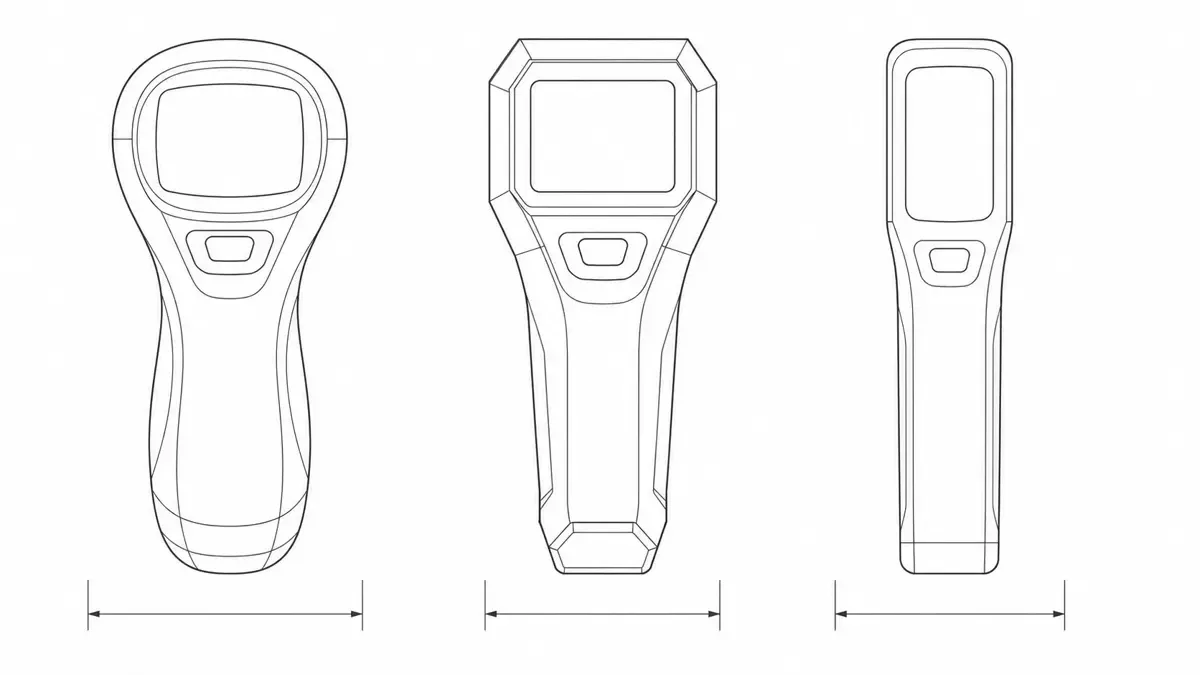
Prompt idea: Handheld barcode scanner housing with a tapered grip, angled scan window, trigger and battery door; front, side and back views with overall dimensions. Your result will differ.
Concept to drawing
Product design drawing workflow: brief to DXF
Four steps for four products. Pick one to see the real files at every step: the brief or sketch, the AI concept drawing, the DXF our free tracer makes from it, and the tools that take it into 3D.
- 1
Brief or sketch
What it is, who uses it, the size limits and the parts that touch the outside world.
Two-part electronics enclosure for a 100 x 60 mm board, 120 x 80 x 35 mm outside, snap-fit lid, vent slots on both long sides, four screw bosses, front, top, side and detail views with dimensions
- 2
AI concept drawing
A CAD-style PNG with views and dimension lines in a minute or two.
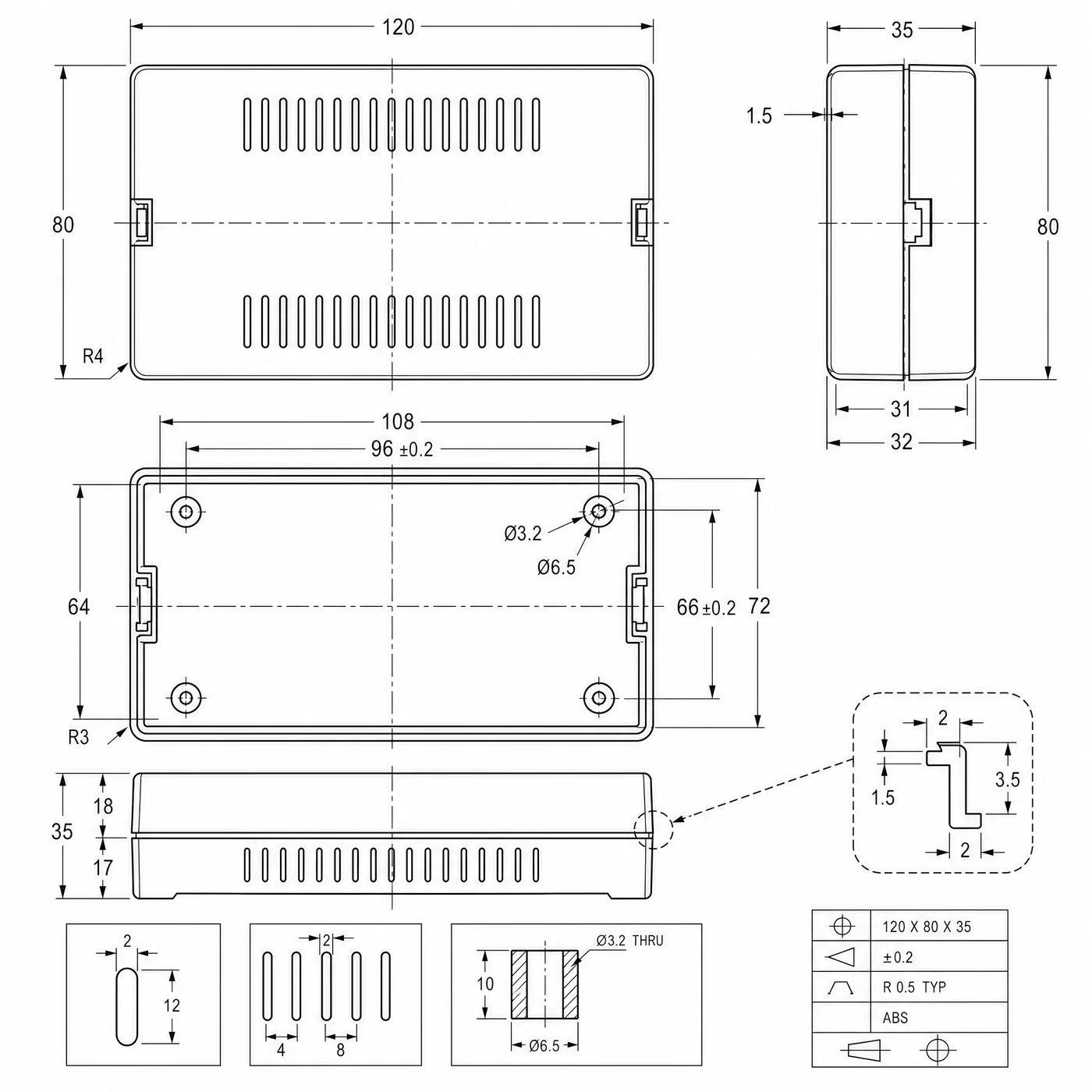 AI-generated example
PNG concept by drawcad.org's AI models; numbers are illustrative.
- 3
Trace to DXF
Free vector lines from the PNG, at the picture scale, for CAD or a laser.
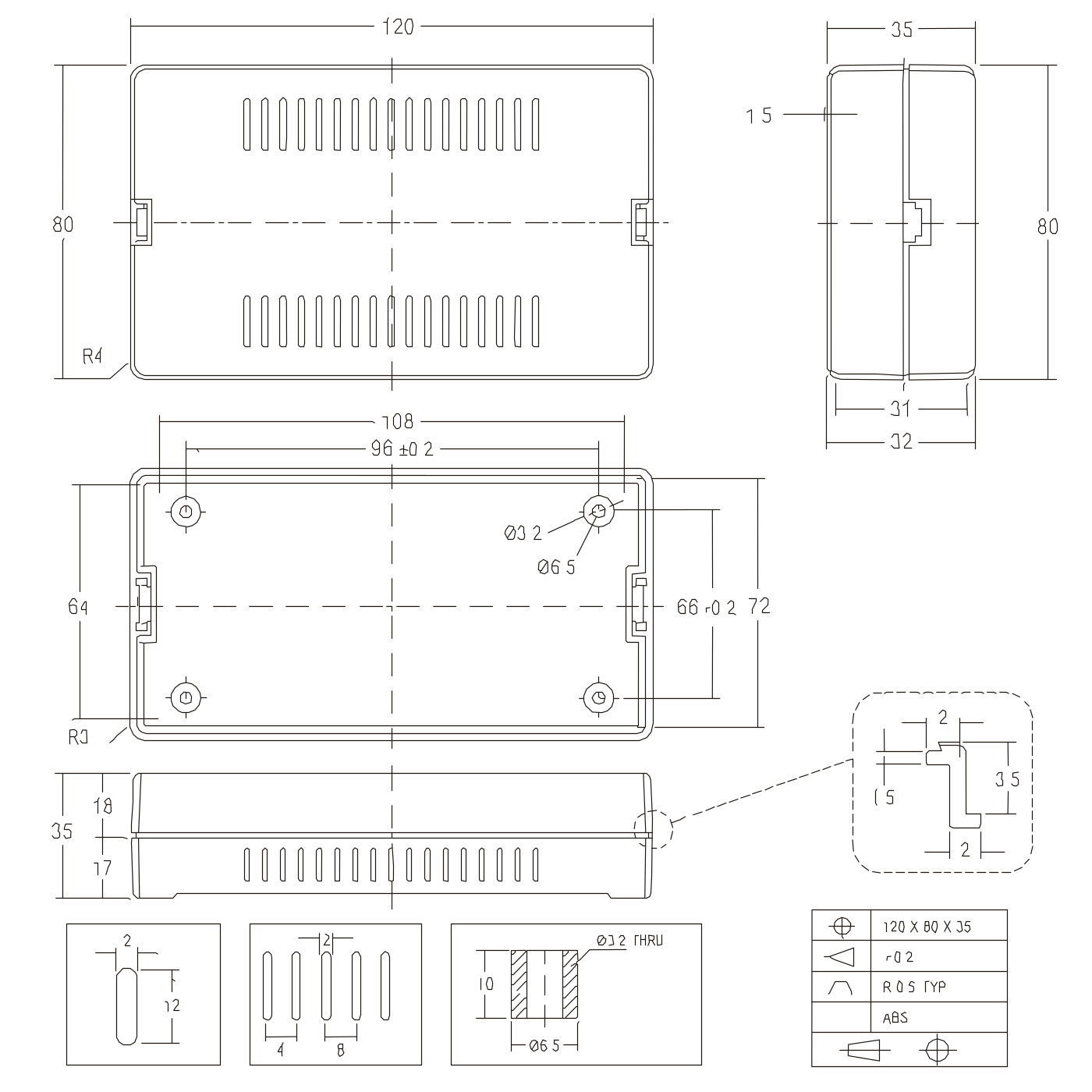 Traced by our free tool
540 paths · 118.5 × 118.5 mm at picture scale
DXF - 4
Model and make
Rebuild it to size in CAD or with a generator, then check and print.
Size the real case around the board with the enclosure generator, then export the STL.
Design brief builder
Write an AI product design brief
A good brief names the user, the size limits, the interfaces and the finish. Fill the fields and Apply sends one clear prompt to the generator above.
Generated prompt
OrthographicStart from a template
AI-generated examples
AI product design examples
Concept drawings made by the AI image models our partner drawcad.org runs, the same kind of output the generator above gives. They are pictures for early reviews; the numbers in them are illustrative.
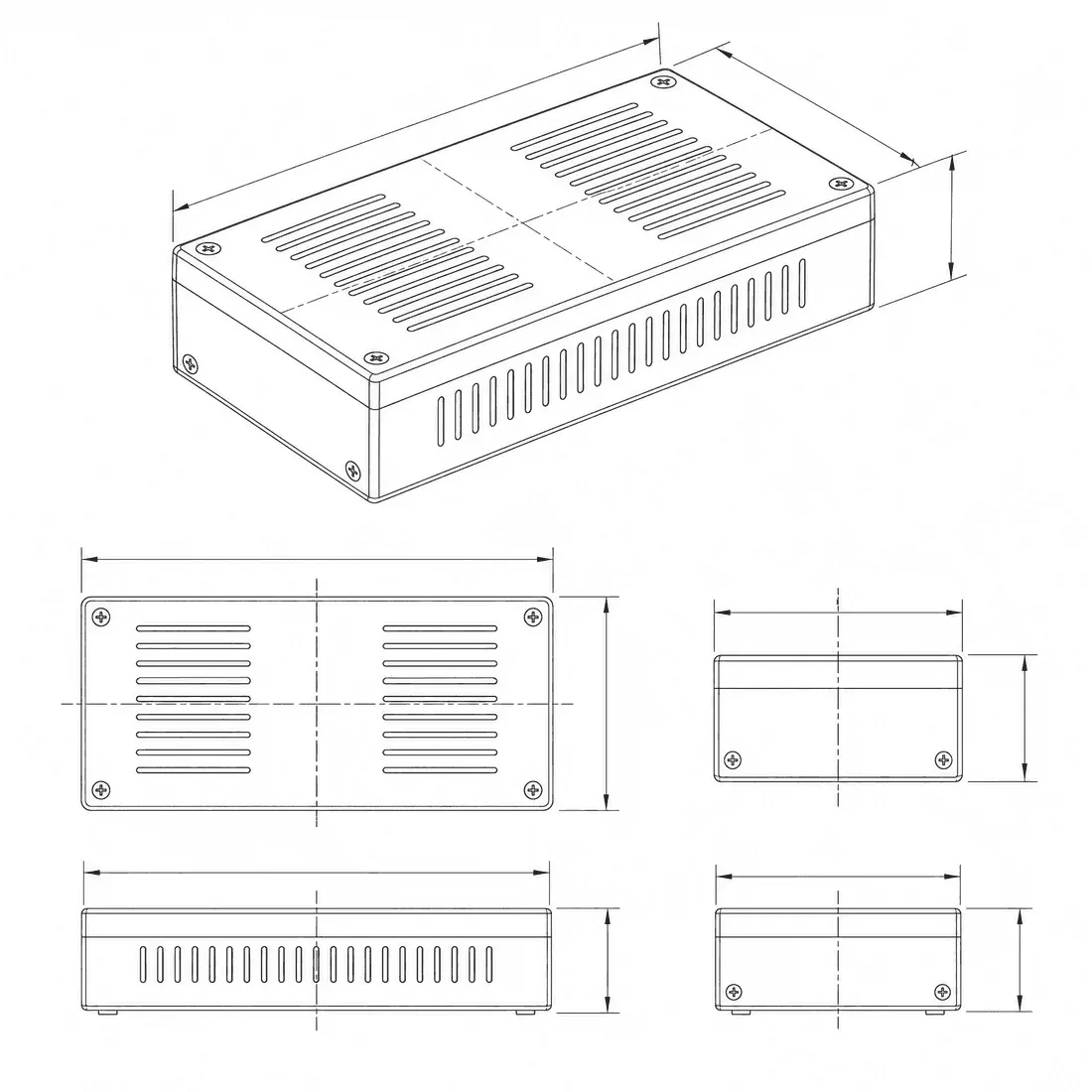
Iso + views
Vented enclosure
A two-part box in an isometric view and three plain views, vent slots and screws dimensioned.
AI-generated example · drawcad.org
Iso + views
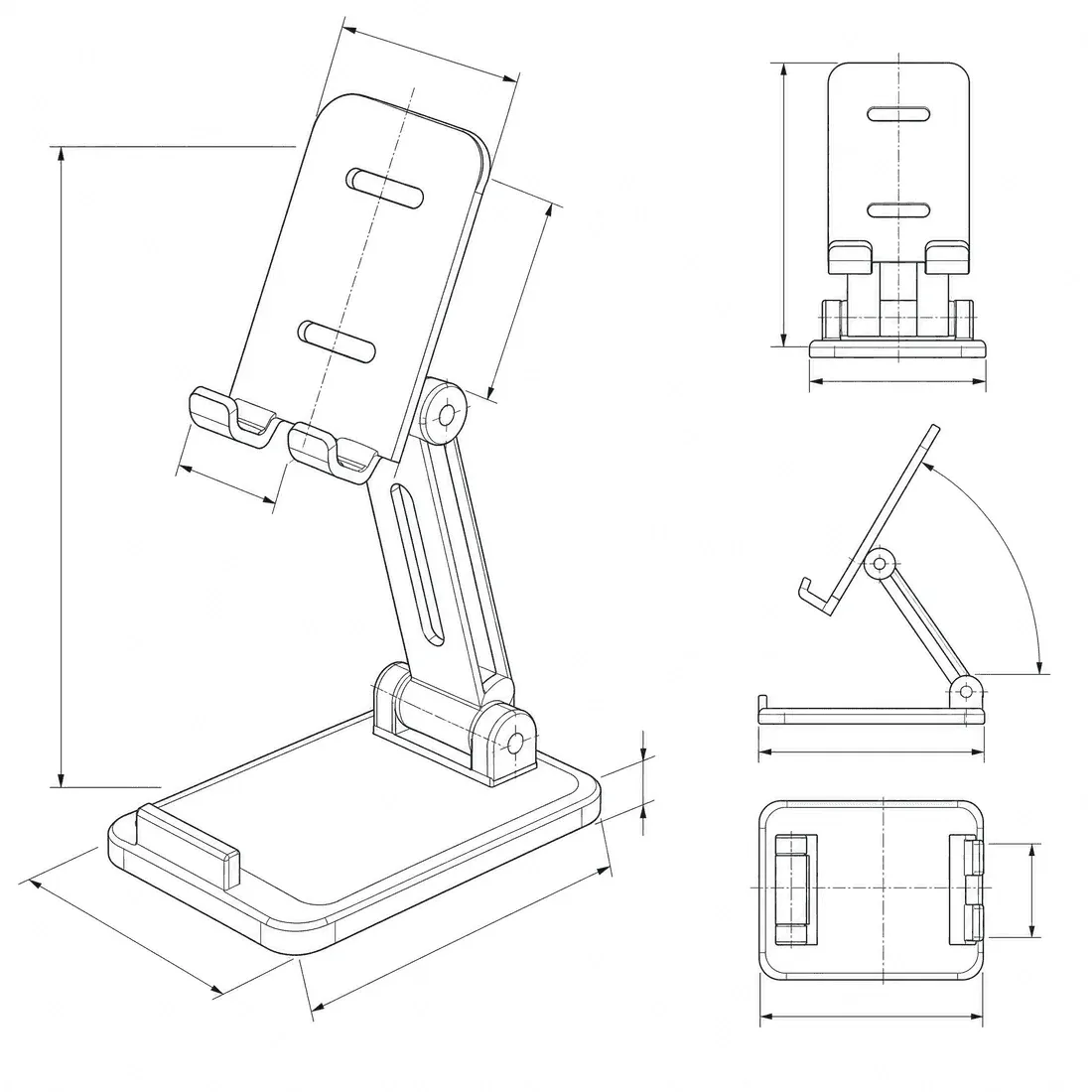
Folding phone stand
A hinged stand with a cradle and a weighted base, with the tilt range marked in a side view.
AI-generated example · drawcad.org
Three views
Handheld device housing
Front, side and back views of a scanner housing with overall dimension lines.
AI-generated example · drawcad.org
Patent style
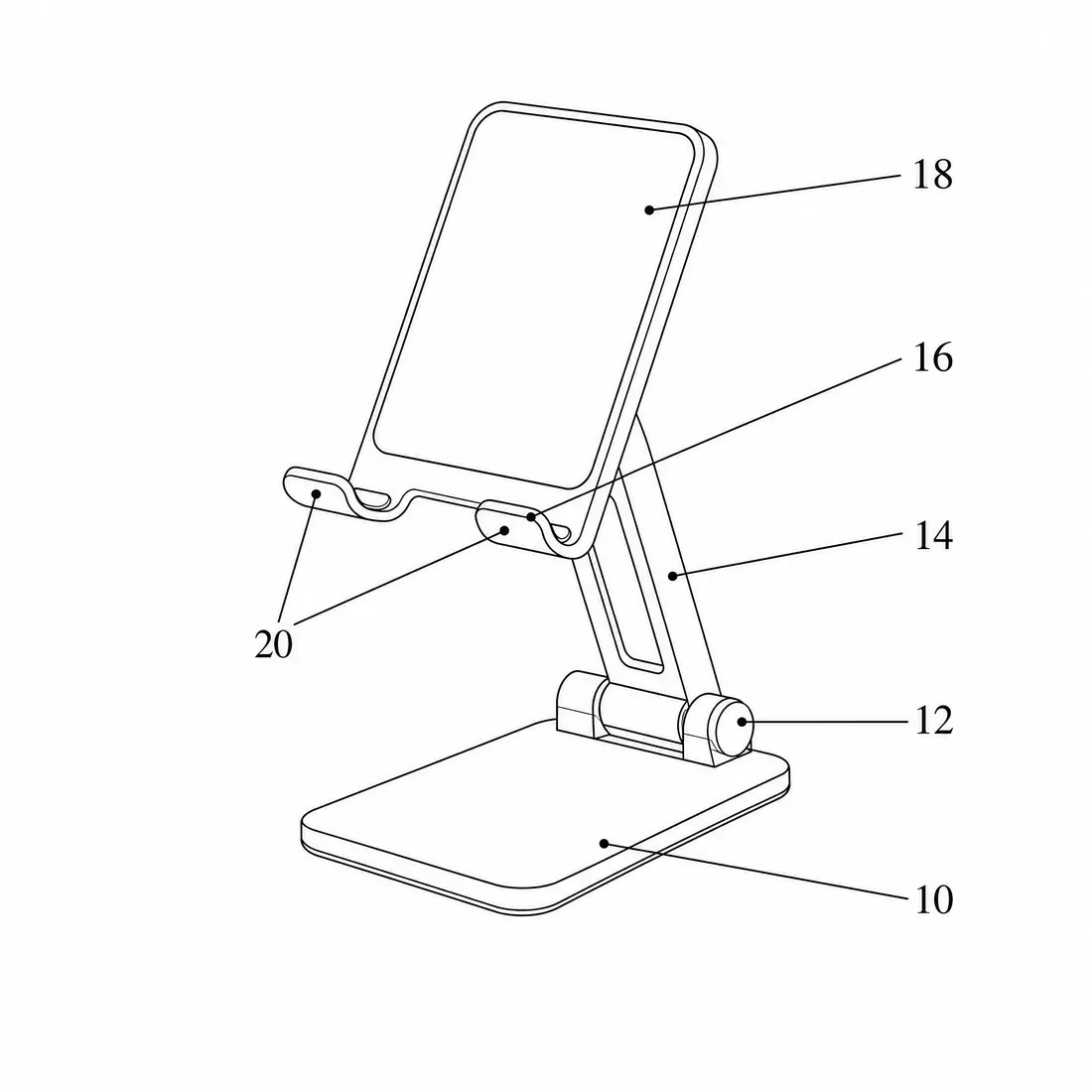
Phone stand, patent figure
The same kind of stand as a patent figure with reference numerals 10 to 20.
AI-generated example · drawcad.org
Detail sheet
Enclosure detail sheet
Four views, a snap-fit detail, vent and boss sections and a small symbol table.
AI-generated example · drawcad.org
From a sketch
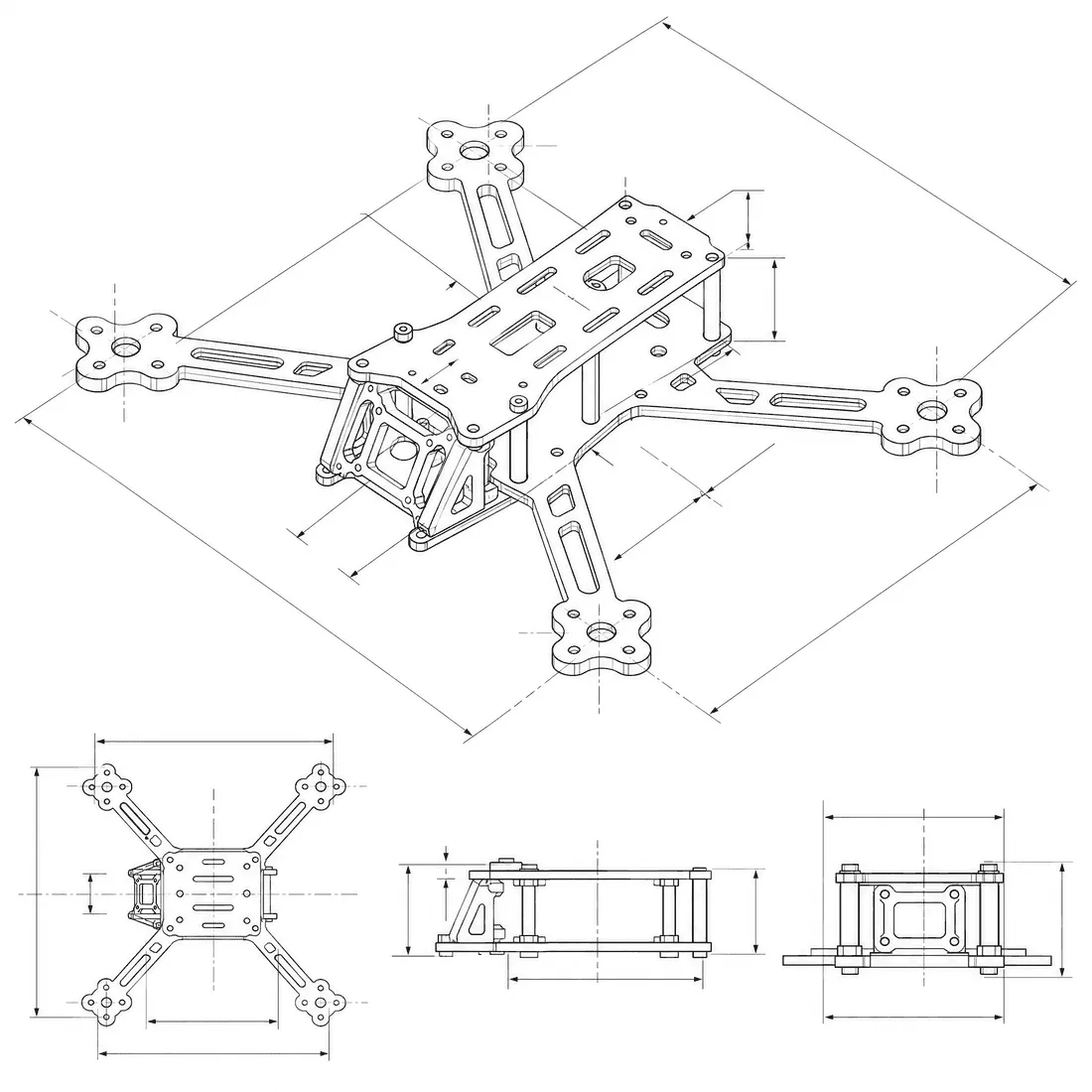
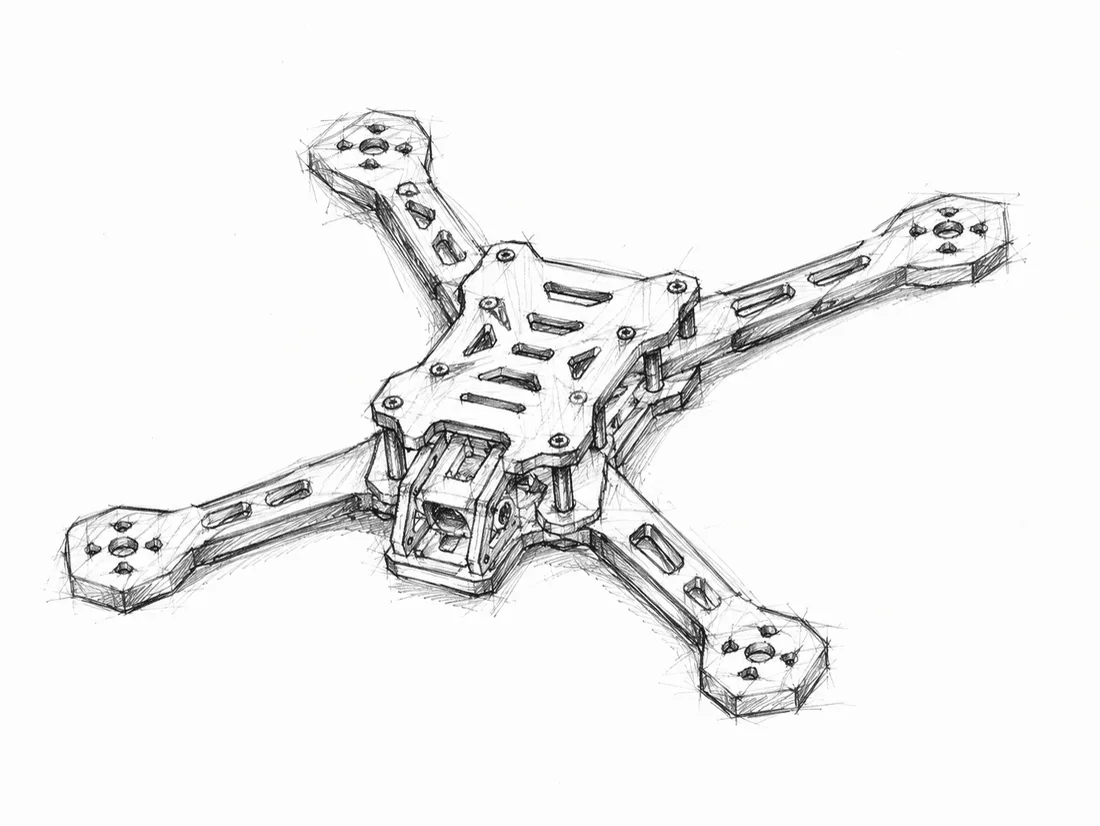
Drone frame, sketch to drawing
A pencil sketch of a quadcopter frame turned into a CAD-style drawing. Drag to compare.
AI-generated example · drawcad.org
Better briefs
What a product design CAD brief needs
The AI draws what you write. These four parts of a brief make the difference between a pretty picture and a concept you can model.
AI-generated example: a desk enclosure with vents and bosses
How to
How to use AI product design here
From a written idea to a DXF and a 3D start in a few minutes.
STEP 1
Write the brief
Use the brief builder or a TRY chip, or upload a sketch in the Sketch tab.
STEP 2
Generate and pick
Run two or three variations, keep the strongest, change one thing at a time.
STEP 3
Trace and model
Convert the PNG to DXF for free, then rebuild it to size in CAD or with a generator.
One change per run
Keep view and size, change only the grip or the ports.
Ask for views
Front, side and top views trace better than a render.
Scale the DXF
Traced lines are at picture scale: scale one known size.
Check it prints
Walls, overhangs and fits: see 3D printing CAD.
Specs
AI product design or product design CAD: what you get
The AI draws concepts; the free tools turn them into files.
- Input
- A written design brief, or a sketch or photo (JPG, PNG or WebP up to 10 MB)
- AI output
- A CAD-style PNG concept drawing at 1K or 2K, from 60 credits per image
- Styles
- Three views, technical sheet, isometric, exploded, line art and patent style
- Trace to DXF
- Free, in your browser: centre lines or outlines as DXF and SVG at the picture scale
- 3D next steps
- Free enclosure and box generators, STL and STEP viewers and converters
- Accuracy
- Proportions and features look right; numbers in AI drawings are illustrative
It does
- Turn a design brief or a sketch into a concept drawing in minutes
- Trace that drawing to DXF lines for free
- Point each product to the free tool that models or checks it
- Keep a consistent style across variations of one product
It does not
- Make an editable 3D model or a production drawing
- Guarantee that sizes, wall thicknesses or fits work
- Replace industrial design surfacing or engineering checks
- Keep your briefs: prompts are sent only to run the image model
AI product design FAQ
What the generator draws, what the trace gives you and where real CAD starts.
What is AI product design?
Using an image model to sketch product concepts from a written brief or a rough sketch. Here it gives CAD-style drawings with views and dimension lines, so the concept is easy to rebuild in CAD.
Does the AI make a CAD model?
No. It makes a PNG that looks like a product design drawing. The free trace turns it into DXF lines at the picture scale, which you scale and rebuild in a CAD program or with a generator.
How do I write a good design brief?
Name the product and its job, the user and place of use, the size limits or parts inside, the interfaces (ports, buttons, screws, hinges), the material and finish, and the views you want.
Can I start from a sketch?
Yes. Open the Sketch tab, upload a photo of the sketch and add a line on what to clean up or develop. The drone frame on the board shows a sketch turned into a drawing.
How good is the traced DXF?
Good as a starting layout: outlines, slots and holes come through as lines you can snap to. Text and dimension numbers turn into shapes, and sizes follow the picture, so scale one known size first.
How do I get consistent variations?
Keep the brief, view and style fixed and change one thing per run, such as the grip, the button layout or the lid split. Compare them side by side before you model.
Which style is best for product design CAD work?
Three views or a technical sheet when you will model the part; isometric for reviews; patent style when you need clean figures with numerals for a filing draft.
What does AI product design cost here?
From 60 credits per image at 1K, shown before each run and refunded if it fails. The trace to DXF, generators, viewers and converters are free.
Who owns the concept drawings?
You can use the drawings you generate under the terms of your plan. Check designs against existing patents and trademarks before you rely on them commercially.
Can it replace an industrial designer?
No. It speeds up early exploration and makes ideas easy to discuss. Surfacing, ergonomics, mechanisms, tolerances and manufacturing still need designers, engineers and real CAD.
Is my brief stored or shared?
Your prompt and any sketch go to the image model only to make the picture. The trace and the generators run in your browser and upload nothing.
Start your AI product design
Write the brief, get the concept, trace it and model it.
Write a design brief