STEP to STL Converter: Mesh Quality You Can See
Free STEP to STL converter for STEP, STP, IGES and BREP files up to 100 MB. Move the quality slider and watch the real mesh, triangle count and STL size update. Get one STL or one per part, binary or ASCII, in mm or inches. Nothing is uploaded.
- Free, no sign-up
- Live triangle count
- One part or all
- Nothing uploaded
Open a STEP file
FreeOr open a sample
Runs in your browser. Nothing is uploaded.
Example result
DN50 weld-neck flange · STEP → STL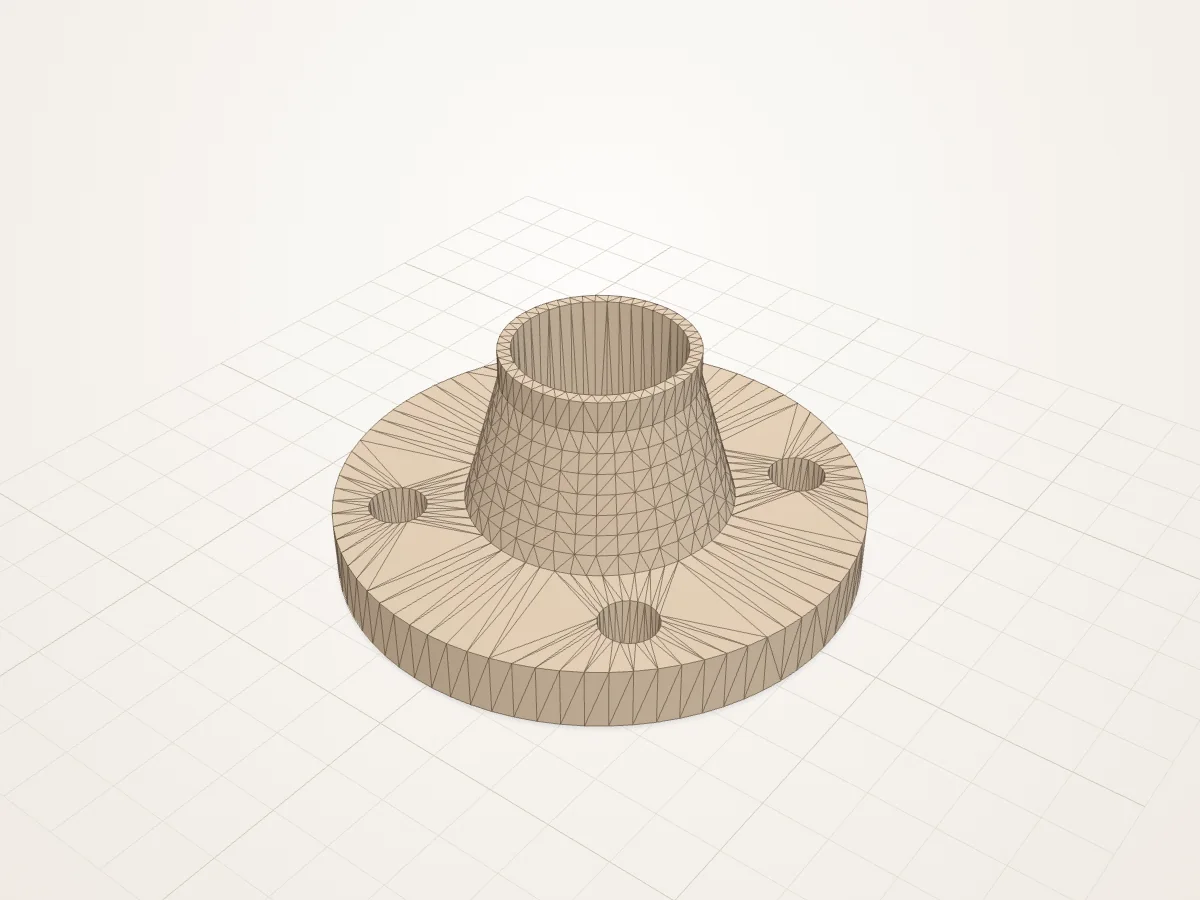
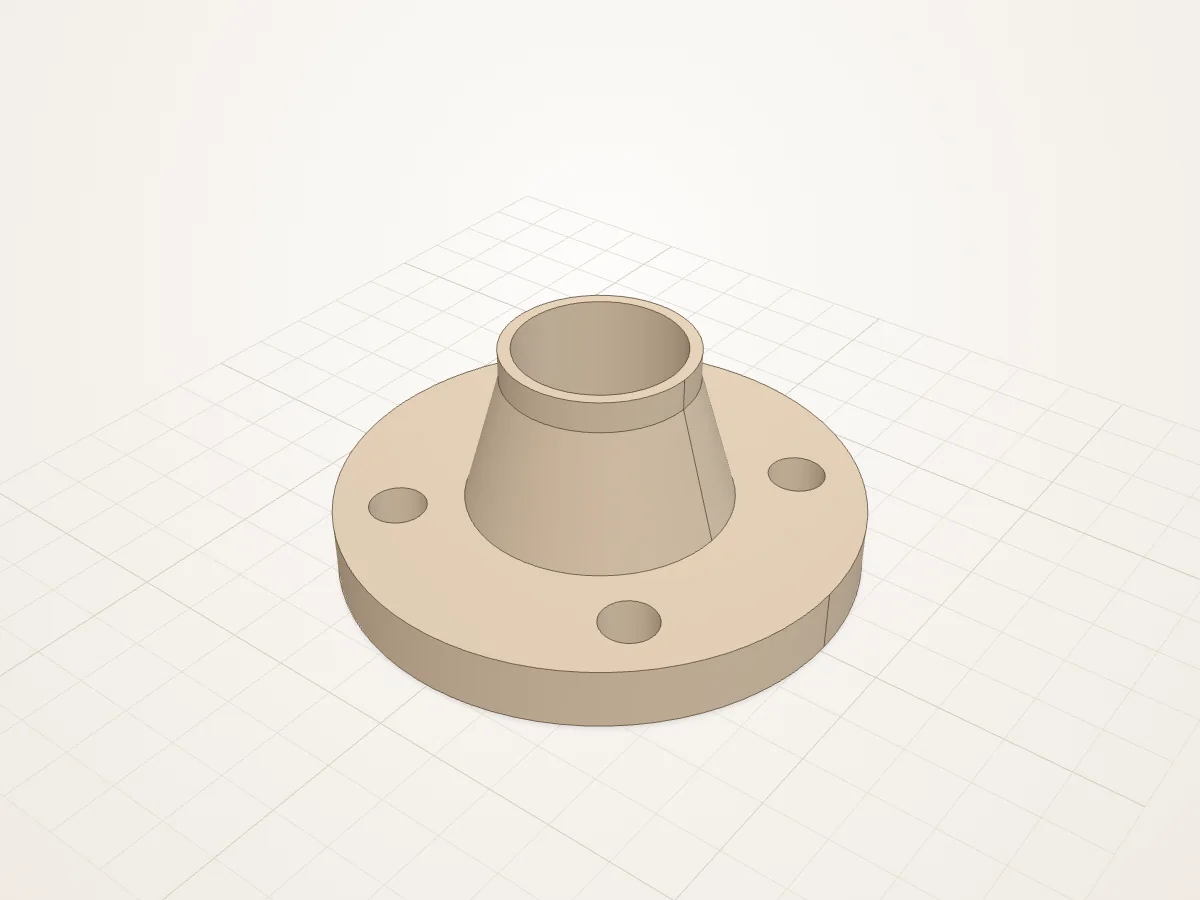
- B-rep faces
- 13
- Triangles
- 912 to 20,088
- Standard
- 1,948 · 95 KB
- Watertight
Examples
STEP to STL examples at real settings
Screenshots of this STEP to STL converter with the two sample files. Open one in the converter above or download the STL it wrote.
Standard
DN50 weld-neck flange
13 exact faces become 1,948 triangles at Standard, a 95 KB binary STL that is watertight.
13 faces → 1,948 triangles · Standard
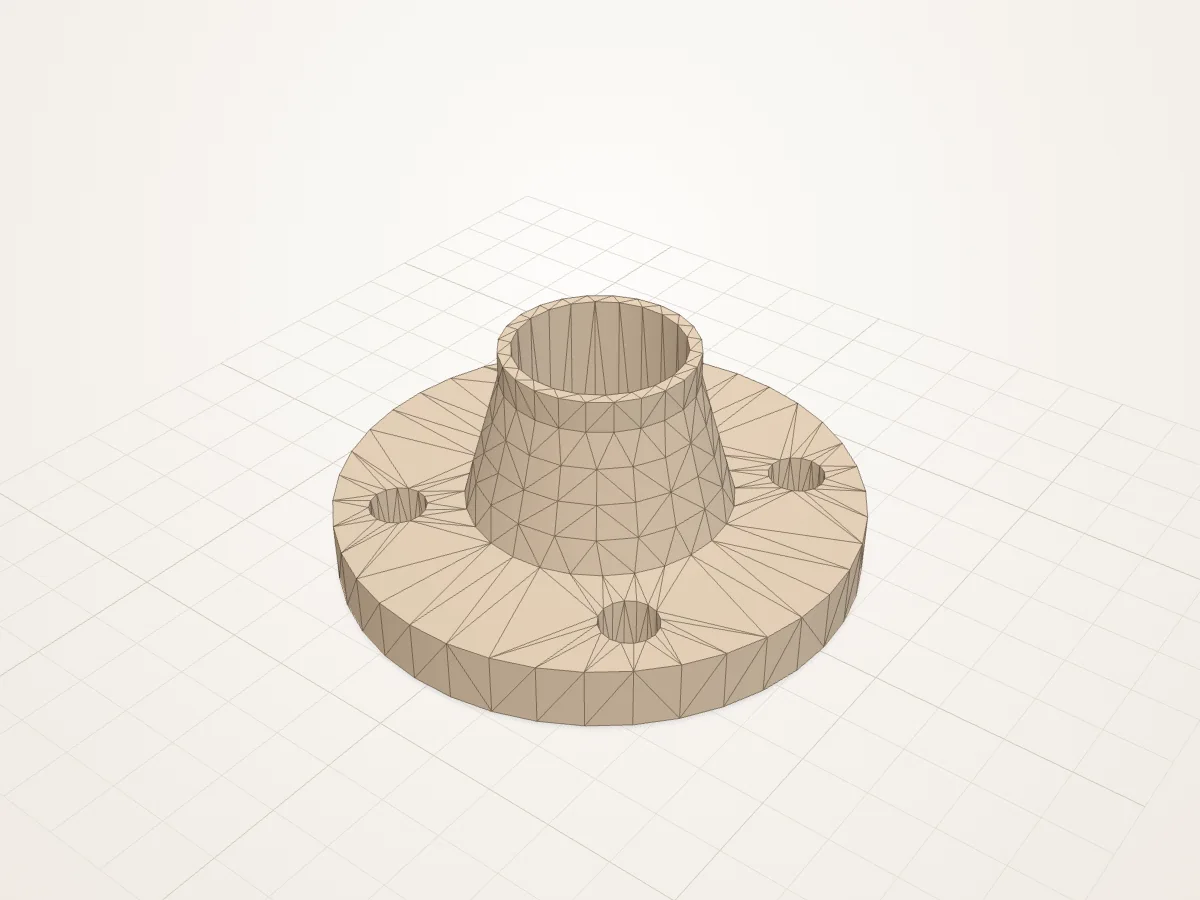
Draft
Same flange, coarse
912 triangles: the bolt holes turn into short polygons. Fine for a quick look, too rough to print.
912 triangles · Draft
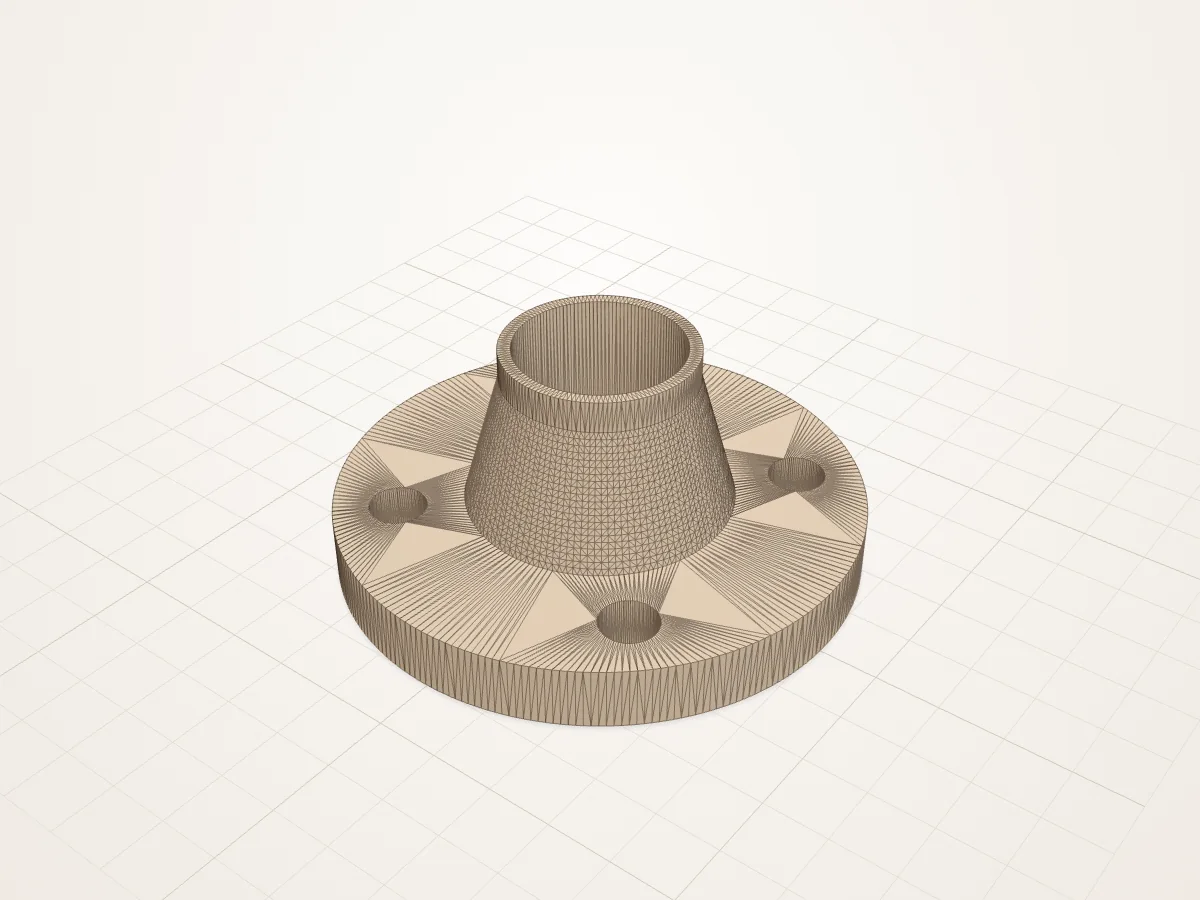
Very fine
Same flange, smooth
9,720 triangles: round edges print smooth, and the STL is 475 KB.
9,720 triangles · Very fine
7 parts
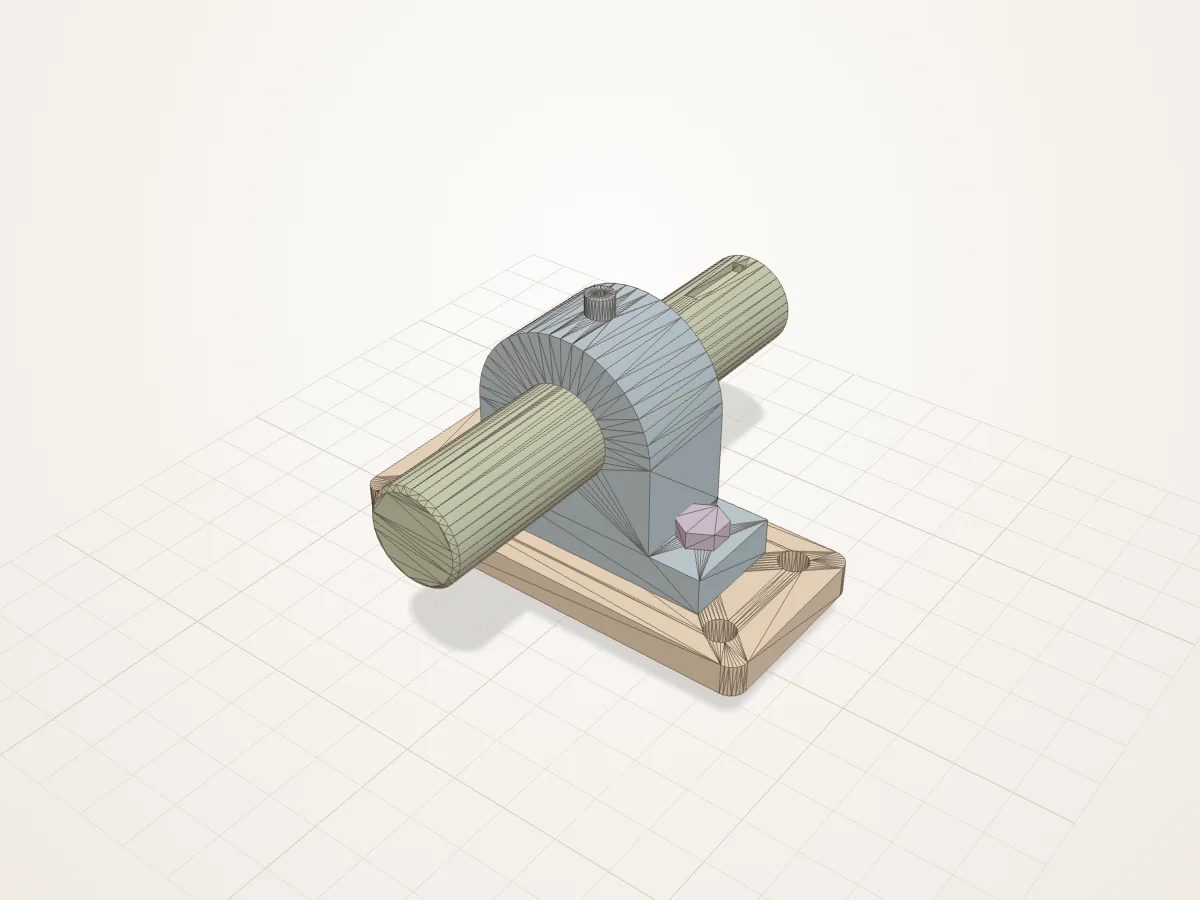
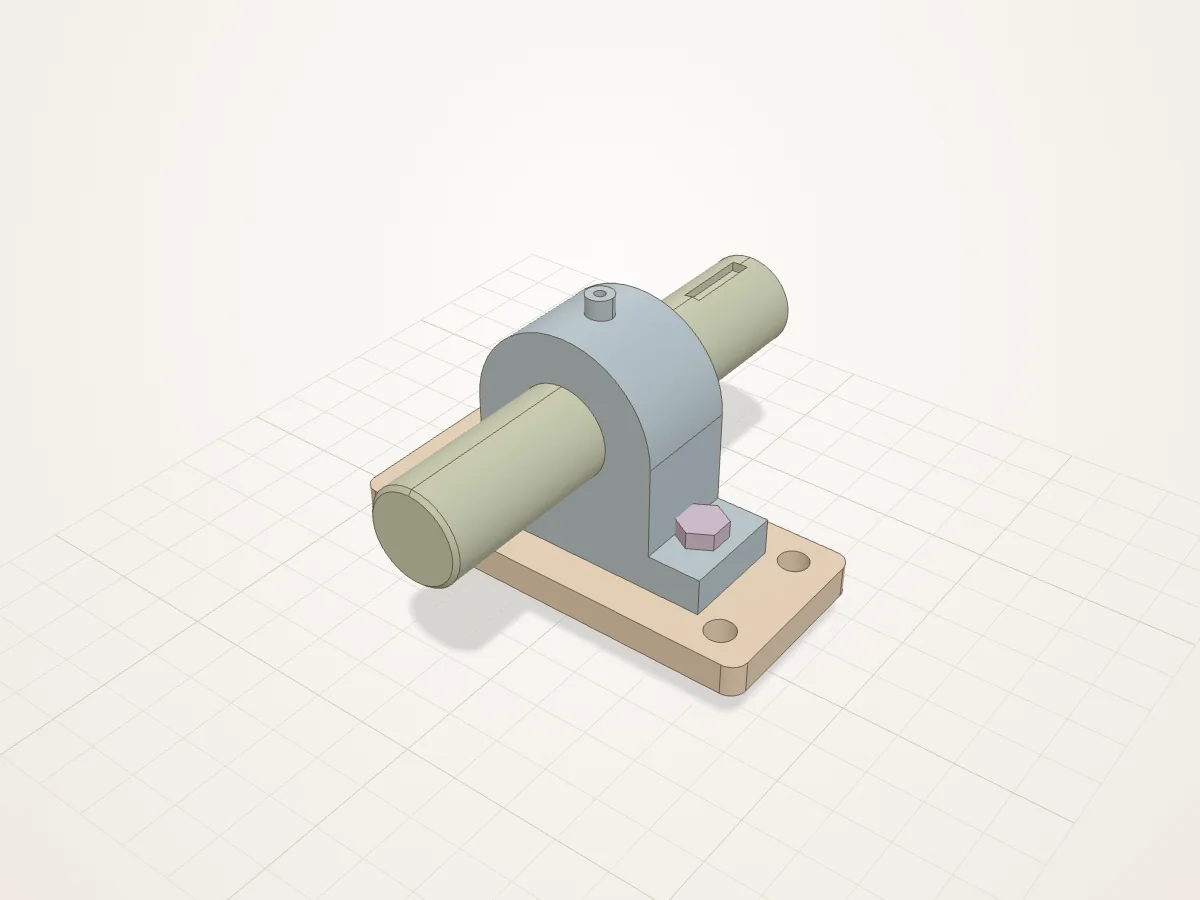
Pillow block assembly
The whole assembly as one STL: 2,268 triangles at Standard, every part a closed shell.
7 parts → 2,268 triangles · Standard
One part
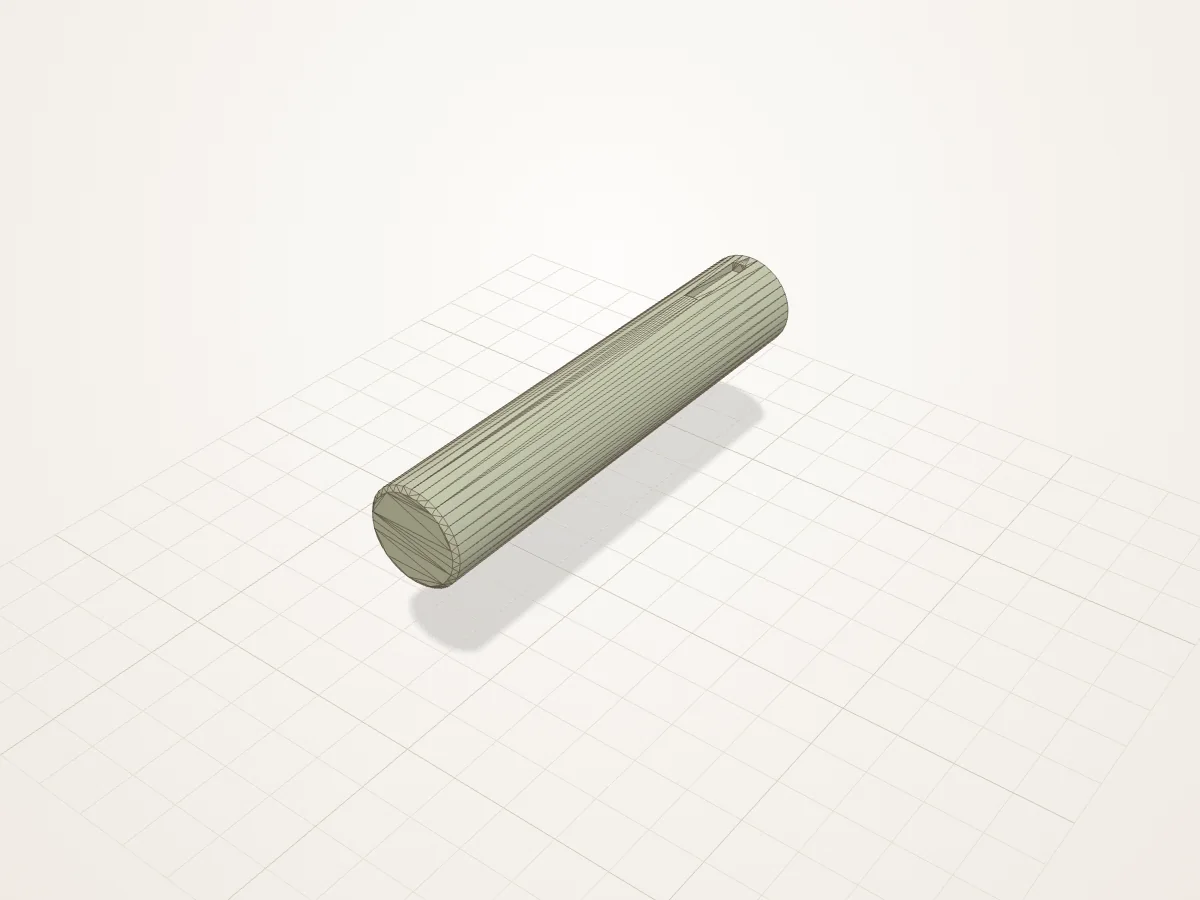
Only the shaft
Untick the other parts in the tree and the STL holds the shaft alone, ready to print on its own.
Shaft only · 296 triangles
Features
What the STEP to STL converter lets you set
An STL is flat triangles, so every curved face of the STEP is cut into facets. You decide how small.
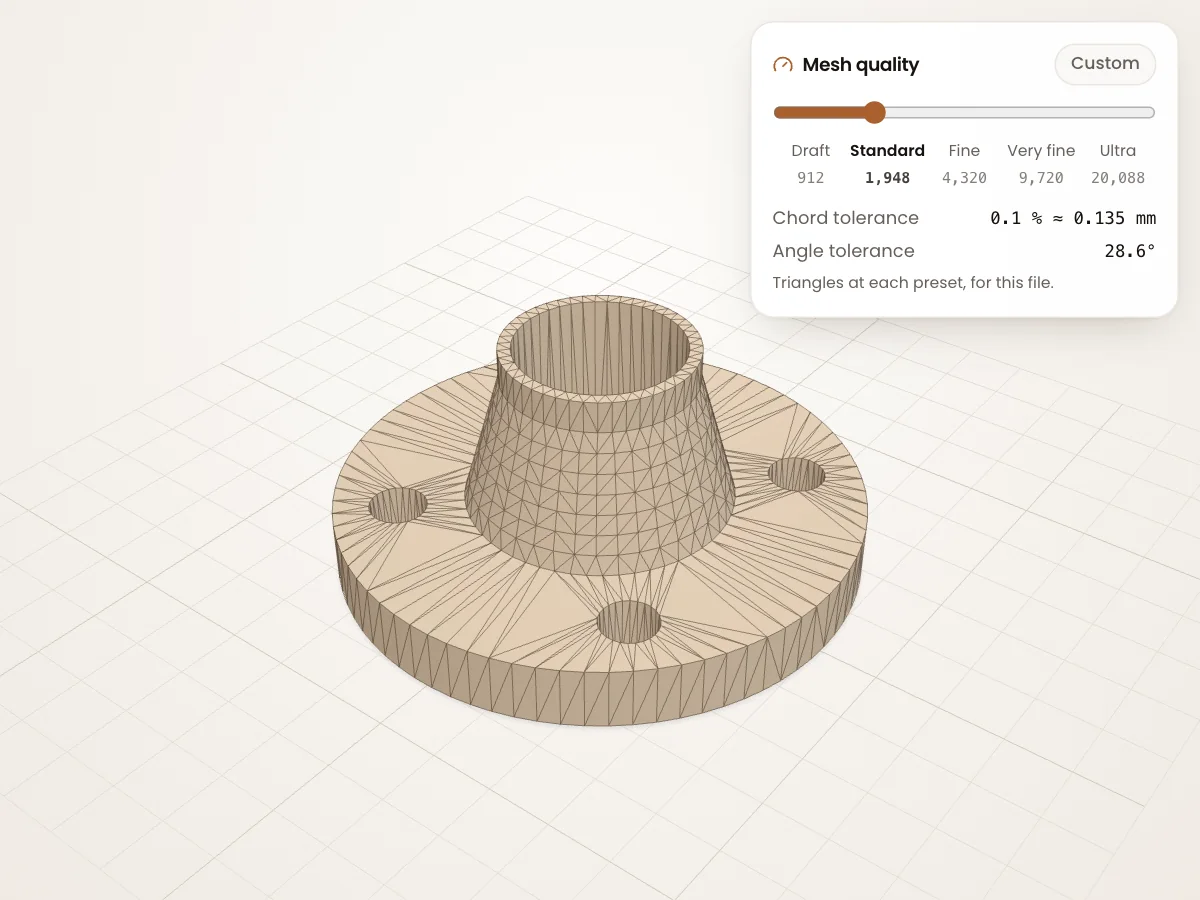
Flange: 912 triangles at Draft to 20,088 at Ultra, 22 times more
Quality presets
STEP to STL quality presets, measured
The chord tolerance is a share of the model size, so a small bracket and a big housing come out equally smooth. Counts are for the 165 mm flange sample.
| Preset | Tolerance | On the flange sample |
|---|---|---|
| Draft | Chord 0.4 % of the size, angle 46° | 912 triangles, 45 KB. Quick checks and big simple parts. |
| Standard | Chord 0.1 % of the size, angle 28.6° | 1,948 triangles, 95 KB. OpenCascade's default; most FDM prints. |
| Fine | Chord 0.03 % of the size, angle 14° | 4,320 triangles, 211 KB. Small curved parts, gears and knobs. |
| Very fine | Chord 0.01 % of the size, angle 8° | 9,720 triangles, 475 KB. Resin prints and renders. |
| Ultra | Chord 0.004 % of the size, angle 5° | 20,088 triangles, 981 KB. Close-up renders and simulation meshes. |
Custom takes a chord in millimetres from 0.001 and an angle from 1° to 60°, for the same result on every part. For a 0.4 mm FDM nozzle, 0.02 to 0.05 mm is plenty.
How to
How to convert STEP to STL in 3 steps
No install, no account: the STP to STL conversion runs in this tab.
STEP 1
Open the STEP file
Drop a .step, .stp, .iges or .brep file, or open a sample. The 7.3 MB reader downloads once; the solids are meshed in a background worker.
STEP 2
Pick the mesh quality
Drag the slider from Draft to Ultra and watch the triangles and file size, or switch to Custom and type a chord in mm and an angle in degrees.
STEP 3
Download the STL
Choose binary or ASCII, the unit and one STL or one per part, then press Download STL. Parts you untick are left out.
Slicer slow?
Step the quality down one preset; the print rarely changes.
Laser or CNC?
Work from the STEP itself. An STL is for printers, renders and simulation.
Inches
The unit only changes the numbers in the STL; slicers assume millimetres.
Keep the STEP
STL drops exact curves and names. Keep the STEP as the master file.
Specs
STEP to STL converter specs and limits
What goes in, what comes out, and what the step stl converter leaves behind.
- Input
- STEP (.step, .stp, .p21), IGES (.igs, .iges), BREP (.brep)
- Size
- Up to 100 MB; very large assemblies can run out of browser memory
- Quality
- Five presets from Draft to Ultra, or a chord from 0.001 mm and an angle of 1° to 60°
- Output
- Binary or ASCII STL; one file, or one per part in a zip
- Units
- Millimetres, centimetres, metres or inches, converted from the unit in the STEP
- Parts
- Any mix of parts from the assembly tree
- Reader
- OpenCascade (occt-import-js 0.0.23, LGPL 2.1), in a Web Worker
- Where it runs
- In your browser tab; nothing is uploaded
It does
- Re-mesh live as you move the slider
- Show the triangle count of every preset for your file
- Keep closed solids watertight
- Write one STL per part, named after the parts
- Convert inches or metres in the STEP to the unit you pick
It does not
- Keep exact curves: cylinders and fillets become facets
- Keep colors, names or the tree inside the STL
- Export curves, sketches or PMI without surfaces
- Repair a STEP whose surfaces do not meet
- Open native SLDPRT, IPT or CATPart files
Next steps
Where the STL from STEP to STL goes next
Slicers, renderers and simulation tools read STL. Keep the STEP for any change to the design.
3D printing
Standard suits most FDM parts; Fine or Very fine for small curved parts and resin printers.
Prototypes
Print one part of an assembly to test a fit before anyone cuts metal.
Renders and product shots
A Very fine or Ultra mesh keeps highlights smooth on round edges.
Packing it for the slicer
Need units inside the file? Pack the STL with STL to 3MF.
STEP to STL FAQ
Quality, sizes, parts and privacy.
How do I convert STEP to STL?
Open the STEP file, set the mesh quality with the slider or as a custom tolerance, and press Download STL. Reading, meshing and writing all run in your browser.
Is this STEP to STL converter free?
Yes. No account, no watermark and no file count, because your own computer does the work. Each file can be up to 100 MB.
Which quality should I pick for 3D printing?
Standard suits most FDM parts. Use Fine for small parts with visible curves and Very fine for resin printers or renders. For the same result on every part, use Custom with a chord of about 0.01 to 0.05 mm.
What are chord and angle tolerance?
Chord tolerance (linear deflection) is the largest gap allowed between a flat triangle and the curved surface it replaces. Angle tolerance (angular deflection) limits how sharply neighbouring triangles may turn along a curve. Smaller values mean smoother curves and more triangles.
Why does the triangle count change as I drag?
Each move asks OpenCascade to mesh the model again with the new tolerances, so the count and STL size are the real numbers for your file, not an estimate.
How accurate is STEP to STL?
Flat faces and straight edges come through exactly; curved faces stay within the chord tolerance of the true surface, for example about 0.13 mm on the 165 mm flange at Standard, or the value you type under Custom.
Why is my STL bigger than the STEP?
STEP describes a cylinder with one equation; STL needs many triangles for it, 50 bytes each in binary. A finer quality multiplies the count, and ASCII STL is about five times larger than binary.
Can I convert one part of an assembly?
Yes. Untick the parts you do not want in the tree; only ticked parts go into the STL. Or pick One per part to get every part as its own STL in a zip.
Is STP to STL different from STEP to STL?
No. .stp and .step are two extensions for the same ISO 10303-21 file, and STP to STL works exactly the same. IGES and BREP files are read too.
Which unit does the STL use?
Millimetres by default, the unit slicers assume. The STEP file says its own unit, and the converter turns inches or metres into the unit you pick: mm, cm, m or inches.
Is my file uploaded?
No. The STEP file is read and meshed inside this tab and the STL is written there too. Nothing is sent to a server.
Can I turn the STL back into a STEP?
Only as a faceted solid: STL to STEP wraps the triangles in flat faces, but exact curves and features are gone. Keep the original STEP as your master file.
Convert STEP to STL now
Drop a STEP file, set the quality on a live mesh and download an STL your slicer opens at true size. Free, in this tab.
Convert a STEP file