Online CAD Viewer: 2D Drawings and 3D Models
Free online CAD viewer: drop a DWG, DXF, STEP, IGES, STL, OBJ or 3MF file and it opens in the right engine, which we name for you. Turn layers on and off, measure, cut sections, and read the true size with paper and print bed checks. Your file never leaves the browser.
- Free, nothing uploaded
- Format read from the file
- Size, sheet and bed checks
- 2D layers, 3D sections
Open a CAD file
FreeNo file? Try one of each
Runs in your browser. Nothing is uploaded.
Example
STEP AP214 · OpenCascade · 7 parts
Examples
What the online CAD viewer shows for each file
Six files, six formats, all opened by this CAD viewer. Each picture is our own viewer at work; open a sample in the box above to try it.
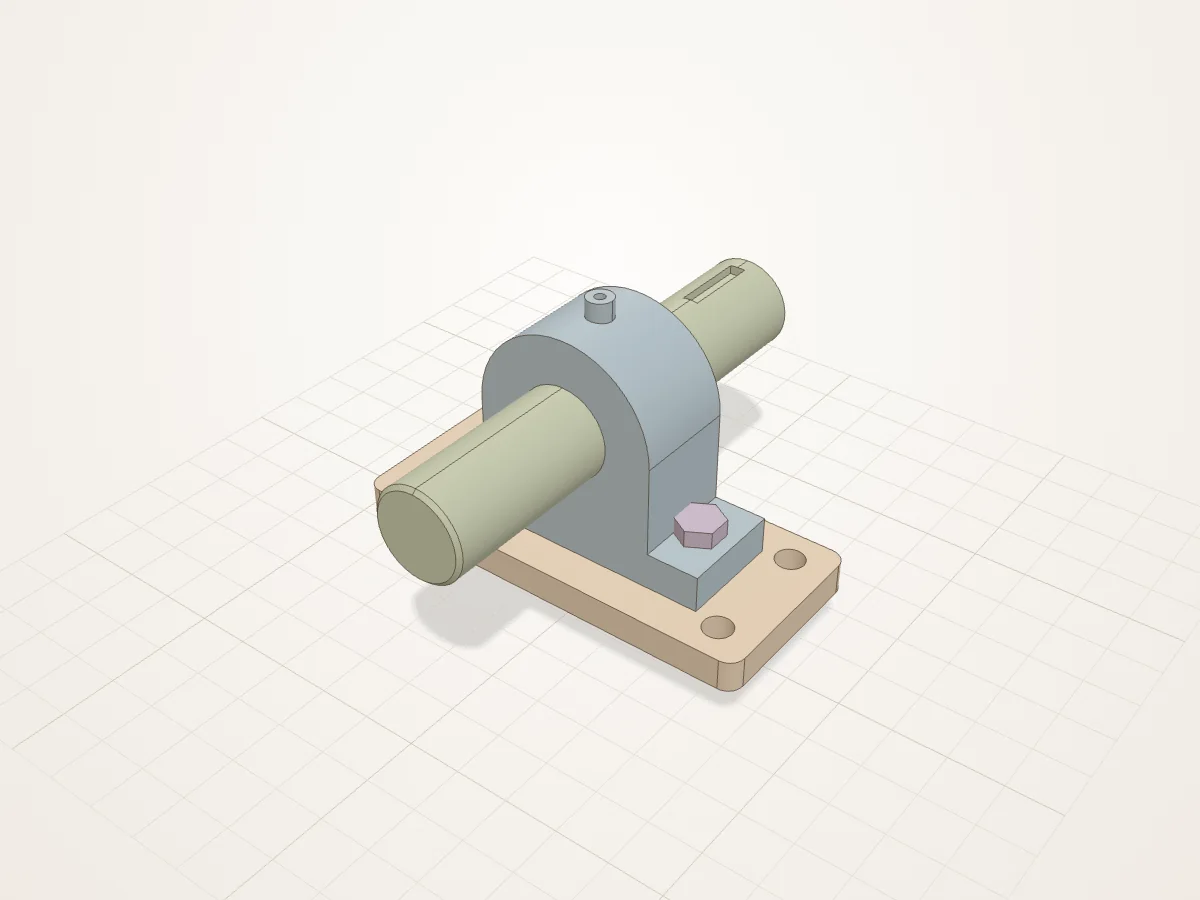
STEP · 7 parts
Pillow block assembly
A STEP assembly meshed by OpenCascade, with the parts tree, part colors and sizes.
STEP AP214 · OpenCascade · 7 parts
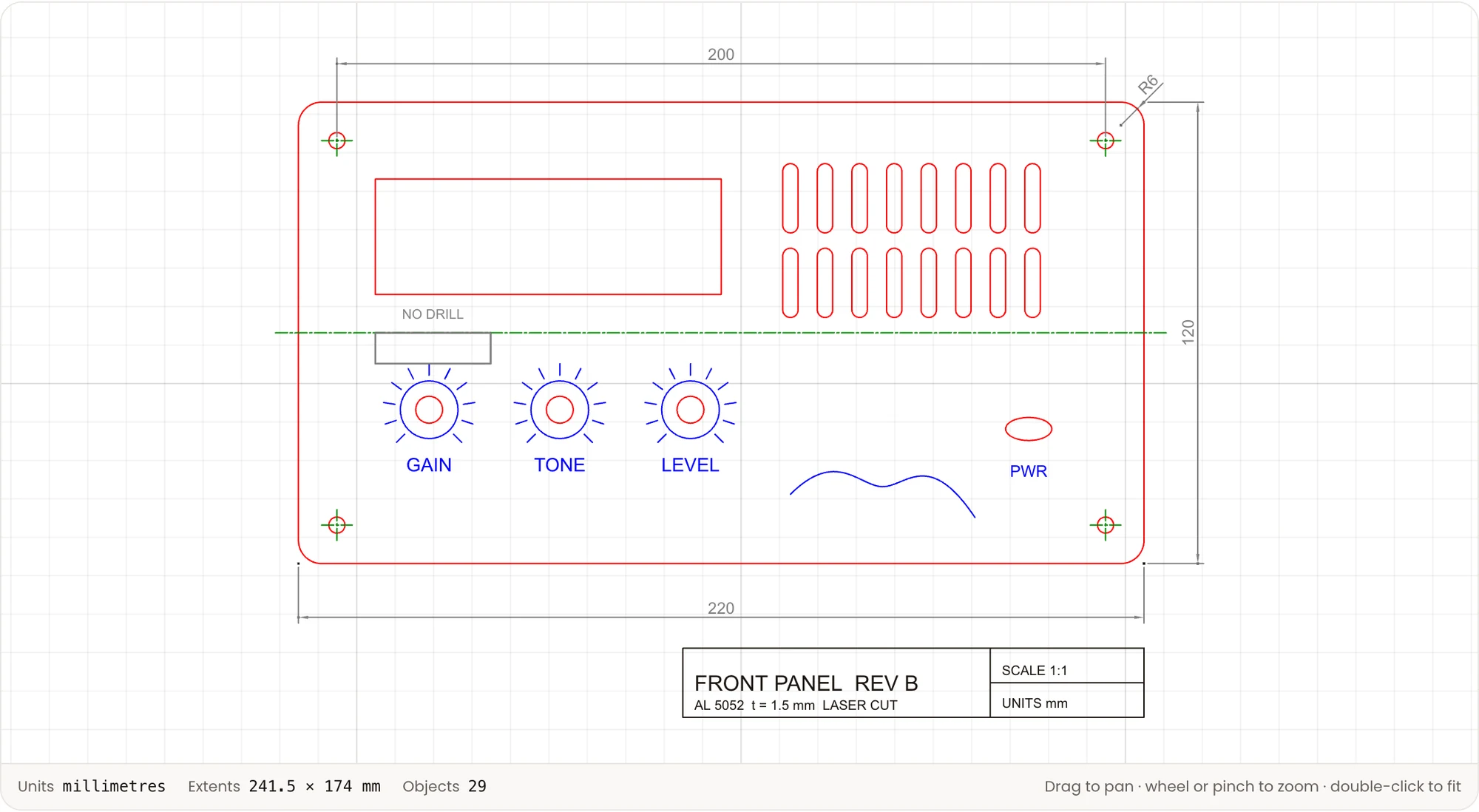
DWG 2018
Laser panel from AutoCAD
A 2018 DWG turned into DXF by LibreDWG on your computer, then drawn with its layers.
DWG 2018 (AC1032) · LibreDWG + DXF engine
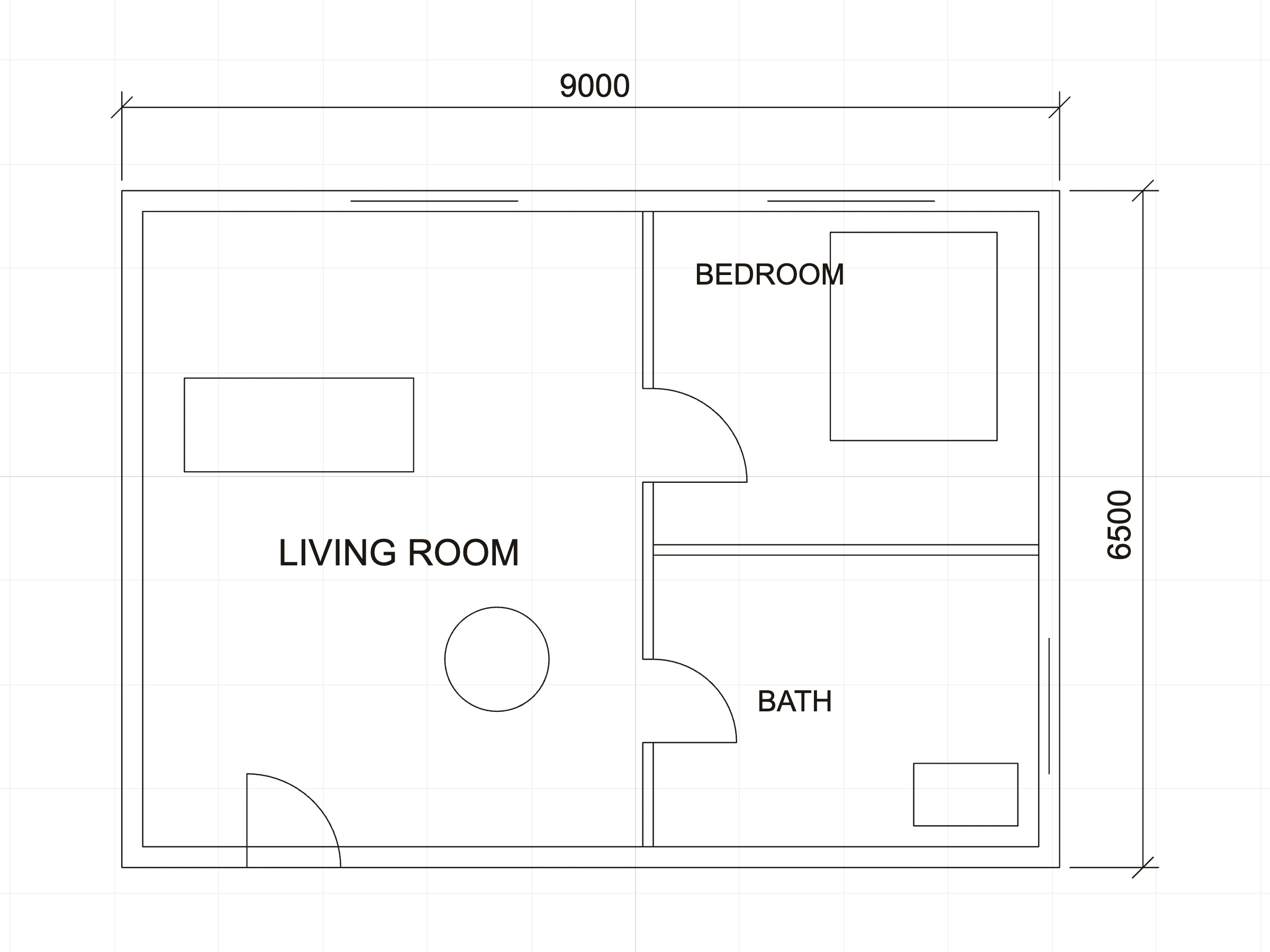
DXF R12
Apartment floor plan
A 10 m plan with walls, doors and dimensions on their layers, ready to measure.
DXF R12 · 6 layers · 10,050 × 7,720 mm
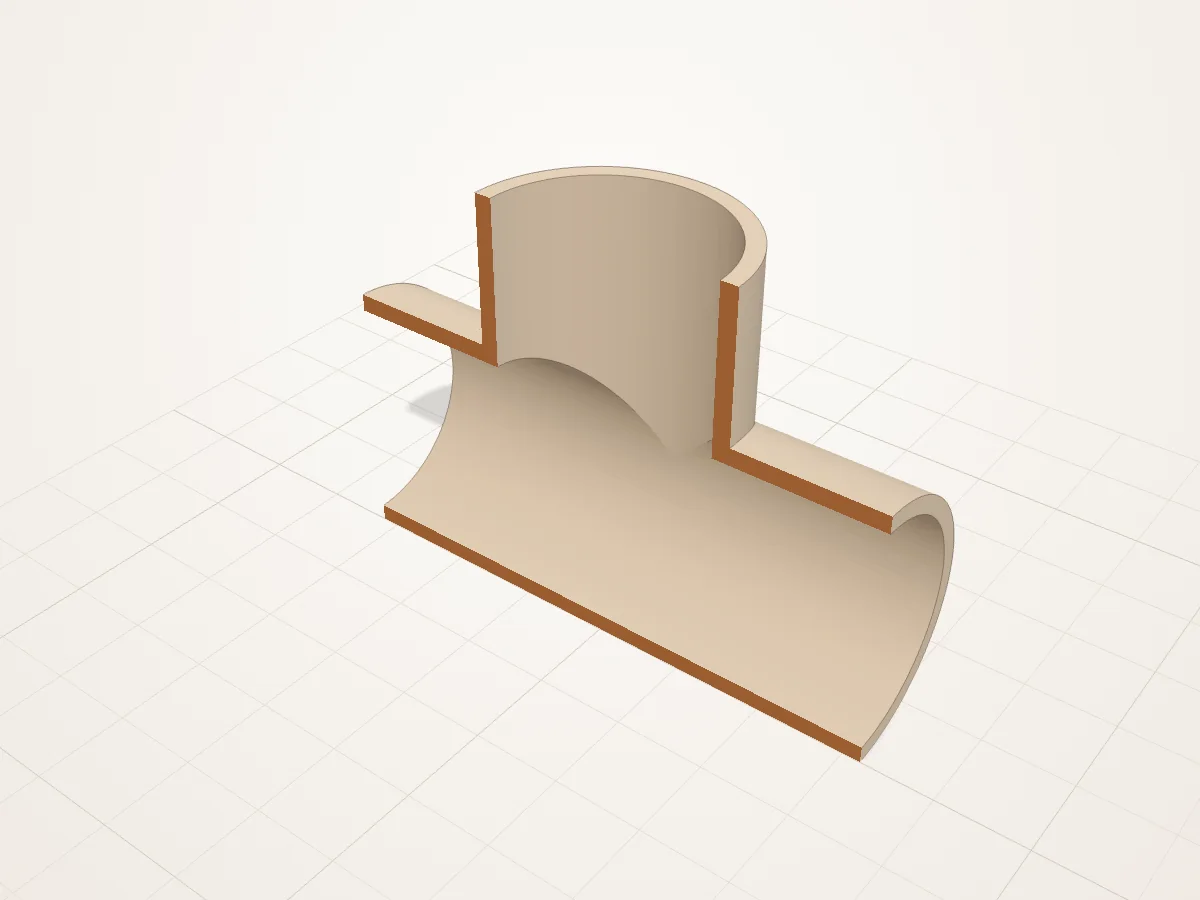
STL · section
Pipe tee cut open
A section plane through an STL shows the wall thickness in copper.
STL · section along Z · mesh engine
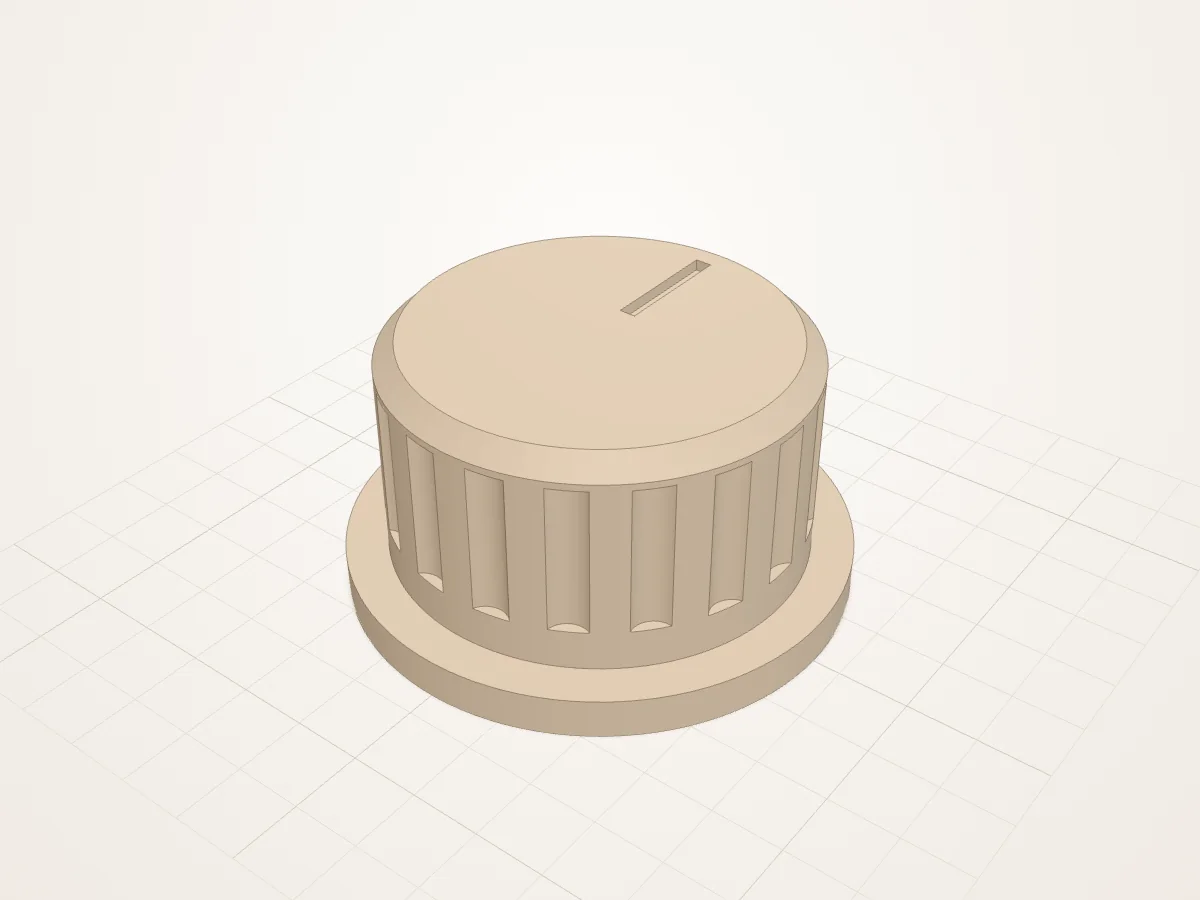
OBJ
Knurled control knob
An OBJ mesh with its size, volume and a watertight check before printing.
OBJ · watertight · mesh engine
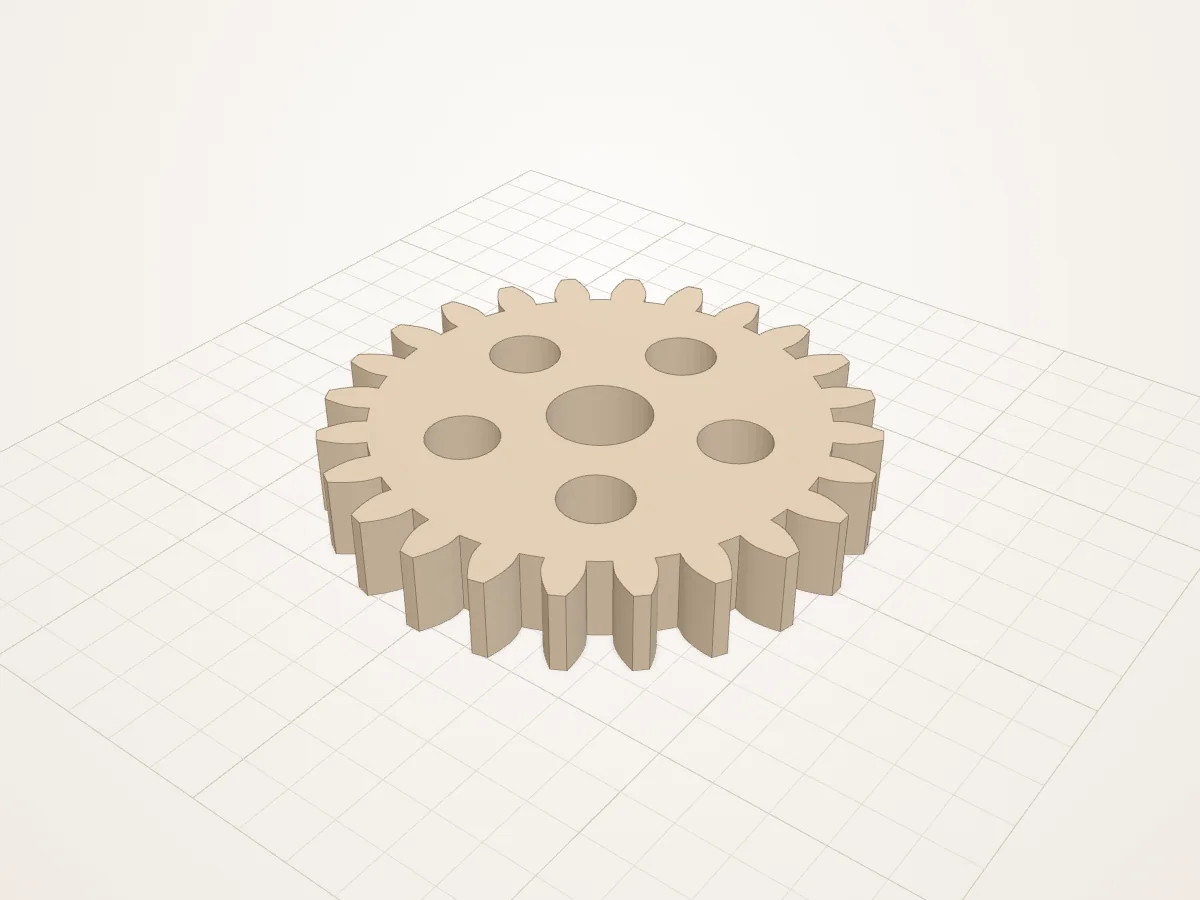
3MF
Spur gear print package
A 3MF unzipped and read in the page, its unit turned into millimetres.
3MF · unit millimeter · 3MF reader + mesh engine
How it works
How the CAD file viewer picks the right engine
Four things this online CAD viewer does that a single-format viewer cannot. The first two pictures are this page; the others come from the viewers it loads.
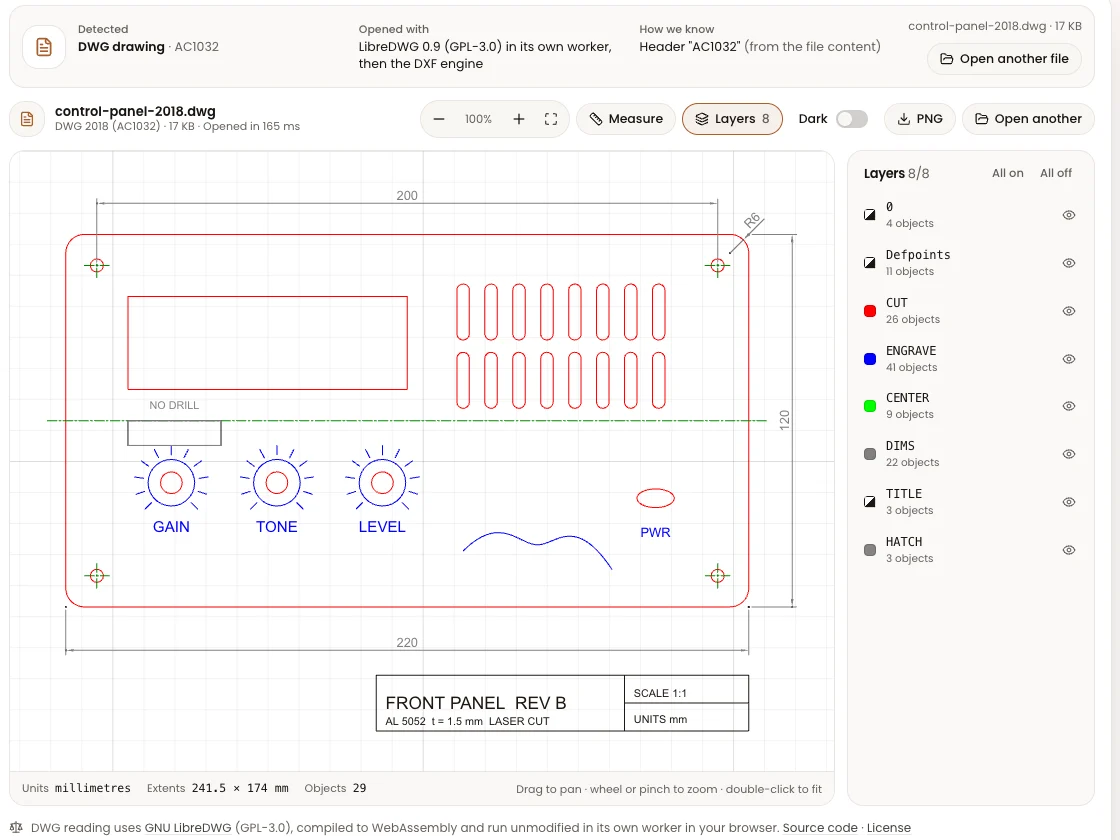
Opened with card for a DWG saved by AutoCAD 2018
Formats
Which CAD viewer engine opens which file
Each engine loads only when its format arrives, so the page stays light until you open something.
| Format | What it reads | Opens in |
|---|---|---|
| DXF (.dxf) | ASCII DXF, R12 to 2018, up to 50 MB | 2D viewer: layers, measuring with snaps, PNG |
| DWG (.dwg) | AutoCAD R13 to 2018 and later releases that save the 2018 format, up to 50 MB | LibreDWG turns it into DXF on your computer, then the 2D viewer |
| STEP (.step, .stp) | AP203, AP214 and AP242 exports, up to 100 MB | 3D viewer: assembly tree, part sizes, explode, section, measure, STL export |
| IGES, BREP | Legacy surface models and OpenCascade shapes | The same OpenCascade reader and 3D viewer as STEP |
| STL, OBJ | Binary and ASCII STL, OBJ meshes, up to 200 MB per batch | 3D viewer: watertight check, volume, weight, section, measure |
| 3MF (.3mf) | Print packages from slicers and CAD programs | Meshes, components and plate positions in mm; colors not read |
Not read: glTF, GLB, FBX, PLY and native SolidWorks, Inventor, Creo or CATIA files. Export STEP, STL or 3MF from the program that made them.
How to
How to use the online CAD viewer
Three steps and no install: the CAD viewer online works in any current desktop browser.
STEP 1
Drop any CAD file
Drop a DWG, DXF, STEP, IGES, STL, OBJ or 3MF on the box, paste it, or open one of the six samples. The format shows up before you press Open file.
STEP 2
Inspect it
Switch layers and measure in drawings; orbit, cut sections and measure in models. The Opened with card names the engine that read the file.
STEP 3
Check the size
Read the size in mm and inches, which sheet it fits at 1:1 or 1:50, and which print beds it fits. Save a PNG, or STL from a STEP.
No extension?
Files from email or chat often lose it. The content still tells the format.
Wrong size?
STL and OBJ store no unit. Pick inches in the 3D viewer if the part is 25.4 times too small.
First STEP is slow
OpenCascade downloads once, about 7 MB, then stays cached.
Native CAD files
SLDPRT, IPT and CATPart need a STEP export first.
Limits
What this free online CAD viewer does and does not do
A viewer reads and measures; it does not edit. Here is the honest list.
- Formats
- DXF, DWG, STEP, STP, IGES, BREP, STL, OBJ, 3MF
- Format check
- First 4 KB of the file; extension only when the bytes say nothing
- Size panel
- Bounding size in mm and in; best scale on A4 to A0; generic print beds
- Engines
- DXF engine, LibreDWG (GPL-3.0), OpenCascade (LGPL-2.1), mesh engine, 3MF reader
- Where it runs
- Web Workers in your browser; files are never uploaded
It does
- Open seven file families from one drop zone
- Tell you which engine read the file and why
- Measure drawings and models with snapping
- Show true size, sheet scales and print bed fit
- Export STL from STEP and PNG from every view
It does not
- Edit geometry, dimensions or features
- Read native SolidWorks, Inventor, Creo or CATIA files
- Show PMI or GD&T stored in STEP AP242
- Read glTF, GLB, FBX or PLY
- Keep 3MF colors, materials or textures
Online CAD viewer FAQ
Formats, privacy, accuracy and the engines behind the viewer.
Which files does the online CAD viewer open?
DXF and DWG drawings; STEP, STP, IGES and BREP models; STL, OBJ and 3MF meshes. Native SolidWorks, Inventor, Creo and CATIA files are closed formats: export STEP from those programs first.
Is this online CAD viewer free?
Yes. Opening, measuring, sections and size checks are free with no sign up and no limit on files.
Is my CAD file uploaded?
No. The file is read in Web Workers in your browser tab. The page only downloads the engine for your format; your drawing or model never goes to a server.
How does the CAD viewer know the format?
It reads the first 4 KB. DWG files begin with a release code such as AC1032, STEP files with ISO-10303-21, DXF files with group codes, binary STL files have a size of 84 + 50 bytes per triangle. Only when the bytes say nothing does the extension decide.
Why does it say the extension and content disagree?
Someone renamed the file, or a program saved it with the wrong ending. The viewer opens it as what the content says and tells you so.
Which DWG versions can I view?
Drawings from AutoCAD R13 up to the 2018 format, which AutoCAD 2018 to 2025 still save, up to 50 MB. LibreDWG converts the DWG to DXF on your computer; very new or proxy objects may be missing.
How accurate are the measurements?
Drawings are measured on the file geometry, snapped to ends and centers. STEP and IGES curves are measured on the triangle mesh, so a point on a cylinder can sit a few hundredths of a millimetre inside the true surface. Meshes are measured on their own triangles.
Why is my STL or OBJ the wrong size?
STL and OBJ store no unit. The viewer assumes millimetres; if the part looks 25.4 times too small, it was drawn in inches: switch the unit in the 3D viewer.
What does the size panel check?
For drawings, the largest standard scale (1:1 to 1:100) at which the drawing fits A4 to A0 with 10 mm margins. For models, whether the bounding box fits four generic build volumes, as placed or turned.
Can I edit the model in the CAD file viewer?
No. It reads, measures and exports views. To change geometry, use a CAD program such as FreeCAD, Fusion or SolidWorks.
Does it read glTF, GLB, FBX or PLY?
Not yet. Export STL, OBJ or 3MF from your 3D program and open that. For STEP models only, the STEP viewer has the same engine with the full tools.
Which open source engines does it use?
dxf-parser for DXF, LibreDWG 0.9 for DWG (GPL-3.0, source linked under the viewer), occt-import-js 0.0.23 for STEP, IGES and BREP (LGPL-2.1, license texts linked), and our own mesh and 3MF readers.
Open a file in the online CAD viewer
Drop a drawing or a model and see it in seconds, in this tab.
Open a CAD file