Hinge Drawing Generator: Butt, Printed and Living Hinges
Describe a hinge and AI sketches a hinge drawing as a CAD-style PNG, from 60 credits. Or pick butt, print-in-place or living hinge in the free generator below, set the knuckles, pin and clearance, and download a real hinge drawing as DXF, SVG or PDF, plus an STL to print.
- Three hinge types
- Knuckles and clearances
- STL for printing
- Free, in your browser
Drawing style
Technical
Full sheet: views, a section, notes and a title block.
You get a CAD-style PNG made by AI, not an editable CAD file. Trace it to DXF for free afterwards.
Hinge, open and closed
AI-generated example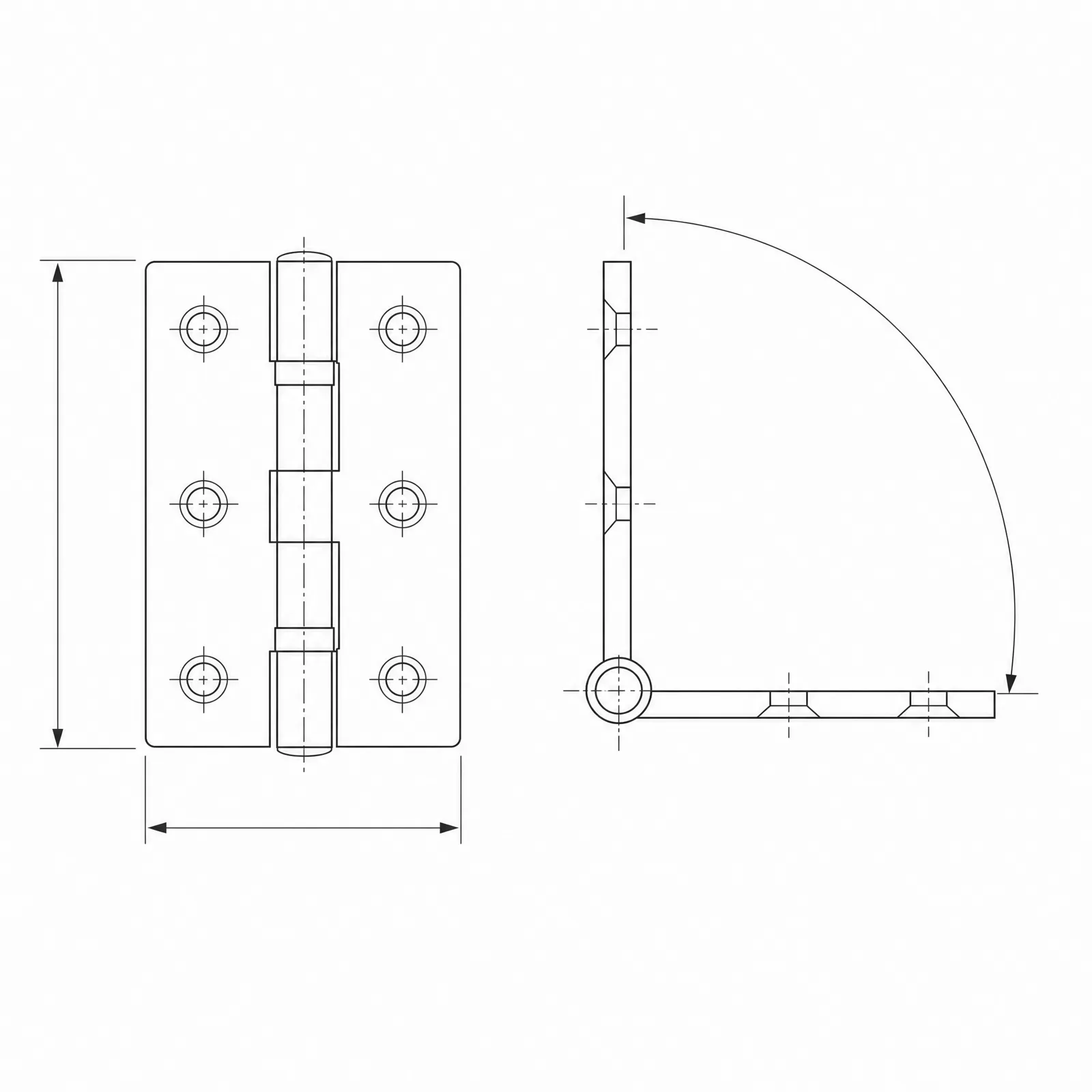
Prompt idea: Steel butt hinge 75 × 62 mm open, 2 mm leaves, five knuckles on a Ø4 mm pin, three countersunk holes per leaf, front view plus an end view with the swing arc to 180 degrees. Your result will differ.
Free hinge generator
Choose a hinge, then generate the hinge CAD drawing
Start from the job: a metal butt hinge for doors and boxes, a print-in-place hinge for 3D printed lids, or a living hinge for thin flexing parts. Every size you type redraws the hinge drawing and rechecks knuckles, holes and gaps.
Front view and the end view along the pin, with the 180° swing, scale 1:1 on A4. Downloads are the full sheet.
- Knuckle Ø
- 8
- Knuckle length
- 5 × 14.68
- Gap
- 0.4
- Open width
- 62
Examples
Hinge drawing examples: AI pictures and real CAD sheets
Two sheets drawn by the free generator, with hinge CAD files you can open, and four AI pictures labelled as such.
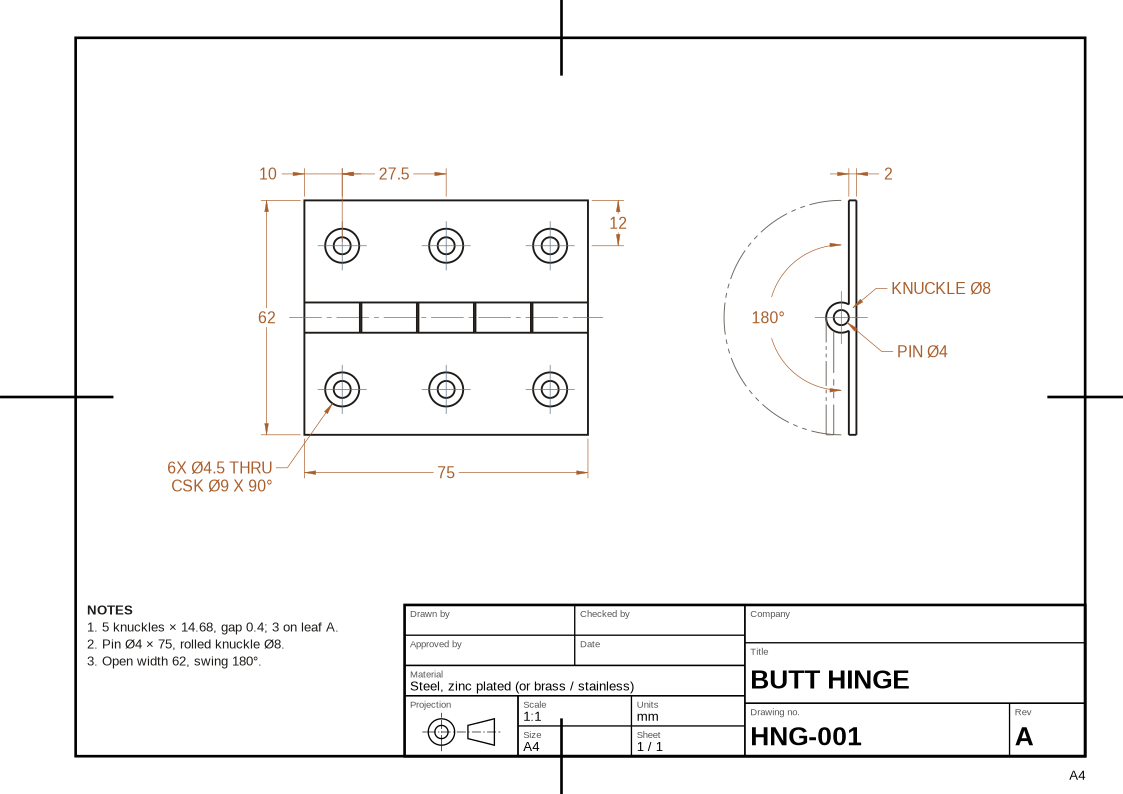
Drawn with the free generator
Butt hinge, 75 mm, five knuckles
Front view with six countersunk holes and the knuckle split, an end view along the pin with the 180° swing, notes and a title block.
A4 · 1:1 · 5 knuckles · 6 CSK holes
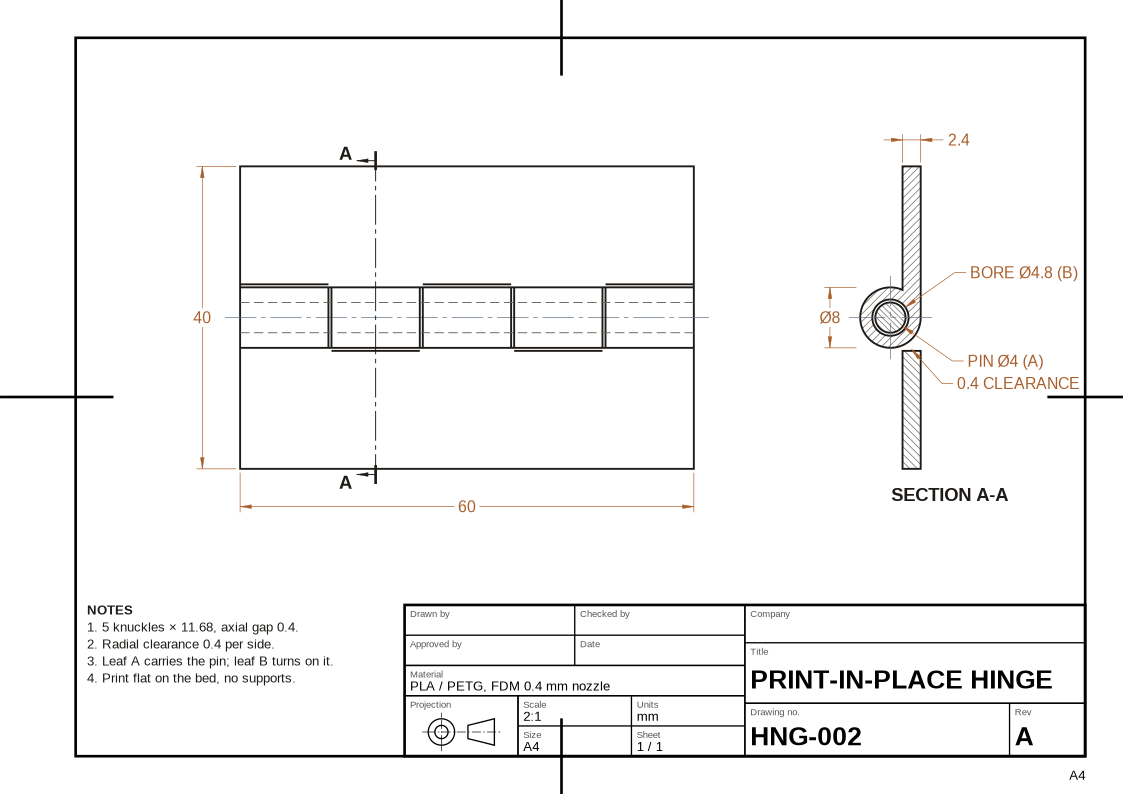
Drawn with the free generator
Print-in-place hinge, 60 mm
Section A-A through a knuckle: the pin of leaf A inside the bore of leaf B with 0.4 mm clearance per side. The STL prints in one go.
A4 · 2:1 · section A-A · STL
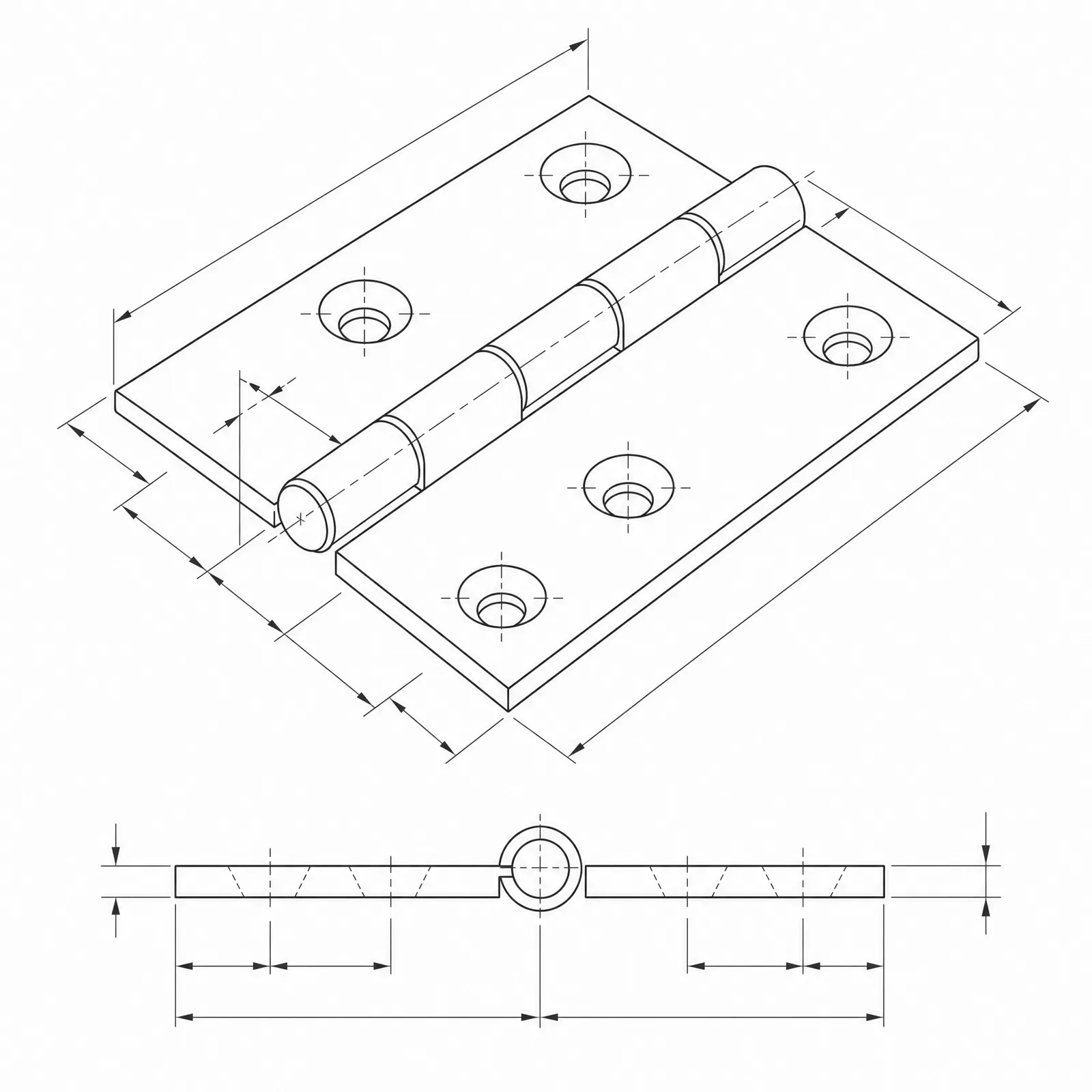
AI-generated example
Five-knuckle butt hinge
An isometric hinge drawing with leaf and knuckle dimensions and an end view underneath.
AI-generated example
Hinge open and closed
Flat view with screw holes beside an end view that swings the leaf through 90° along an arc.
AI-generated example
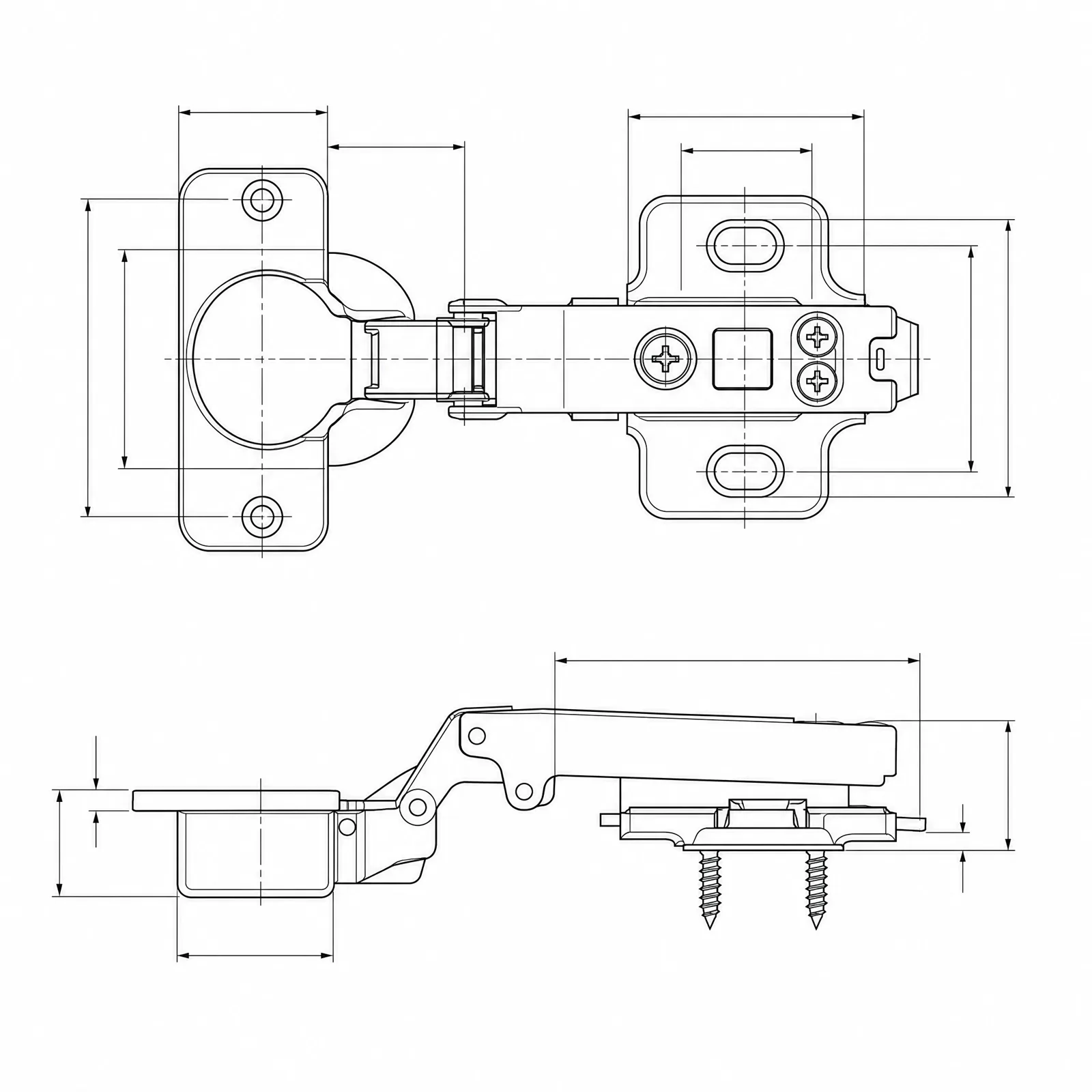
Concealed cup hinge
A cabinet hinge with a 35 mm cup, the arm and the mounting plate in top and side views.
AI-generated example
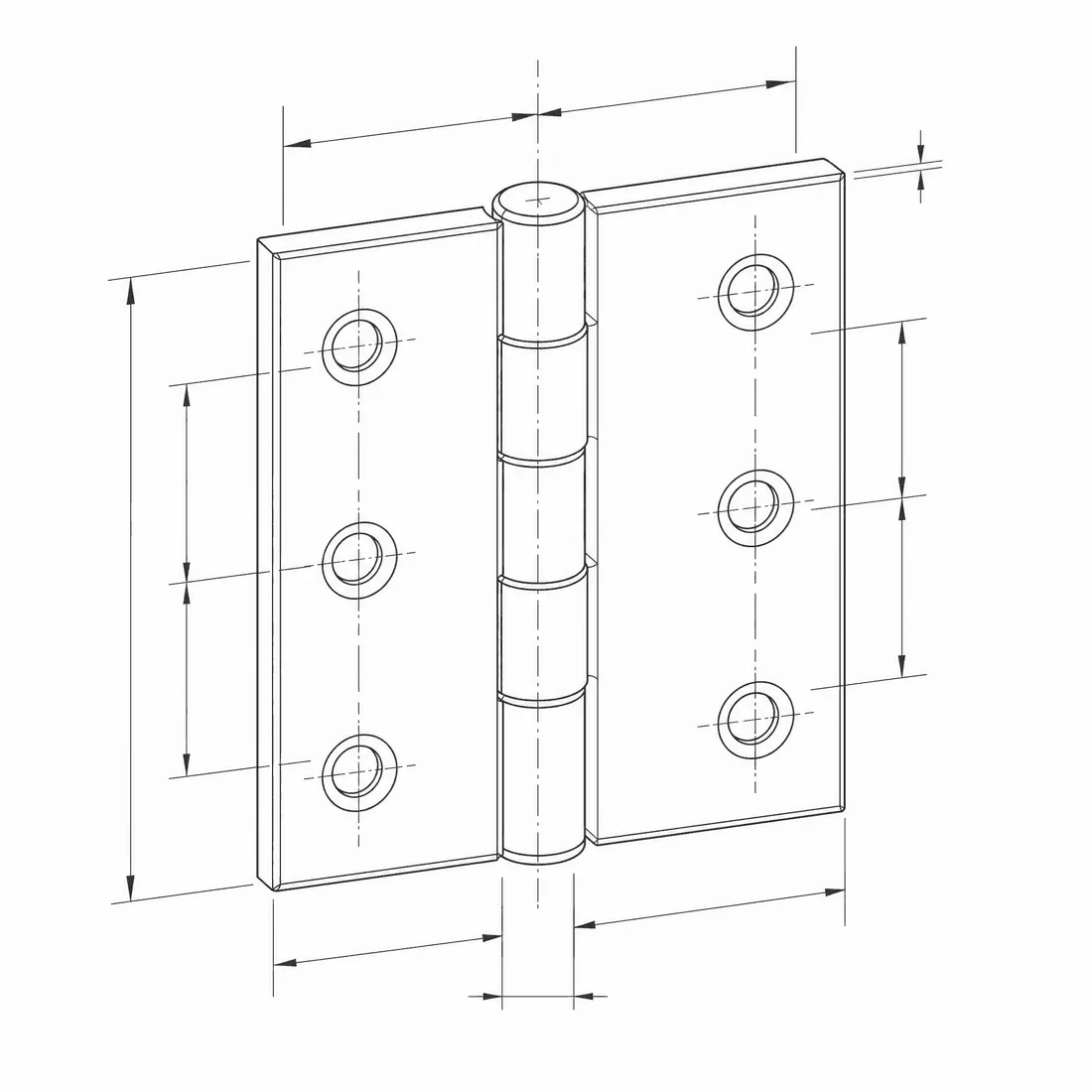
Butt hinge overview
Interleaved knuckles, a full-length pin and countersunk holes as a clean line picture.
Prompt builder
Describe a hinge drawing for the AI generator
Pick the hinge family, sizes, knuckles, screw holes and the states to draw. Apply writes one clear prompt into the generator at the top of the page.
Generated prompt
TechnicalStart from a template
Read the sheet
What a hinge drawing has to show
Whether the hinge is stamped steel or printed plastic, the same few details on a hinge drawing decide whether it fits and turns.
Butt hinge sheet drawn by the generator
How to
How to make a hinge drawing in 3 steps
With the free generator; the AI generator at the top works from words or a sketch instead.
STEP 1
Choose the hinge
Butt for metal, print-in-place for printed lids, living for thin flexing parts.
STEP 2
Set the sizes
Length, leaf width, thickness, knuckles and pin; then holes, clearance or the web, by type.
STEP 3
Download
Save the sheet as DXF, SVG or PDF, and the STL for the printed hinges.
Odd knuckles
Three, five or seven keeps the hinge symmetric with leaf A on both ends.
Test the gap
Printers differ; print a short hinge before the full lid.
Lay it flat
Print knuckles on the bed so no supports end up inside the joint.
Pick the plastic
Living hinges want PP or PETG; PLA works for print-in-place joints.
Two tools
Hinge CAD: generator or AI
The generator is exact about every hinge drawing it makes; the AI is quick at a first picture of any hinge.
- Generator types
- Butt hinge with countersunk holes, print-in-place hinge, living hinge
- Generator output
- Drawing sheet A4, A3, ANSI A or B as DXF R12, SVG or vector PDF; STL for the printed hinges
- Generator checks
- Knuckle length, screw heads near the edge or knuckle, clearance, wall and web thickness
- Generator cost
- Free, no account, nothing uploaded
- AI input
- Words, or a sketch or photo (PNG, JPG or WebP up to 10 MB)
- AI output
- A CAD-style PNG at 1K or 2K, not an editable CAD file
- AI cost
- 60 credits at 1K, 80 at 2K; refunded if a run fails
- Units
- Millimetres or inches in both tools (STL always in mm)
It does
- Draw a butt hinge with knuckles, pin and countersunk holes
- Lay out a print-in-place hinge with its clearances and section
- Draw a living hinge web and its profile
- Export a layered DXF, an SVG, a PDF and a closed STL
- Draw a first AI picture of any hinge from words
It does not
- Rate a hinge for door weight or cycle life
- Draw concealed cup, piano or friction hinges as CAD
- Promise that one clearance works on every printer
- Export STEP or a sheet-metal flat pattern of the leaf
- Turn the AI PNG into a CAD file by itself
Hinge drawing FAQ
The three hinge types, the files and the AI generator.
What should a hinge drawing include?
A hinge drawing shows the leaf length and width, the thickness, the knuckle count and length, the pin diameter, the screw holes with their countersinks and an end view or two states that show the swing. Printed hinges add the clearances.
Is the generator output a real hinge CAD file?
Yes. The DXF has layers for outlines, hidden lines, centre lines, hatching, dimensions and notes and opens in AutoCAD, BricsCAD, LibreCAD or Fusion. The STL is a closed mesh. The AI generator, by contrast, makes a PNG picture.
Which clearance should a print-in-place hinge use?
The generator starts at 0.4 mm per side for a free turning FDM joint and 0.2 mm for a snug one, from our 3D print fit table and its sources. Resin needs less. Print a short test hinge first and adjust the value.
Why does the print-in-place STL have two bodies?
Because the two leaves must never touch. Leaf A carries the pin, leaf B turns on it, and the gaps keep them apart while printing. Your slicer prints both at once and the hinge comes off the bed working.
How do I print the hinge without supports?
Lay it flat as exported, knuckles on the bed. The bore in leaf B bridges a few millimetres, which most printers handle. If the joint fuses, raise the clearance or slow the outer walls.
Which plastic works for a living hinge?
Polypropylene is the classic: it flexes thousands of times. PETG and nylon manage many cycles if the web is thin and printed with lines across the hinge. PLA cracks after a few bends.
How many knuckles should a butt hinge have?
Odd counts are usual: three for short hinges, five for door hinges, more for long ones. The generator keeps the count odd so leaf A sits on both ends and splits the length into equal knuckles with a small gap.
Can I draw the hinge in inches and first angle?
Yes. Switch Units to inch and Projection to first angle. Dimensions, the scale in the title block and the DXF units follow. The STL stays in millimetres, as slicers expect.
Does the generator rate the hinge for a door?
No. Load and cycle life depend on material, pin fit, screws and how the door is hung. Use the hinge drawing to make or order the part, and take ratings from the hardware maker or a test.
What does the AI hinge drawing generator make?
A CAD-style PNG of a hinge from your words or a sketch, at 60 credits for 1K or 80 for 2K. It can draw concealed and friction hinges the generator does not; dimensions on it are illustrative.
Is this hinge drawing tool free?
The generator and its DXF, SVG, PDF and STL files are free and need no account. Only AI pictures use credits, and a failed run is refunded automatically.
Does my hinge design leave my computer?
Not in the generator: the geometry, the drawing and the STL are made in your browser. The AI generator sends your prompt or image to the image model to draw the picture.
Make your hinge drawing now
Generate it free as DXF and STL, or describe it and let AI draw a first picture.
Describe a hinge