GPT Image 1.5 for CAD: Retired on 1 Dec 2026, What to Use Now
OpenAI shuts down GPT Image 1.5 in its API on 1 December 2026 and names GPT Image 2.6 its successor. See what it drew for CAD, which model fits each job now and how to move your prompts. The generator runs 2.6 Sunburst.
- API shutdown 1 Dec 2026
- Successor: GPT Image 2.6
- Prompt migration check
- Sunburst from 60 credits
Drawing style
Technical
Full sheet: views, a section, notes and a title block.
You get a CAD-style PNG made by AI, not an editable CAD file. Trace it to DXF for free afterwards.
Stepped drive shaft
AI-generated example · model not stated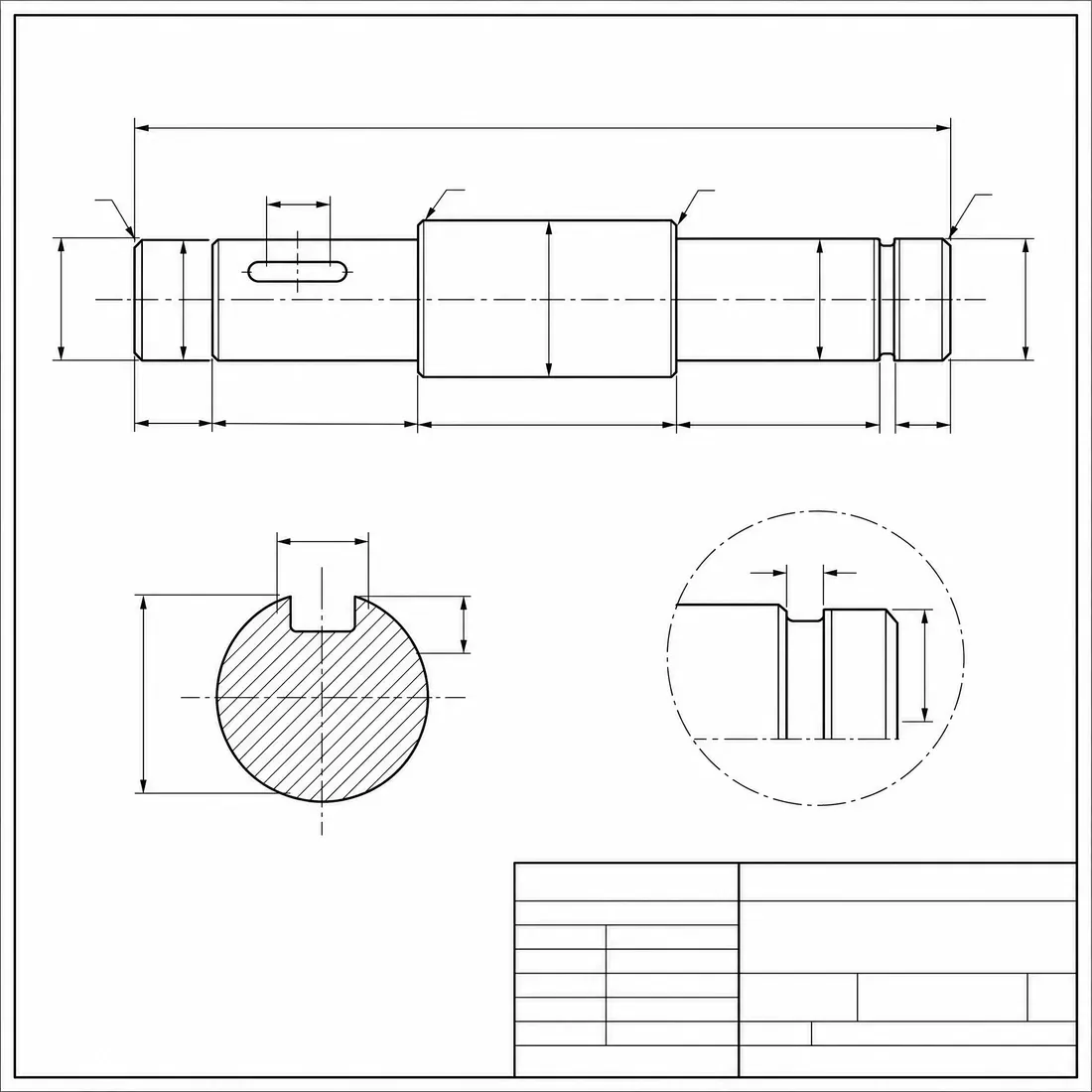
Prompt idea: Stepped drive shaft, Ø40 mm, 220 mm long, one keyway, a retaining-ring groove and chamfered ends; section through the keyway. Your result will differ.
Status
What happened to GPT Image 1.5
Dates from OpenAI's own release, model and deprecation pages. The notice covers OpenAI's API, which is how sites like this one reach the model.
16 Dec 2025
Released
The model arrives in ChatGPT and in the API, as a snapshot dated that day. OpenAI cites generation up to 4x faster, edits that keep more detail, and image input and output 20% cheaper than GPT Image 1.
21 Apr 2026
GPT Image 2 arrives
Sizes up to 4K and a pixel budget large enough for wide drawing sheets. OpenAI now calls the older model its previous image model.
2 Jun 2026
Deprecation notice
OpenAI lists the model and its dated snapshot for shutdown, together with gpt-image-1-mini.
Nov 2026
GPT Image 2.6 and a second notice
Sunburst and Flare appear as the recommended replacement. On 10 November GPT Image 2 also gets a shutdown date.
1 Dec 2026
API shutdown
Requests to the model stop working. Drawings you already made are files you keep.
10 Feb 2027
GPT Image 2 follows
gpt-image-2 leaves the API too, with the same 2.6 models as its replacement.
API status
Shutdown on 1 Dec 2026
What it was
- Snapshot
- gpt-image-1.5-2025-12-16
- Sizes
- 1024 x 1024, 1536 x 1024 or 1024 x 1536 pixels
- Quality
- Low, medium or high
- Input
- Text, or images to edit and inpaint
- OpenAI price
- $0.034 a square image at medium, $0.133 at high
- Here
- Left out of the model menu because it stops working on 1 December
Replacements
Which model replaces GPT Image 1.5 for each CAD job
Matched from our model settings and what each maker says about its model, not from benchmarks. Use in generator switches the generator above and keeps your text.
- Detailed final sheets
GPT Image 2.6 Sunburst
60 to 120 credits · up to 4K · text or sketch
OpenAI's named successor, built for detailed visual work. The longest brief room here and a 4K tier that includes a square sheet.
- Quick drafts
GPT Image 2.6 Flare
60 to 120 credits · up to 4K · text or sketch
The faster 2.6 tier, built for iteration, at the same price as Sunburst. Draft a brief here, then run the keeper on Sunburst.
- Proven with our rules
GPT Image 2
60 to 120 credits · up to 4K · text or sketch
The longest run history with our drafting rules. Fine for work due before 10 February 2027, when it retires as well.
- Busy assembly sheets
Seedream 5.0 Pro
80 to 120 credits · up to 2K · text or sketch
ByteDance pitches it at laying out dense content: exploded views, balloons and parts lists on one sheet.
- The old 3:2 sheet at 2K
Flux 2 Pro
60 credits · up to 2K · text or sketch
Takes a 3:2 landscape sheet like your old 1536 x 1024 runs, and gives 2K for the 1K price.
- Cheap wording tests
Z-Image
40 credits · one size · text only
The lowest price here, for testing a short brief before a bigger model draws the full sheet.
Migration check
Move a GPT Image 1.5 prompt to a current model
Pick the size and quality you used, paste your old prompt and choose a successor. The check maps the settings, flags what no longer applies and sends a clean brief to the generator.
New settings
- Model
- GPT Image 2.6 Sunburst
- Generator tab
- Text
- Sheet shape
- 3:2
- Size
- 1K
- Style
- Technical · default
- Units
- Millimetres
- Per drawing
- 60 credits
Prompt check
- Paste your old prompt. The check reads the prompt you used with GPT Image 1.5 and tidies it for the generator.
Clean brief
0 / 1,000 characters
Examples
GPT Image 1.5 CAD drawings: three examples
Three drawings the partner site drawcad.org generated with this model and labels as such: the level a successor should match on the same brief.
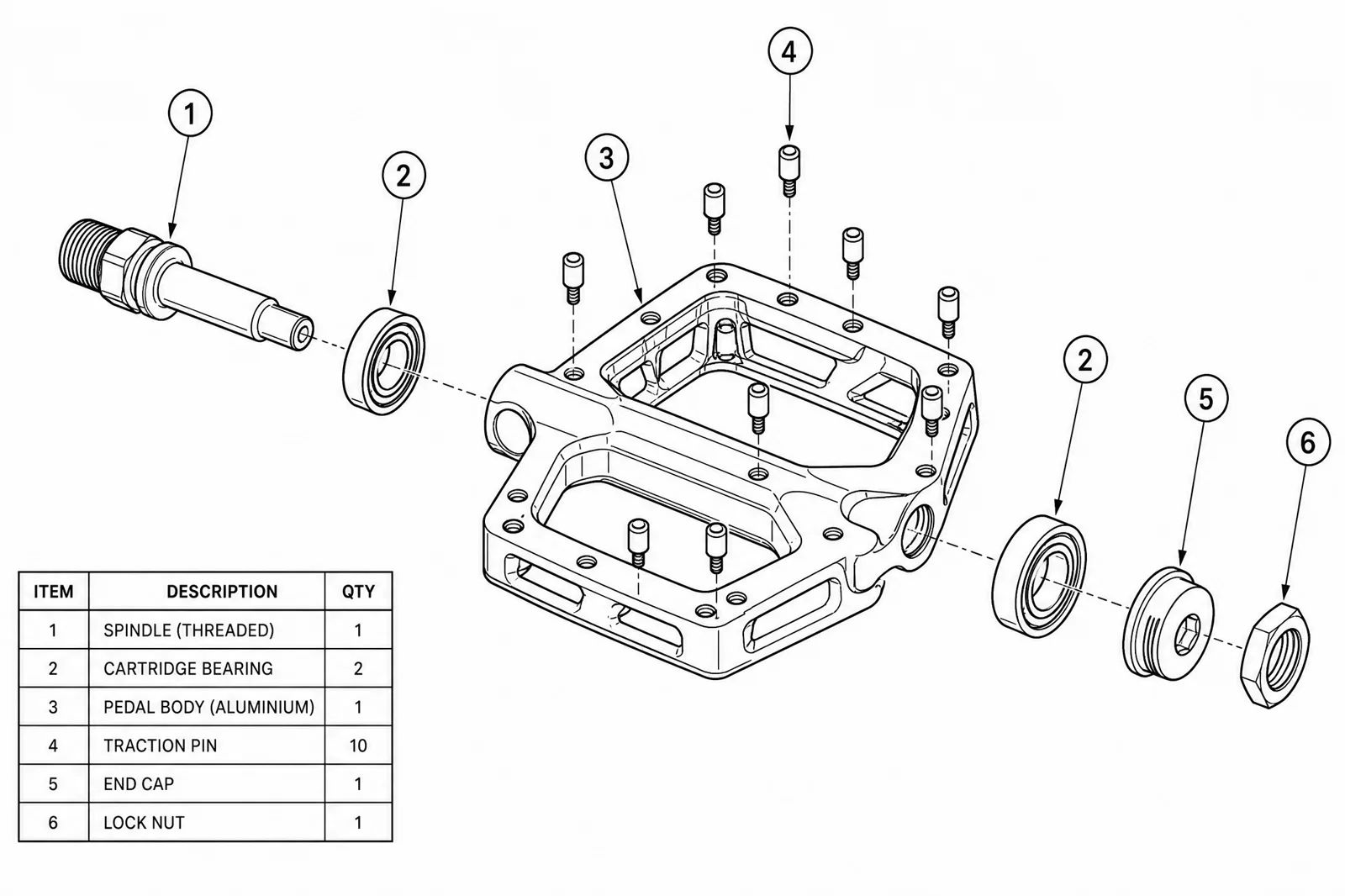
AI-generated example
Bicycle pedal, exploded
Six balloons on one axis and a parts list that matches them, which is where many models slip.
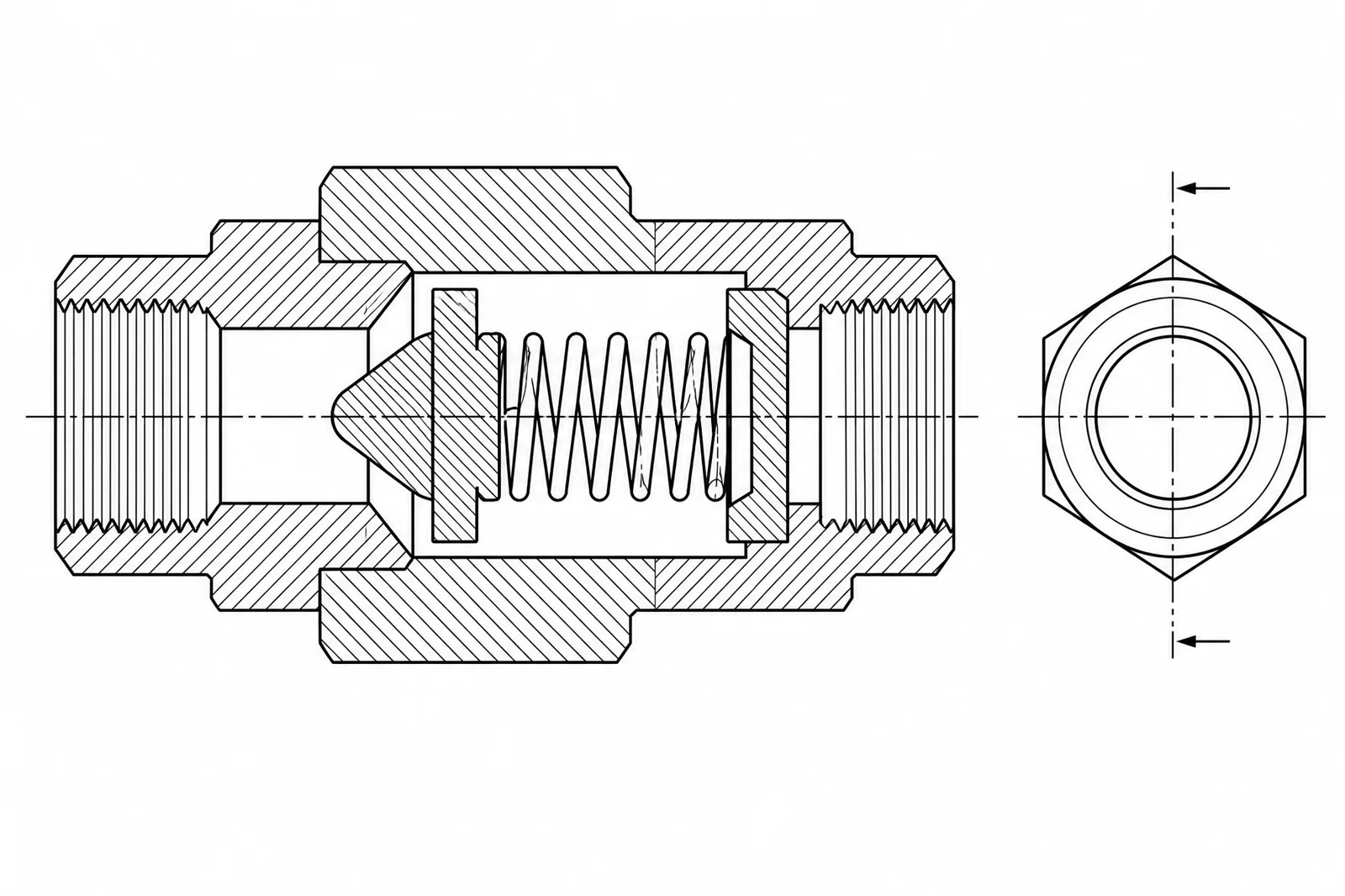
AI-generated example
Check valve section
Hatched cut faces, threads at both ends and an end view with the cutting plane. A solid section view.
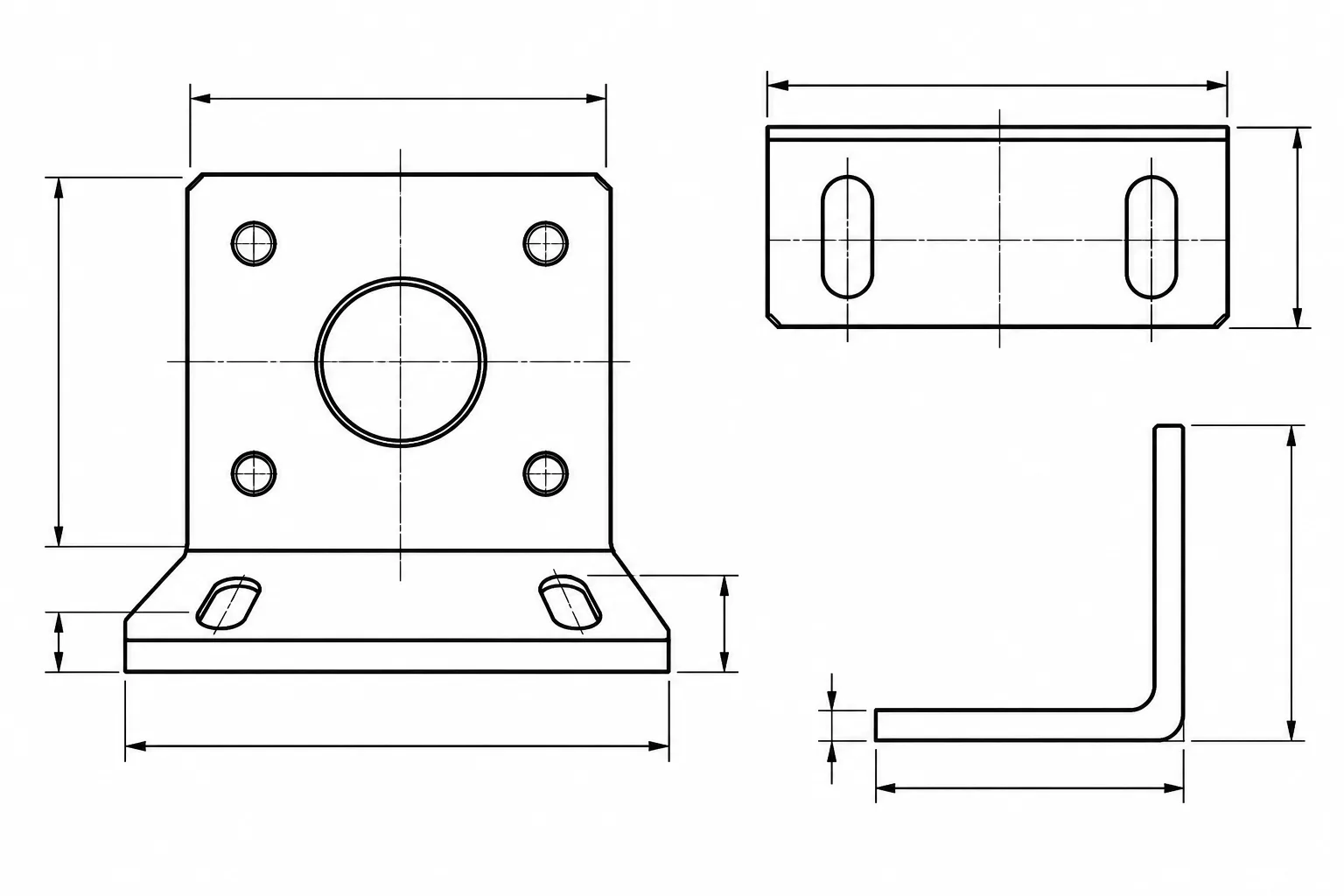
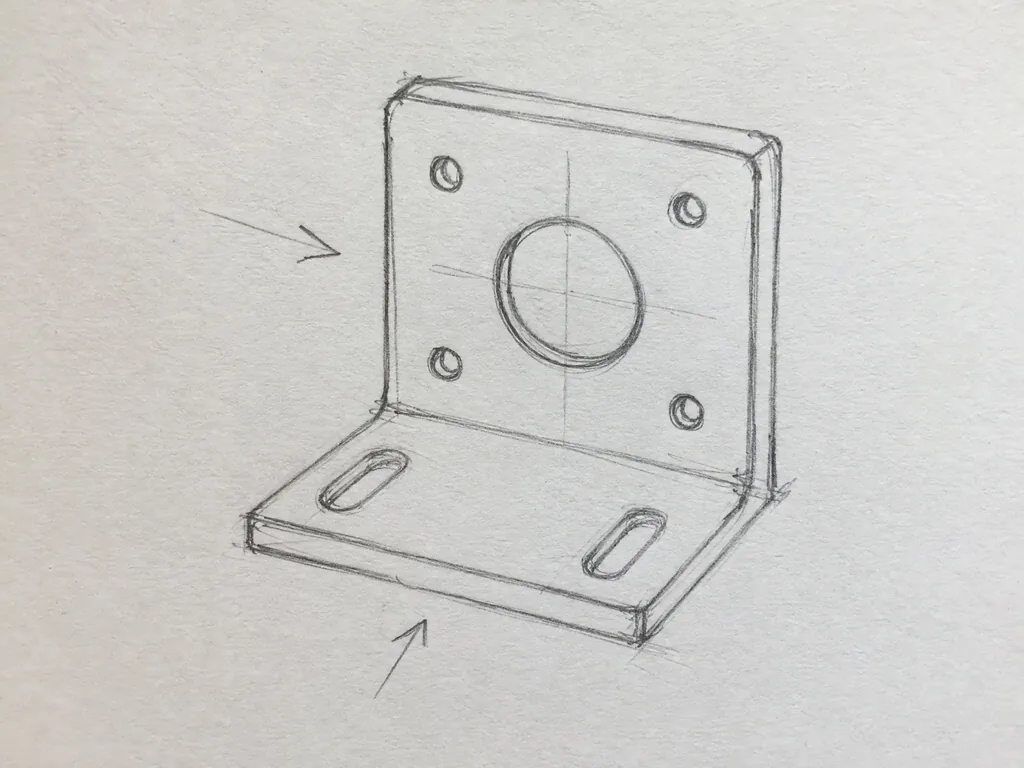
AI-generated example
Motor mount from a sketch
A pencil sketch redrawn as three views with dimension lines but no numbers, as asked. The base slots also show in the front view.
How to
How to redo a GPT Image 1.5 technical drawing today
Three steps with the generator at the top of this page, already set to GPT Image 2.6 Sunburst.
STEP 1
Run the migration check
Paste the old prompt with the size and quality you used. Fix what it flags, then press Send to generator.
STEP 2
Check style, shape and size
The check sets them for you; change any of them in the generator. Your brief can be up to 1,000 characters, or 400 as notes beside a sketch.
STEP 3
Generate and compare
Press Generate drawing (60 credits at 1K, 80 at 2K, 120 at 4K). Hold it next to your old drawing, then download the PNG or press Convert to DXF.
Drop the API settings
Pixel sizes and quality words belong in the generator, not the brief.
Name the view
"Front view plus a small isometric view" still works as written.
Draft on Flare
Same price, built for quick runs; keep Sunburst for the final.
One reference image
Merge several references into one sketch before you upload it.
Compare
GPT Image 1.5 successors and the other models side by side
Every model you can run here today, with prices, sizes and inputs straight from our settings. Use in generator moves your brief across.
Swipe sideways for every column
| 10 drawings | Input | Brief | Speed (maker’s claim) | Use in generator | |||
|---|---|---|---|---|---|---|---|
| Z-ImageAlibaba | 40 | 400 | One size | Text only | 350 chars | Tongyi-MAI: Turbo runs sub-second on H800 GPUs (Kie does not name its variant) | |
| Flux 2 ProBlack Forest Labs | 60 | 600 | 2K | Text + sketch | 1,000 chars | BFL: under 10 seconds (FLUX.2 family) | |
| GPT Image 2OpenAI | 60 | 600 | 4K | Text + sketch | 1,000 chars | OpenAI: complex prompts can take up to 2 minutes | |
| GPT Image 2.6 FlareOpenAI | 60 | 600 | 4K | Text + sketch | 1,000 chars | OpenAI: built for fast iteration | |
| GPT Image 2.6 SunburstThis pageOpenAI | 60 | 600 | 4K | Text + sketch | 1,000 chars | None published | |
| Wan 2.7 ImageAlibaba | 60 | 600 | 2K | Text + sketch | 1,000 chars | None published | |
| Seedream 5.0 ProByteDance | 80 | 800 | 2K | Text + sketch | 1,000 chars | None published | |
| Nano BananaGoogle | 90 | 900 | One size | Text + sketch | 1,000 chars | None published | |
| Nano Banana 2Google | 150 | 1,500 | 4K | Text + sketch | 1,000 chars | Google: Flash speed (no figure) | |
| Nano Banana ProGoogle | 450 | 4,500 | 4K | Text + sketch | 1,000 chars | None published |
Credits are what this site charges per drawing, set in our model config (placeholders until launch). Speed is the maker’s own claim, not our test. Checked 2026-11-27.
FAQ
GPT Image 1.5 questions
Is GPT Image 1.5 being shut down?
Yes. OpenAI's deprecations page lists the model and its dated snapshot for shutdown in the API on 1 December 2026, after a notice on 2 June 2026. OpenAI recommends gpt-image-2.6-sunburst or gpt-image-2.6-flare instead.
What was GPT Image 1.5?
An OpenAI image generation and editing model released on 16 December 2025, in ChatGPT and in the API. OpenAI said it generated images up to 4x faster, kept details better when editing, and that image input and output cost 20% less than with GPT Image 1. It offered three sizes around 1.5K and low, medium and high quality.
Can I still pick the old model here?
No. It would stop working days after launch, so we left it out of the model menu. The generator on this page runs GPT Image 2.6 Sunburst instead, and the model menu offers every model that works today.
What replaces GPT Image 1.5 for CAD drawings?
GPT Image 2.6 Sunburst for detailed sheets, which OpenAI describes as built for detailed visual work, and GPT Image 2.6 Flare for fast drafts. GPT Image 2 also works until 10 February 2027.
Why not move to GPT Image 2?
You can, and it has the longest run history with our drafting rules. But OpenAI retires it on 10 February 2027 with the same 2.6 replacements, so a brief moved to 2.6 now will not need a second move.
Do my old prompts still work?
Mostly. A plain description of the part and the views carries over as written. What changes: size and quality move into the generator settings, a 2:3 sheet becomes 3:4, transparent backgrounds and masks are not offered, and colour words give way to the drawing style. The migration check above handles each case.
How do the old sizes map to the new settings?
1024 x 1024 becomes a 1:1 sheet, 1536 x 1024 becomes 3:2 and 1024 x 1536 becomes 3:4, the nearest tall shape here. Low or medium quality maps to 1K, the size nearest the old output; high maps to 2K. 4K is there for large prints.
What does a drawing cost on the successors?
GPT Image 2.6 Sunburst and Flare both cost 60 credits at 1K, 80 at 2K and 120 at 4K per drawing, the same as GPT Image 2. A failed run is refunded automatically.
Is GPT Image 2.6 better for technical drawings?
We publish no benchmark. OpenAI positions Sunburst for detailed work and for edits where precision matters most. It is new, so we have little run history with it yet. Run one brief on Sunburst and on GPT Image 2 with Use in generator and keep the better sheet.
Can I edit a sketch the way I did before?
Yes, with one image. Open the Sketch tab, drop the sketch or the old drawing and add up to 400 characters of notes. The model redraws the whole image in the style you pick; masked edits and several references at once are not offered.
Are the drawings I already made affected?
No. The shutdown stops new requests to the model. Images you already generated are ordinary files, and you can still trace them to DXF here for free.
Does the generator output an editable CAD file?
No. It makes images. You get a PNG of a CAD-style drawing, not a STEP, DWG or parametric model. Convert to DXF traces its lines into vectors in your browser, without layers or real dimensions.
Is this site affiliated with OpenAI?
CAD Converter is an independent product. We pay for access to OpenAI models through Kie.ai and are not affiliated with or endorsed by OpenAI. Model names belong to their owners.
Redo your GPT Image 1.5 drawings on GPT Image 2.6
Paste a brief or drop a sketch; GPT Image 2.6 Sunburst is already selected above.
Open the generator