AI Patent Drawing Generator: Figures and Sheet Checks
Describe an invention or drop a prototype photo and AI draws patent drawings: black lines, reference numerals, sparse shading. Then number any figure on an A4 or letter sheet checked against 37 CFR 1.84, free in your browser. AI output is a draft PNG, not a filed drawing.
- Black-and-white figures
- Numerals with lead lines
- 37 CFR 1.84 checklist
- Free sheet PDF
Drawing style
Patent
FIG. labels and reference numerals, no dimensions.
You get a CAD-style PNG made by AI, not an editable CAD file. Trace it to DXF for free afterwards.
Clamp, patent figure
AI-generated example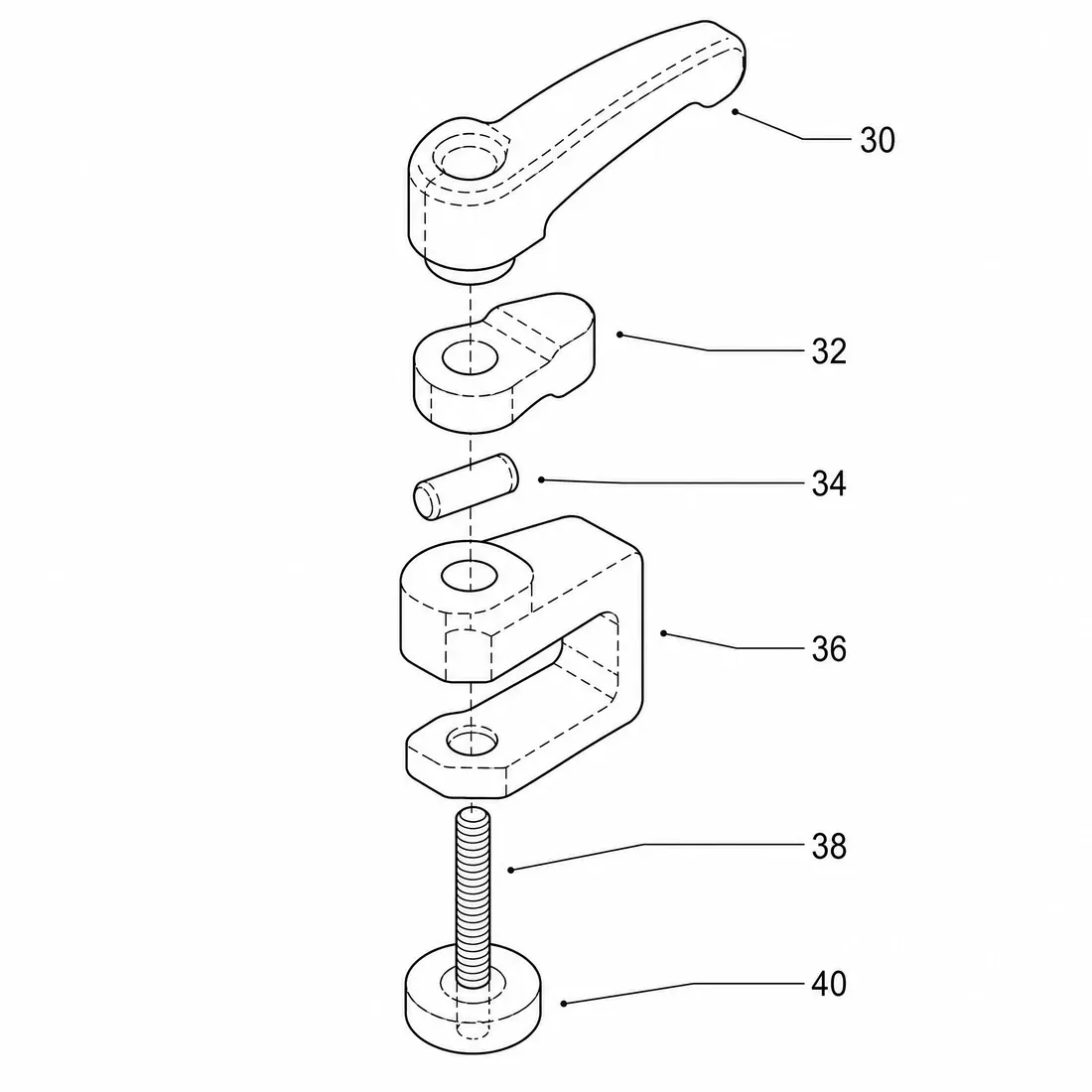
Prompt idea: Quick-release bench clamp with a cam lever, a C-shaped body, a threaded spindle and a swivel pad. Your result will differ.
Free sheet tool
Number patent drawings and check them against 37 CFR 1.84
Put an AI patent drawing or any other figure on an A4 or letter sheet with the margins the rule asks for. Click to add reference numerals, erase lines a patent figure can’t have, and watch every check update. It runs in your browser and never uploads the image.
Click the drawing to add a numeral. Drag a numeral or its dot to move it. Dashed line: the sight (guide only, not printed).
A4 · 0 numerals · Runs in your browser. The image is never uploaded.
Image
+ − Margins and lines
37 CFR 1.84 checklist
9 pass · 0 to check · 0 fail · 7 by eye
- Pass
Sheet size1.84(f)
A4, 21.0 × 29.7 cm, portrait: one of the two sizes the rule allows, with a short side as the top.
- Pass
Margins1.84(g)
Top 2.5 cm, left 2.5 cm, right 1.6 cm, bottom 1.0 cm. Sight 168.6 mm x 261.6 mm, within the 17.0 cm x 26.2 cm limit.
- Pass
No frame, scan targets1.84(g)
No border around the sight; cross-hairs in the top-left and bottom-right margin corners.
- Pass
Black ink on white1.84(a)(1)
The figure is converted to pure black on white for export.
- Pass
Characters at least 0.32 cm high1.84(p)(3)
Numerals 3.5 mm high, sheet number 4.5 mm.
- Pass
View numbers1.84(u)(1)
Only one view in the application: no view number and no "FIG." on the sheet.
- Pass
Sheet number1.84(t)
"1/1" at the top centre inside the sight, 4.5 mm high, nothing else beside it.
- By eye
Plain reference characters1.84(p)(1)
No numerals yet. Click the drawing to add one.
- By eye
One part, one numeral1.84(p)(4)
Each numeral appears once. Keep the same numeral for the same part in every figure, and match the written description (1.84(p)(5)).
- By eye
Lead lines1.84(q)
Every numeral has a lead line starting next to it, and none cross.
- By eye
Short lead lines1.84(q)our rule of thumb
All lead lines are under 60 mm.
- By eye
Numerals clear of lines1.84(p)(3)
Keep numerals off the lines, hatching and shading of the drawing.
- Pass
Line weight1.84(l)our rule of thumb
Lead lines 0.3 mm, solid black. The rule sets no width; it asks for black, dense, uniformly thick lines and lead lines drawn like the drawing's lines.
- Pass
Scale and reduction1.84(k)
No scale note. Reduced to two-thirds, numerals print 2.3 mm high; check the figure stays uncrowded.
- By eye
No center lines or projection lines1.84(h)
Views must not contain center lines or be joined by projection lines. AI and CAD images often have them: erase them before filing.
- By eye
Identification1.84(c)
Optional: title, inventor and application or docket number go in the top margin of each sheet.
A checking aid, not legal advice. It checks what it can measure on this sheet; a registered patent attorney or agent should review drawings before filing. Design patent drawings also follow 37 CFR 1.152.
Examples
Patent drawing examples: AI figures and finished sheets
Two AI-generated patent figures, and sheets our free tool made from AI drawings: lines erased, numerals added, margins set. The AI does the drawing; the sheet tool does the rules.
AI-generated example
Bench clamp, exploded
Lever, cam, pin, C-shaped body, spindle and pad pulled apart on one axis, numerals 30 to 40 on short lead lines.
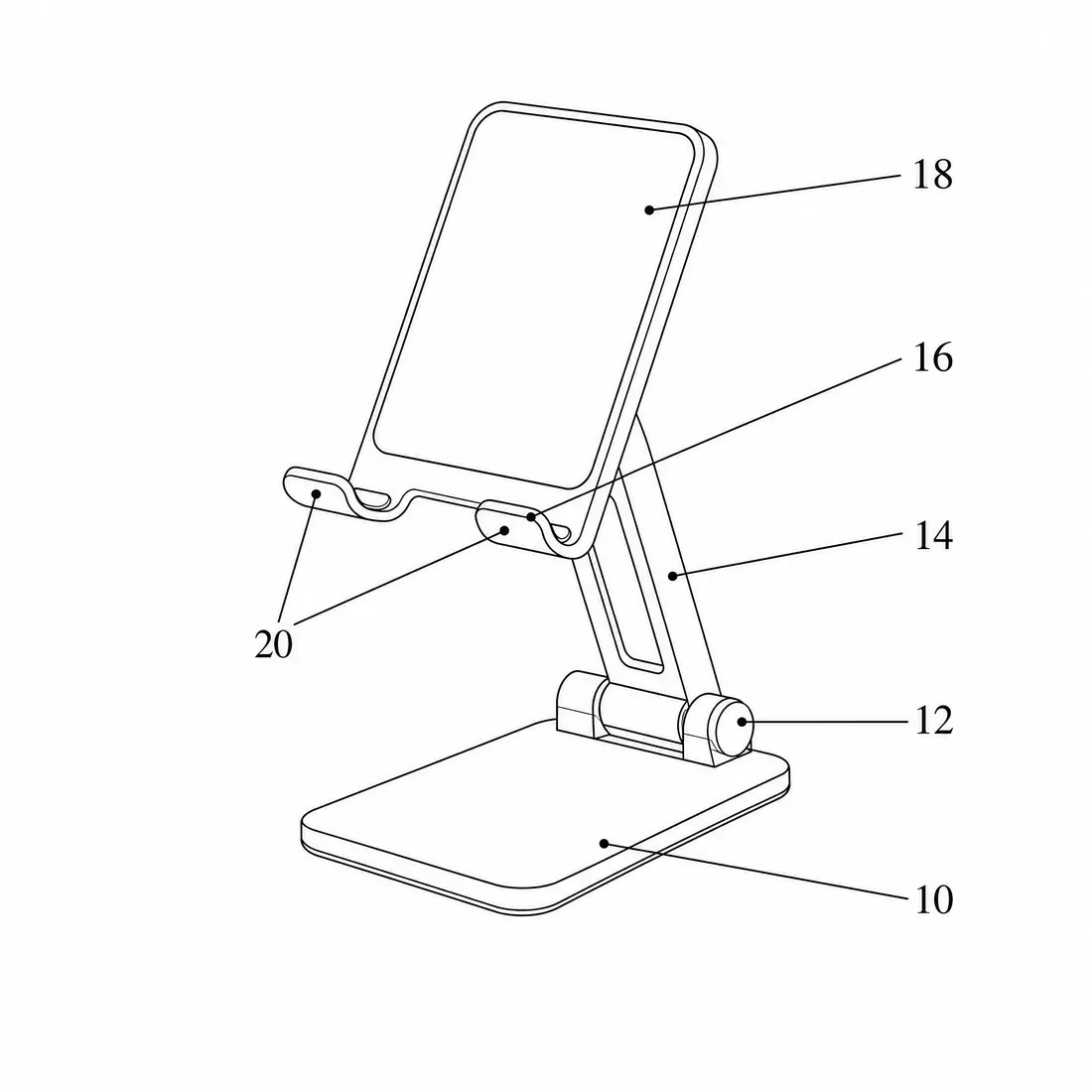
AI-generated example
Folding phone stand
One perspective view of a stand: base, hinge, arm, cradle and lips marked 10 to 20, black lines on white.
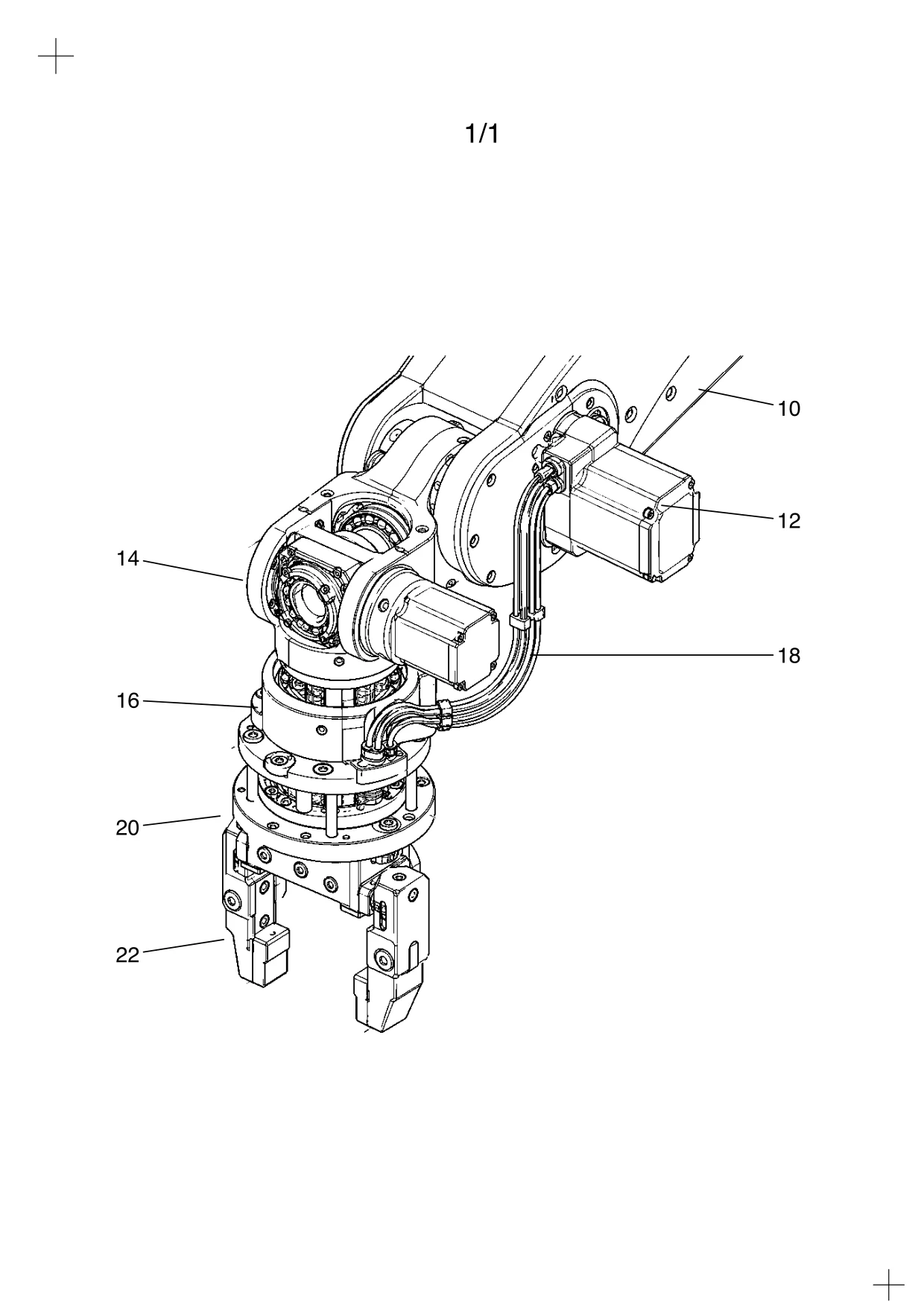
Made with our sheet tool
Robot wrist on an A4 sheet
An AI drawing with its dimension lines erased, numerals 10 to 22 and the 1/1 sheet number added, margins per 1.84(g).
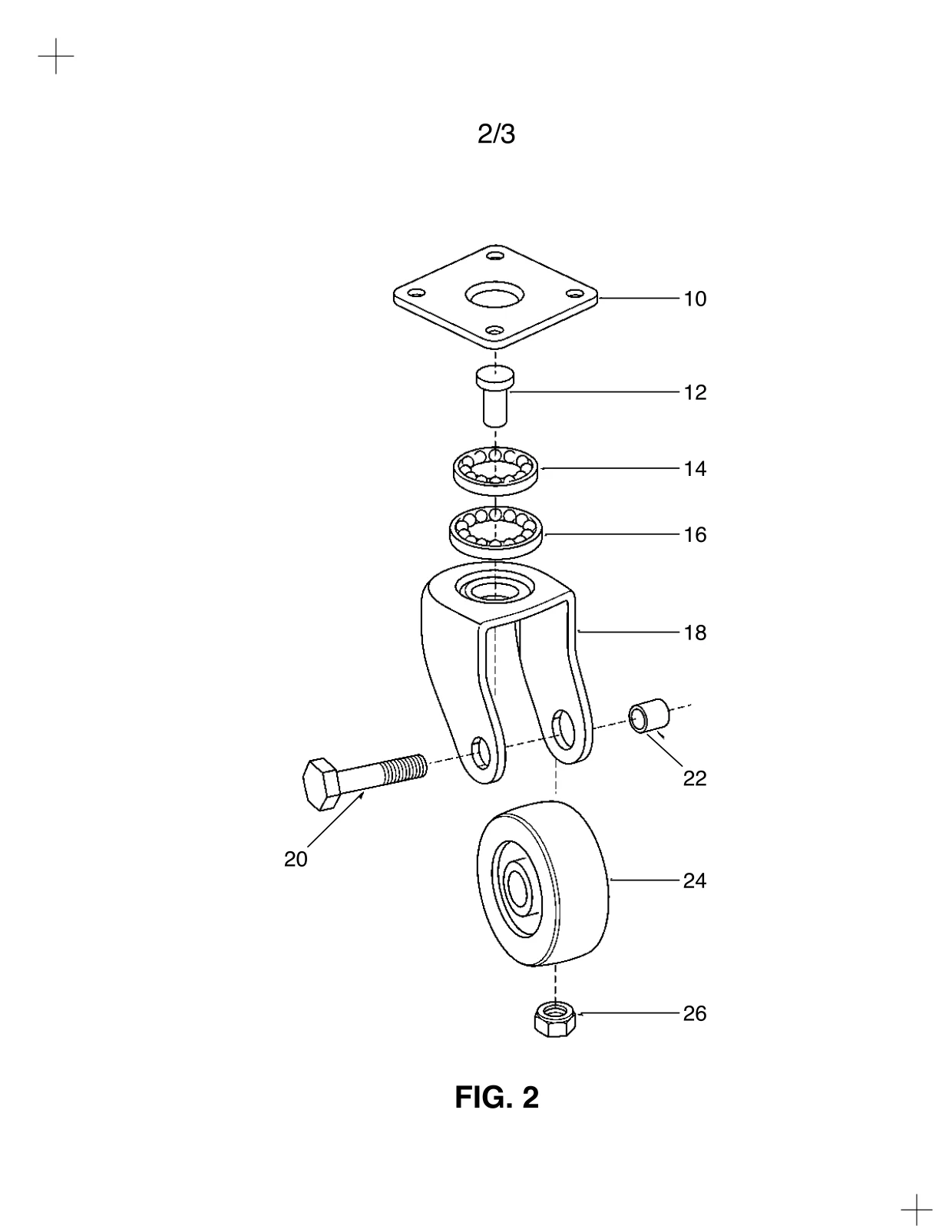
Made with our sheet tool
Swivel caster, FIG. 2
An exploded AI view on a letter sheet: circled balloons replaced by plain numerals, FIG. 2 below, sheet 2/3 on top.
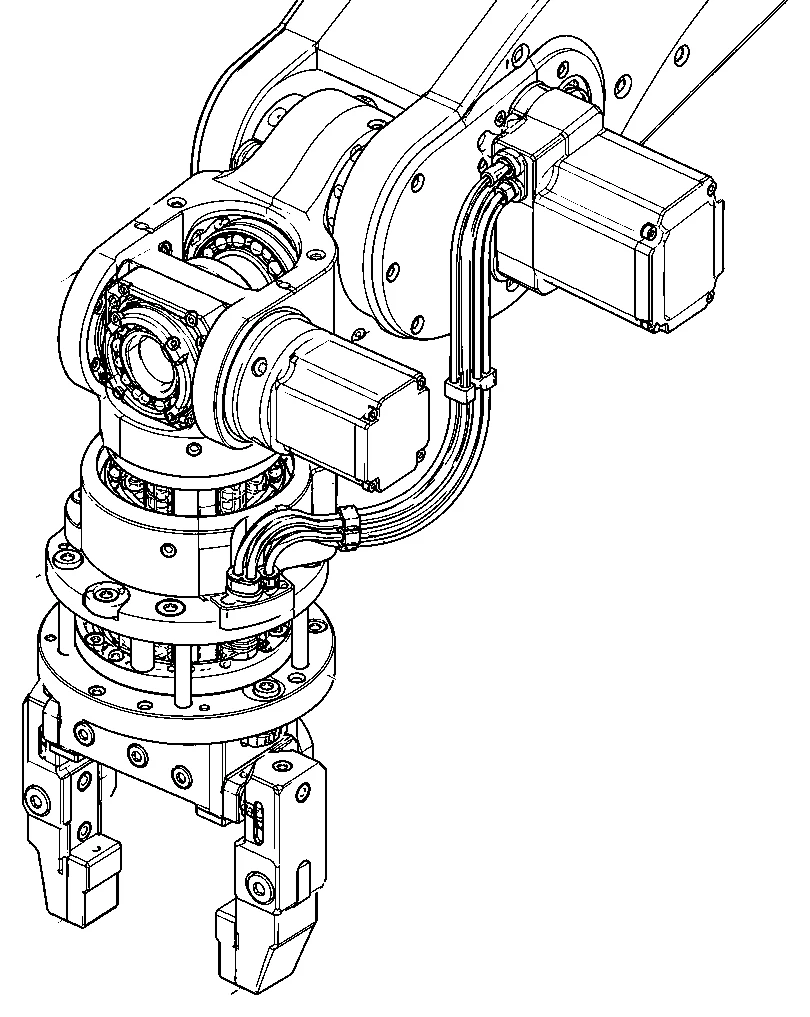
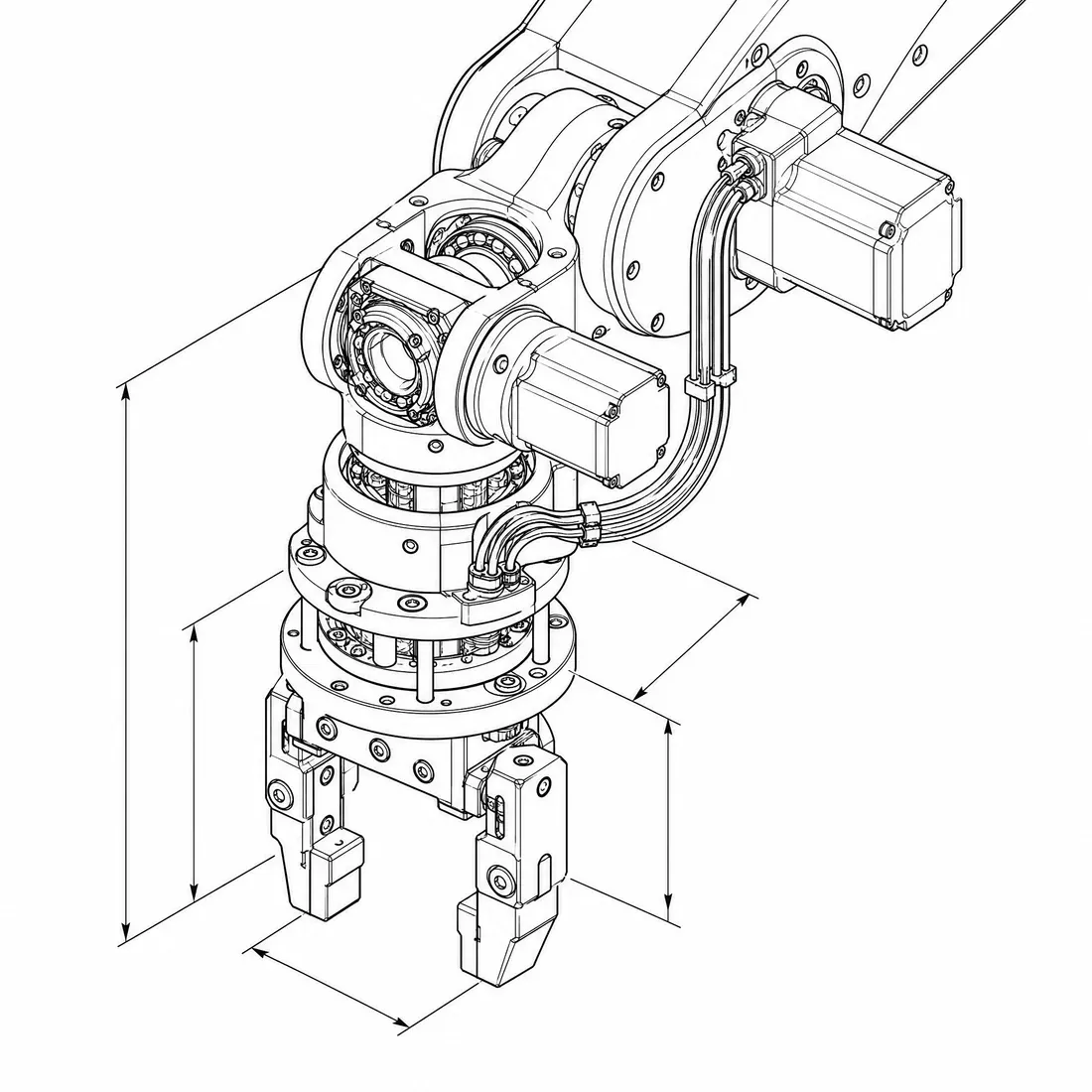
Sheet tool: eraser
Dimension lines out
Before and after the eraser and the black-and-white pass. Patent figures carry no center lines or scale notes.
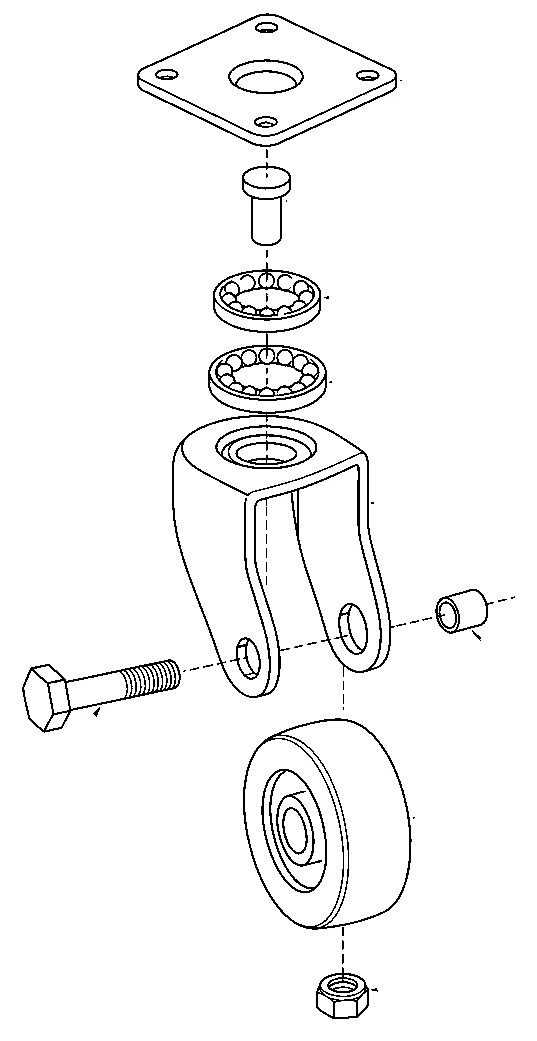
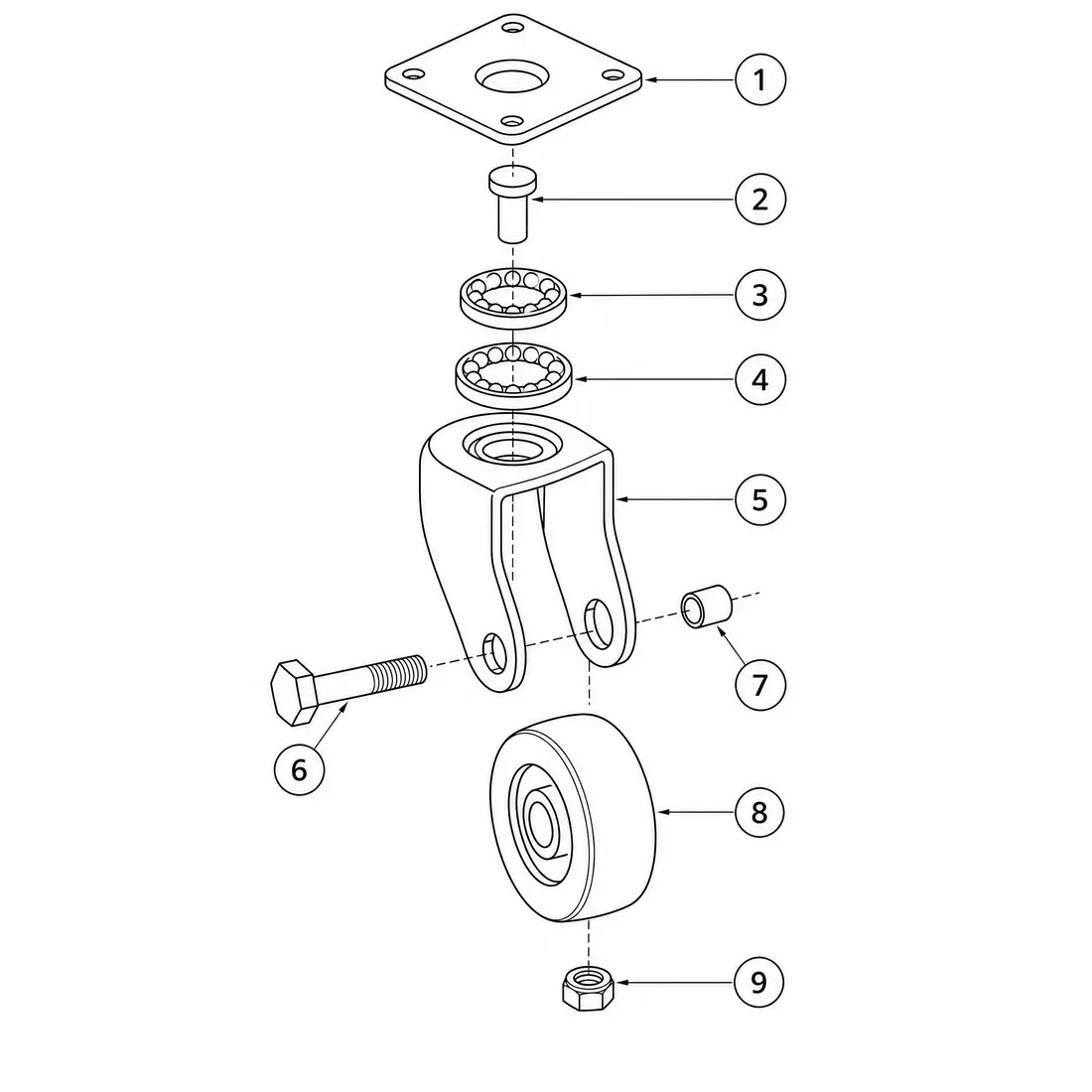
Sheet tool: eraser
Balloons out
AI balloons are circled numbers, which 1.84(p)(1) does not allow. The eraser clears them for plain numerals.
Prompt builder
Build a patent illustration prompt
Name the invention and the parts to call out, then pick the view, numeral run and shading. Apply sends one clear prompt to the AI patent drawing generator above.
Generated prompt
PatentStart from a template
The rules
What patent drawings need under 37 CFR 1.84
US patent drawings follow one rule, 37 CFR 1.84. Five parts of it decide most of how a sheet looks.
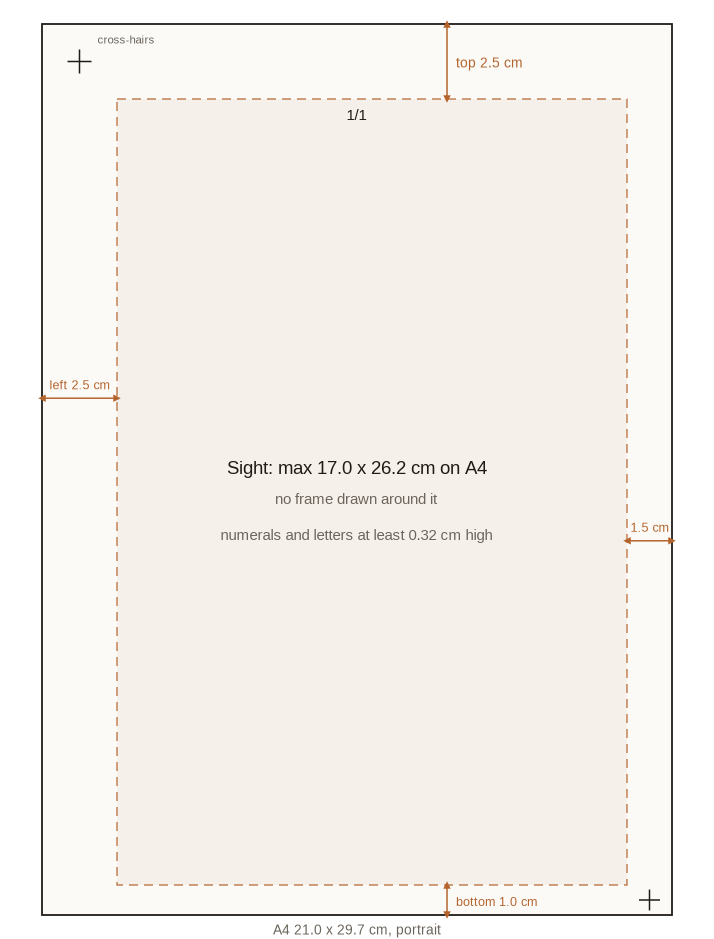
Drawn from our sheet engine: A4 at the minimum margins
How to
How to make patent drawings in 3 steps
AI for the figure, the free sheet tool for the patent drawing rules.
STEP 1
Describe or upload the invention
Type the parts and how they connect, or switch to the Sketch tab and drop a photo or sketch of the prototype (PNG, JPG or WebP up to 10 MB).
STEP 2
Generate the figure
Keep the Patent style and the tall 3:4 sheet, then press Generate drawing: 60 credits at 1K, 80 at 2K. Generate one view at a time.
STEP 3
Number it and check the sheet
Save the PNG, press Open image in the sheet tool, erase stray lines, click to place numerals and fix every failed check. Then Download PDF.
Name every part
A part you want numbered needs a name in the prompt and in your description.
One view per image
Perspective, exploded and section views read best as separate figures.
Keep one numeral run
Choose 10, 12, 14 or 100, 102 and keep it across all figures.
Have it reviewed
A registered patent attorney or agent should check drawings before you file.
Two tools
AI patent drawing generator or the free sheet tool
One draws the patent illustration, the other lays it out by the rules.
- AI input
- A written description, or a photo or sketch of the prototype
- AI output
- A patent-style PNG figure at 1K or 2K, black lines on white
- AI cost
- 60 credits at 1K, 80 at 2K; refunded automatically if a run fails
- AI limits
- Numerals and shapes are drafts; the model can’t read your claims
- Sheet tool input
- Any PNG, JPG or WebP figure up to 25 MB, or a sample
- Sheet tool output
- A true-size PDF or a 300 dpi PNG of an A4 or letter sheet
- Sheet tool cost
- Free, no account; runs in your browser, nothing uploaded
- Checklist
- A check for each rule it can measure, with 37 CFR 1.84 paragraph cites, live
It does
- Draw patent-style figures from text or a photo (AI)
- Set A4 or letter sheets with 1.84(g) margins and cross-hairs
- Add plain numerals with lead lines, FIG. and sheet numbers
- Erase dimension lines, center lines and balloons
- Flag short margins, small numerals and crossing lead lines
It does not
- Guarantee that the USPTO accepts a drawing
- Check your numerals against your written description
- Make design patent views or color drawings
- Turn the PNG into an editable CAD file by itself
- Replace review by a registered practitioner
Patent drawings FAQ
The rules, the AI generator and the sheet tool.
What are patent drawings?
Patent drawings are the black-and-white figures in a patent application. They show every feature the claims name, with reference numerals that match the written description, and each view is labelled FIG. 1, FIG. 2 and so on.
What does 37 CFR 1.84 require?
Black ink on white A4 or 8½ × 11 in sheets, margins of at least 2.5, 2.5, 1.5 and 1.0 cm, no frame, numerals at least 0.32 cm high, numbered views and sheets, lead lines that don’t cross, and no center lines or scale notes.
Will the USPTO accept an AI patent drawing?
Nothing in 37 CFR 1.84 is about how a figure was made; the sheet itself has to meet the rule. An AI patent drawing is a draft: check the shapes, renumber the parts to match your text, and have a practitioner review it.
How big should reference numerals be?
At least 0.32 cm (1/8 in) high. View numbers like FIG. 2 and the sheet number must be larger than the numerals. The tool uses 3.5 mm numerals, 5 mm FIG. labels and a 4.5 mm sheet number by default.
Utility or design patent drawings?
Utility drawings explain how the invention works, with numerals, sections and exploded views. Design drawings show the look from every side with surface shading and no numerals; they also follow 37 CFR 1.152. The sheet tool targets utility sheets.
Can I make a patent illustration from a photo or sketch?
Yes. Use the Sketch tab with the Patent style and name the parts in the notes. Remove logos and background clutter first. Then number the result in the sheet tool.
Will the AI numerals match my description?
Not by themselves. The model places numbers where parts look separate, but it can’t read your text. Generate with no numerals, then add your own in the sheet tool, one numeral per part.
Why erase center lines and dimension lines?
Views must not contain center lines or be joined by projection lines, and scale notes are not allowed. Dimension lines aren’t named by the rule, but sizes usually belong in the text, and extra lines crowd the figure at two-thirds size.
Can patent drawings be in color or grey?
Utility drawings are normally black and white. Color needs a granted petition and photographs are accepted only when nothing else can show the invention. Turn on Black and white to make every line solid black.
Does the sheet tool upload my image?
No. The image is read into your browser, and the PDF and PNG are built on your device. Sample figures load from our site; your own files never leave it.
Can I put several figures on one sheet?
The rule allows it, as long as views don’t overlap and are clearly separated. The tool makes one figure per sheet: set its FIG. number and the sheet number, for example sheet 2/3, and repeat for each figure.
Is the checklist legal advice?
No. It checks what it can measure on the sheet and cites the paragraph of the rule; numbers marked “our rule of thumb” are our own suggestions. A registered patent attorney or agent should review drawings before filing.
Make your patent drawings now
Generate the figure, then number it on a free sheet that follows the rule. Credits come back if a run fails.
Describe an invention