What Is a DXF File? Format, Uses, How to Open
A DXF file is a CAD drawing saved in Autodesk’s documented exchange format. What is inside one, DXF vs DWG, versions and units, and how to open or make one.
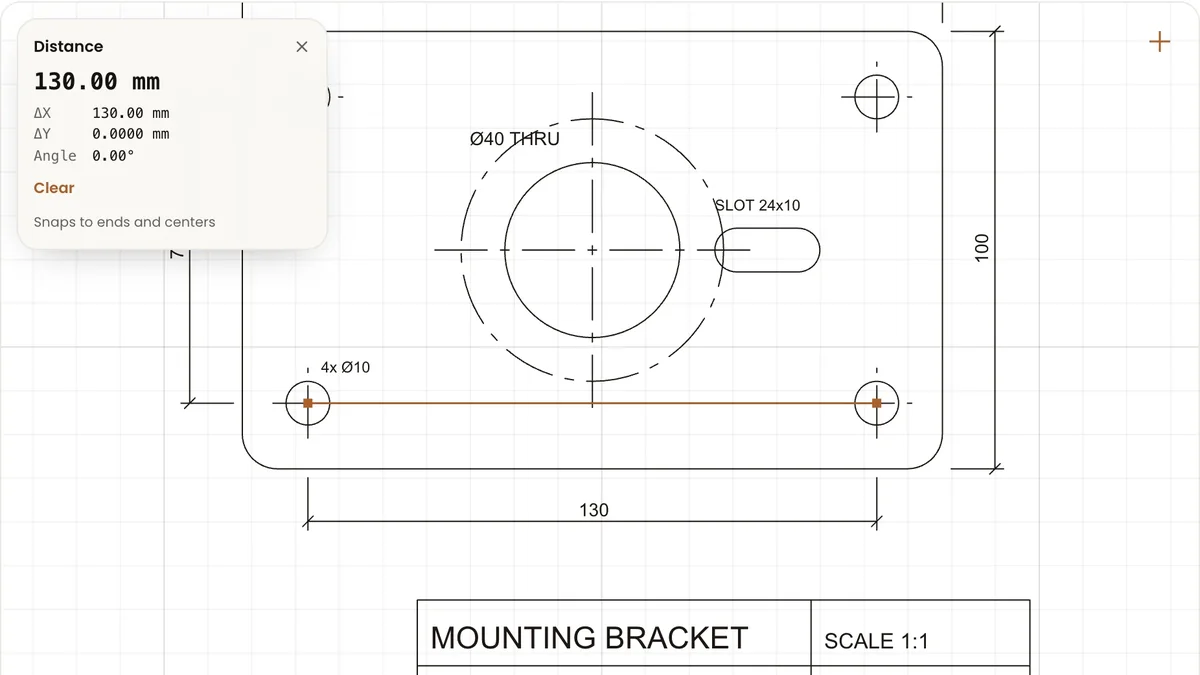 Our DXF viewer
If you work with laser cutters, CNC routers or more than one CAD program, you will meet DXF files constantly. So what is a DXF file, exactly? It is a CAD drawing saved in an open, documented text format that almost every design and manufacturing program can read. This guide explains what is inside one, how it differs from DWG, and how to open, create and fix DXF files.
What is a DXF file used for?
DXF exists to move drawings between programs. AutoCAD's own DWG format was closed, so Autodesk published DXF alongside AutoCAD 1.0 in 1982 as a way for other software to exchange drawings with it. Four decades later it is still the common language of 2D CAD:
- Cutting and machining. Laser, plasma, waterjet and CNC routing software imports DXF and turns its contours into toolpaths.
- Exchange between CAD programs. A drawing from AutoCAD, SolidWorks, Fusion or Inkscape can be opened in almost any other program as DXF.
- Signs, logos and templates. Vinyl cutters, engravers and sign makers often ask for DXF.
- Archiving and automation. Because it is text, scripts can read and generate DXF without any CAD software.
What is inside a DXF file
An ASCII DXF file is a long list of pairs: a group code on one line, a value on the next. The group code says what the value means. A few of the most common:
| Group code | Meaning | Example value |
|---|---|---|
| 0 | Start of an entity or section marker | LINE, CIRCLE, SECTION, EOF |
| 2 | Name (of a section, block or table entry) | ENTITIES |
| 8 | Layer name | CUT |
| 10, 20, 30 | X, Y, Z of the main point | 0.0, 0.0, 0.0 |
| 11, 21, 31 | X, Y, Z of a second point (for example a line end) | 100.0, 50.0, 0.0 |
| 40 | A size such as a circle radius or text height | 12.5 |
| 62 | Colour number (AutoCAD Colour Index) | 1 (red) |
The pairs are grouped into sections: HEADER (settings such as version and units), CLASSES, TABLES (layers, line types, text styles), BLOCKS (reusable groups of entities), ENTITIES (the drawing itself) and OBJECTS, and the file ends with EOF. Older R12 files have only HEADER, TABLES, BLOCKS and ENTITIES. A stripped-down entities section with a single line looks like this:
0
SECTION
2
ENTITIES
0
LINE
8
CUT
10
0.0
20
0.0
30
0.0
11
100.0
21
50.0
31
0.0
0
ENDSEC
0
EOF
That is a line on layer CUT from (0, 0) to (100, 50). Real files add a header and tables, but the principle never changes. DXF can also be saved in a binary form, which is smaller and faster to read, though ASCII is far more common.
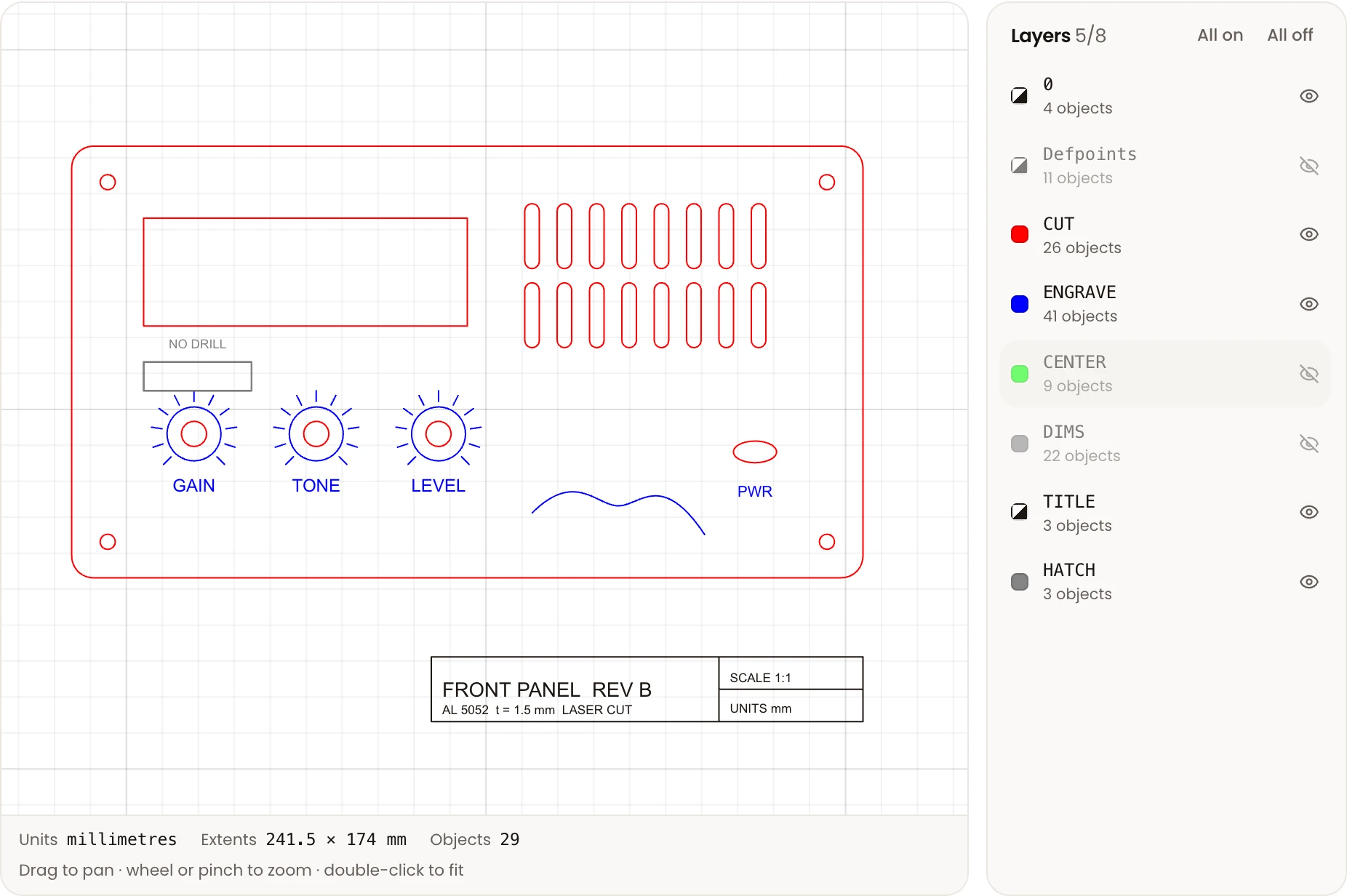 Our DXF viewer
Common DXF entities
The ENTITIES section holds the geometry. The types you will see most:
- LINE, ARC, CIRCLE, ELLIPSE for basic geometry.
- LWPOLYLINE (lightweight polyline, from R14) and POLYLINE for connected outlines. Closed polylines are what cutting software wants.
- SPLINE for smooth curves. Some CAM software handles splines poorly, so converters often turn them into arcs or short line segments.
- TEXT, MTEXT for single- and multi-line text, DIMENSION for dimensions, HATCH for filled patterns.
- INSERT for a reference to a block, the DXF way of reusing a symbol or part many times.
Units, versions and encoding
Three settings in the header cause most DXF problems:
- Units. The
$INSUNITSvariable records the drawing unit: 1 means inches, 4 means millimetres, 0 means unitless. Many files leave it unset, so the importing program guesses. If a part arrives 25.4 times too big or too small, this is why. - Version.
$ACADVERgives the format version: AC1009 is R12, AC1015 is 2000, AC1018 is 2004, AC1021 is 2007, AC1024 is 2010, AC1027 is 2013 and AC1032 is 2018. R12 is the most widely readable; newer versions add entity types older software may not know. - Text encoding. DXF 2007 and later store text as UTF-8; older versions use a code page given in
$DWGCODEPAGE. Non-Latin text from an old file can come out garbled for this reason.
DXF vs DWG
| DXF | DWG | |
|---|---|---|
| Format | Text (or binary DXF) | Binary |
| Documentation | Published by Autodesk (DXF Reference) | Not officially published; other programs rely on reverse-engineered libraries |
| File size | Larger | Smaller |
| Fidelity in AutoCAD | Very good for geometry; some application data may be simplified | Native, complete |
| Best for | Exchange, CAM, scripts | Working files in AutoCAD and compatible programs |
In short, DWG is the working format and DXF the exchange format. If a shop asks for DXF and you have DWG, DWG to DXF converts it in your browser; DWG viewer opens DWG files without AutoCAD.
How to open a DXF file
- In the browser: our DXF viewer reads the file inside your browser tab, shows layers and blocks, and lets you snap and measure. Nothing is uploaded.
- Free desktop programs: LibreCAD and QCAD (2D CAD), FreeCAD, Inkscape (imports DXF as vectors) and Autodesk DWG TrueView.
- Commercial CAD: AutoCAD, DraftSight, BricsCAD, SolidWorks, Fusion and most others import DXF.
To print one to scale, DXF to PDF lays it out on A4 to A0 or ANSI sheets as a vector PDF.
How to make a DXF file
- Export from CAD. Every CAD program has Save As or Export to DXF. Pick R12 or 2000 for the widest compatibility.
- Convert vector files. SVG to DXF keeps true scale from Illustrator or Inkscape artwork; PDF to DXF handles vector PDFs and scans.
- Trace images. PNG to DXF, JPG to DXF and photo to DXF turn logos, scans and photos of templates into closed outlines or centrelines at a size you set.
- Generate parts. Rule-based tools such as our gear generator and box generator write exact DXF geometry directly.
Fixing common DXF problems before cutting
- Check the size. Measure one known dimension. Wrong by 25.4 means a unit mix-up.
- Close the contours. Laser and CNC software needs closed shapes for cut-outs; small gaps at joints stop it from recognising a part.
- Remove duplicates. Overlapping lines make a machine cut the same path twice.
- Explode what the machine cannot read. Blocks, splines and text may need converting to plain polylines.
- Use layers for operations. Put cuts, engraving and reference lines on separate layers so the operator can assign them.
So, what is a DXF file in one line? The plain-text drawing format that lets any CAD or CAM program read your geometry. Keep the units set, the contours closed and the version modest, and it will open almost anywhere.
Frequently asked questions
What does DXF stand for?
Drawing Exchange Format (Autodesk also uses the name Drawing Interchange Format). Autodesk introduced it with AutoCAD 1.0 in 1982 so drawings could move between AutoCAD and other programs.
Is a DXF file 2D or 3D?
Mostly 2D in practice: lines, arcs, circles, polylines, text and dimensions. The format can also hold 3D faces, meshes and solids, but many programs that read DXF only handle the 2D part.
Can I open a DXF file without AutoCAD?
Yes. Free options include LibreCAD, QCAD, FreeCAD, Inkscape (import) and Autodesk DWG TrueView. Our DXF viewer opens DXF files in the browser with layers and measuring, and the file is not uploaded.
Why is my DXF the wrong size when I import it?
The file probably has no unit set, or the importer assumed a different one. Check the $INSUNITS value in the header (4 is millimetres, 1 is inches), or scale by 25.4 if a millimetre drawing came in as inches or the other way round.
Which DXF version should I use for laser cutting or CNC?
If the shop does not say, AutoCAD R12 (AC1009) is the safest choice: almost every CAM program reads it. Newer versions add entity types that some older machines and software do not understand.